


Yandex reverse image search works by converting an image into visual features (patterns, shapes, textures), matching those features against billions of indexed images, and returning pages where the image appears plus visually similar images.
If you’ve ever wanted to find the original source of a photo, detect duplicates, or identify visually similar content, Yandex reverse image search is one of the most powerful tools available.
Table of Contents
Key Takeaways
- How Yandex reverse image search gives the result by using images instead of raw text.
- Yandex analyzes image patterns like shapes, colors, and textures to find exact and similar matches.
- You can use Yandex manually via image upload or automate it programmatically using the Zenserp API.
- Yandex is strong at detecting faces and cropped images, but results depend on indexing and image quality.
This article is designed to be beginner-friendly while also giving developers practical implementation guidance.
What Is Reverse Image Search?
Reverse image search lets you search using an image instead of text.
Instead of typing keywords, you upload an image (or provide its URL), and the search engine finds:
- The original source of the image
- Other websites where it appears
- Similar or visually related images
- Different sizes or edited versions
Reverse image search is widely used to verify image authenticity, helping users confirm whether a photo has been misattributed, altered, or taken out of context.
It also helps find higher-resolution versions of images, which is useful for designers and content creators. Many photographers and brands use it to detect copyright misuse and monitor unauthorized reuse.
It can identify products, landmarks, or objects from a simple photo. Overall, it’s a powerful tool for verification, discovery, and digital rights protection.
What Is Yandex Reverse Image Search?
Yandex is a major search engine known for its strong computer vision capabilities. Many users consider Yandex Images reverse search especially effective at:
- Detecting faces
- Matching partially cropped images
- Finding visually similar content even when altered
Yandex reverse image search analyzes the image itself, not just metadata or filenames, to find matches.


You can access it via Yandex Images in your browser, or programmatically via APIs like Zenserp, which provides structured search results.
How Does Yandex Reverse Image Search Work?
Let’s break it down into simple steps.
1. Image Processing into Visual Signals
When you upload an image:
- The image is converted into numerical data.
- Key features are extracted:
- Edges
- Colors
- Textures
- Shapes
- Object outlines
These features create a visual fingerprint.
2. Matching Against Indexed Images
Yandex compares this fingerprint against:
- Billions of indexed images
- Images embedded inside webpages
- Previously crawled visual content
Instead of matching text, it matches visual similarity scores.
3. Returning Result Types
Yandex usually provides two main result categories:
1️ Where It Appears
- Pages where the exact image is found
- Sometimes includes resized or compressed versions

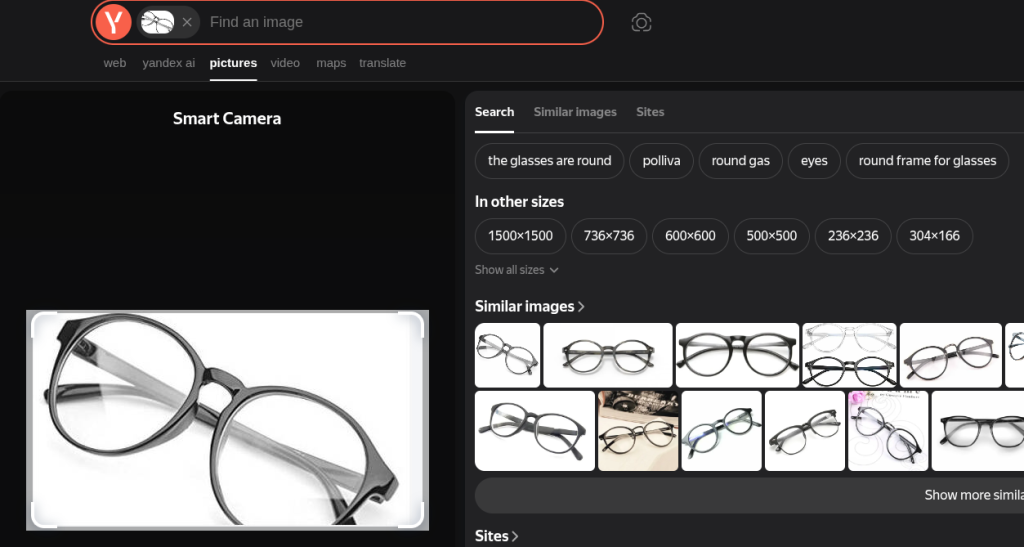
2️ Similar Images
Visually related images
Same subject in different angles
Cropped or edited versions

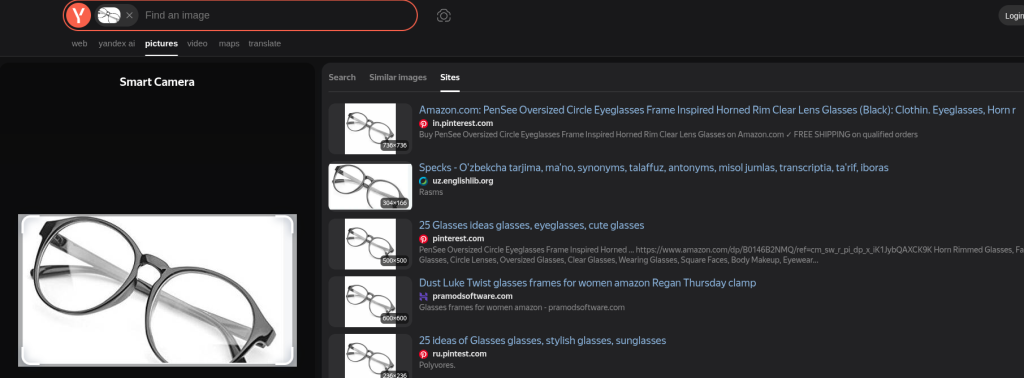
This dual structure is why reverse image search Yandex is useful for both verification and discovery.
For Developers: Automating Yandex Reverse Image Search with Zenserp
If you’re building:
OSINT tools
Brand monitoring systems
Image verification tools
Media intelligence dashboards
You’ll want programmatic access.
That’s where Zenserp comes in.
Why Use Zenserp?
Zenserp provides structured search engine data via API, including Yandex search results without needing to scrape manually.

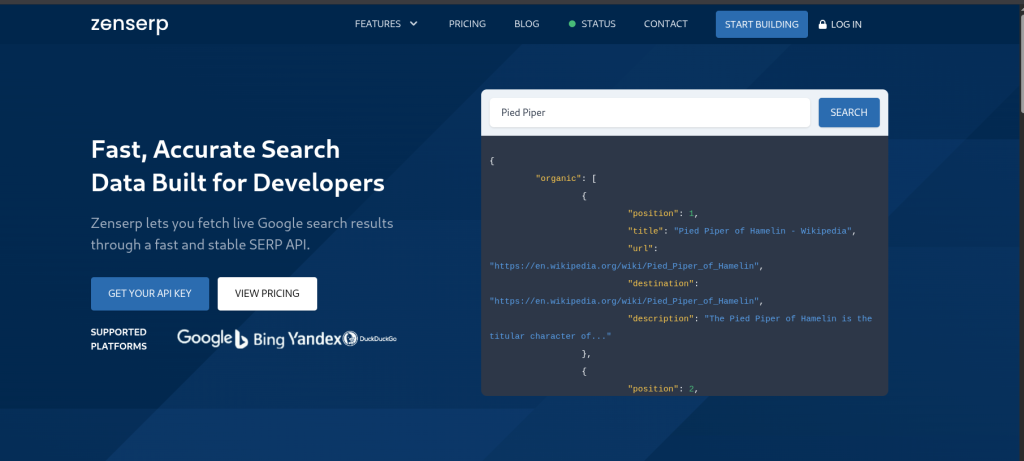
You get:
- Clean JSON responses
- Pagination support
- Stable endpoints
- Easy integration
Checkout the Official documentation
OR
Interact with our Live Playground
Step 1: Get Your API Key
- Sign up at Zenserp.
- Go to your dashboard.
- Copy your API key.
You’ll use it in request headers.
Step 2: Make a Yandex Reverser Image Search Request
Below is an example using curl.
					curl --request GET \
  --url 'https://app.zenserp.com/api/v2/search?engine=yandex_images&image_url=https://cdn.pixabay.com/photo/2022/02/19/14/02/glasses-7022673_1280.jpg' \
  --header 'apikey: YOUR_API_KEY'
Disclaimer: The API key can also be passed as a query parameter (e.g., &apikey=YOUR_API_KEY). However, sending it in the request header is generally recommended for better security and cleaner request structuring.
Important Parameters
- engine=yandex_images
- image_url=YOUR_IMAGE_URL
- apikey=YOUR_API_KEY
You can test this directly inside the Zenserp Playground.
Step 3: Example Response (Simplified)
You’ll receive structured JSON including:
					{
  "search_metadata": {
    "id": "65d4c8fa9c1e4b001234abcd",
    "status": "Success",
    "engine": "yandex_images",
    "created_at": "2026-02-26T18:14:22Z",
    "total_time_taken": 2.08
  },
  "search_parameters": {
    "engine": "yandex_images",
    "image_url": "https://cdn.pixabay.com/photo/2022/02/19/14/02/glasses-7022673_1280.jpg"
  },
  "image_results": [
    {
      "position": 1,
      "title": "Stylish Eyeglasses on Wooden Surface",
      "source": "pixabay.com",
      "link": "https://pixabay.com/photos/glasses-fashion-style-7022673/",
      "thumbnail": "https://avatars.mds.yandex.net/i?id=abc123xyz"
    },
    {
      "position": 2,
      "title": "Minimalist Eyewear Photography",
      "source": "pexels.com",
      "link": "https://www.pexels.com/photo/example-glasses/",
      "thumbnail": "https://avatars.mds.yandex.net/i?id=def456uvw"
    }
  ],
  "similar_images": [
    {
      "position": 1,
      "title": "Modern Spectacles Close-Up",
      "link": "https://unsplash.com/photos/example",
      "thumbnail": "https://avatars.mds.yandex.net/i?id=ghi789rst"
    },
    {
      "position": 2,
      "title": "Fashion Glasses Product Shot",
      "link": "https://example-store.com/product/glasses",
      "thumbnail": "https://avatars.mds.yandex.net/i?id=jkl012opq"
    }
  ],
  "pagination": {
    "current": 1,
    "next": "https://app.zenserp.com/api/v2/search?...&start=2"
  }
}
This structured JSON response makes integration straightforward and highly flexible for developers. You can easily extract top matching pages where the image appears, build automated image verification tools, detect duplicate or reused content across the web, power visual similarity engines based on related images, and even create brand monitoring systems that track where logos or marketing assets are being used online.
Step 4: Fields That Matter Most
When parsing results, focus on:
- image_results → Pages where the image appears
- similar_images → Related visual matches
- title → Page context
- link → Source page URL
- thumbnail → Preview image
- pagination.next → Fetch additional results
Step 5: Pagination (Fetching More Results)
If pagination.next is present:
- Make another request using the next page parameter.
- Continue until no more pages are returned.
This is essential for:
- Large-scale monitoring
- Brand protection scanning
- Dataset enrichment
Tips to Improve Match Accuracy
- Use high-resolution images when possible
- Avoid heavily compressed versions
- Provide direct image URLs (not webpage URLs)
- Remove overlays before searching
- Try multiple crops if the image contains multiple subjects
Yandex vs Google vs Bing Reverse Image Search
Feature | Yandex | Bing | |
Face Recognition Strength | Strong | Moderate | Moderate |
Cropped Image Detection | Strong | Moderate | Moderate |
Exact Match Detection | Strong | Strong | Moderate |
Visual Similarity Discovery | Strong | Strong | Moderate |
UI Simplicity | Moderate | High | High |
API Integration via Zenserp | Yes | Yes | Yes |
Key takeaway: Yandex often performs better for facial recognition and heavily cropped images, while Google may provide stronger contextual web integration.
Common Use Cases
1. Finding Image Source
Reverse image search is frequently used to trace the original publication of a photo. Journalists and fact-checkers rely on Yandex to identify where an image first appeared online. This helps verify authenticity and detect whether the image has been reused with misleading context.
2. Detecting Copyright Infringement
Brands and photographers use reverse image search to monitor how their images are being used across the web. It helps uncover unauthorized copies of product photos, marketing visuals, or creative work. This makes it easier to enforce licensing rights and protect intellectual property.
3. OSINT & Investigations
In open-source intelligence (OSINT) workflows, reverse image search is a powerful verification tool. Researchers use it to trace image origins, identify related content, and connect digital clues. It’s particularly helpful in investigations involving misinformation or identity verification.
4. E-commerce Matching
Online sellers and shoppers use reverse image search to find visually similar products across different marketplaces. This makes price comparison and supplier research much easier. It’s especially useful when product names or descriptions are unclear or unavailable.
5. Social Media Verification
Reverse image search helps determine whether a profile photo has been reused elsewhere. This is commonly used to detect fake accounts, impersonation, or romance scams. By checking where else the image appears, users can quickly assess credibility.
Limitations of Yandex Reverse Image Search
Not all images are indexed
Search engines only match images that exist within their indexed database. If an image has never been crawled or is newly uploaded, it may not appear in results.
Results may vary by region
Search results can differ depending on geographic location and regional indexing policies. Some images may rank differently or appear only in certain country-specific versions of the engine.
Highly edited AI-generated images may not match
Images that are heavily filtered, altered, or AI-generated can lose recognizable visual patterns. This reduces the likelihood of accurate matching against existing indexed content.
Private or behind-login content won’t appear
Images hosted on private platforms, password-protected sites, or restricted social networks are typically not indexed. As a result, reverse image search cannot access or return those matches.
Large-scale use requires API access
Manual searching is not practical for high-volume monitoring or automation. Businesses and developers need API access to perform scalable, programmatic reverse image searches.
No reverse image search engine is perfect. Combining engines often produces better results.
FAQ
Does Yandex reverse image search work with image URLs?
Yes. You can upload an image or provide a direct image URL. APIs like Zenserp also accept image URLs for automated searches.
Can it find edited or cropped images?
Often, yes. Yandex is particularly strong at detecting cropped or resized versions, though heavy edits may reduce match accuracy.
Why are results different across engines?
Each search engine has:
- Different indexing databases
- Different ranking algorithms
- Different computer vision models
That’s why results vary between Yandex, Google, and Bing.
What’s the best way to improve match accuracy?
- Use the original high-quality image
- Avoid screenshots of screenshots
- Try multiple crops
- Test across multiple engines
Is reverse image search safe for private images?
If you upload an image to a public search engine, it may be processed and temporarily stored. For sensitive images, use secure API-based workflows and follow data handling best practices.