


Stock market data looks simple on the surface, until you start working with it programmatically.
Searching for a fast and dependable way to discover ticker symbols and pull stock market data? Whether you’re developing a trading platform, financial dashboard, portfolio tracker, or stock screener, accurate ticker symbols are the foundation of reliable market data.
In this guide, you’ll learn where to find ticker symbols, how to integrate them into your applications, and which API works best for accessing both real-time and historical market data.
(Spoiler: Marketstack makes it incredibly easy.)
Table of Contents
Key Takeaways
- A ticker symbol is not globally unique without an exchange context
- The same company name can map to multiple tickers (share classes, ADRs, regional listings)
- Validating ticker symbols prevents bad API calls and incorrect market data
- A clean workflow looks like this:
Company name → exchange → ticker symbol → API request
What Is a Stock Ticker Symbol?
A stock ticker symbol is a short alphanumeric code used to uniquely identify a publicly traded security on a specific stock exchange.
Examples:
- AAPL → Apple Inc. on NASDAQ
- MSFT → Microsoft Corporation on NASDAQ
- TSLA → Tesla, Inc. on NASDAQ
At its core, a ticker symbol represents a company or financial instrument in a compact, standardized form that allows it to be uniquely identified in financial systems. It signifies that the asset is officially listed on a specific stock exchange, which defines the rules, trading hours, and regulatory framework under which it is bought and sold.
In addition, a ticker symbol is always tied to a particular trading currency, reflecting the market in which the instrument is priced and settled. Together, the company or instrument itself, the exchange where it is listed, and the currency in which it trades form the full context of a ticker symbol, ensuring that investors, analysts, and market data APIs are all referring to the same exact asset when retrieving or processing market data.
Why the Exchange Context Matters
Ticker symbols are exchange-scoped, not global.
That means:
- VOD on the LSE is Vodafone Group plc (GBP)
- VOD on the NASDAQ is an ADR (USD)
Without the exchange context, a ticker symbol is incomplete, and this is where most data issues begin.
Why Ticker Symbols Are Confusing (Common Scenarios)
Ticker symbols seem straightforward until you run into real-world edge cases. Here are the most common ones.
1. Similar or Identical Company Names
Different companies can share similar names but trade under different tickers.
Example:
- Zoom Video Communications → ZM
- Zoom Technologies (defunct) → old/delisted tickers
Relying on a company’s name alone is risky.
2. Multiple Share Classes
Some companies issue multiple classes of stock.
Examples:
- Alphabet Inc.
- GOOGL (Class A – voting)
- GOOG (Class C – non-voting)
Both are valid, both trade actively, and both return different data.
3. ADRs (American Depositary Receipts)
International companies often trade in the U.S. via ADRs.
Example:
- Alibaba Group
- BABA → NYSE (ADR, USD)
- 9988 → HKEX (HKD)
Same company, different ticker, exchange, and currency.
4. Delisted or Renamed Tickers
Tickers are not permanent.
Companies:
- Rebrand
- Merge
- Go private
- Get delisted
APIs may still return metadata for old tickers, but price data may stop.
5. Multiple Regional Listings
Large brands often trade on multiple exchanges.
Company | Exchange | Ticker | Currency |
Apple | NASDAQ | AAPL | USD |
Apple | XETRA | APC | EUR |
How to Find the Right Ticker Symbol
If you want reliable market data, you need a repeatable process.
Step 1: Start With the Company’s Legal Name
Avoid brand names when possible.
Good:
- Apple Inc.
- Tesla, Inc.
- Alphabet Inc.
Bad:
- Apple
- Tesla Motors
Step 2: Identify the Exchange You Care About
Ask:
- Do you want U.S. data only?
- A local exchange?
- An ADR or primary listing?
Common exchanges:
- NASDAQ
- NYSE
- LSE
- XETRA
- TSE
Step 3: Confirm the Trading Currency
The same company on different exchanges trades in different currencies.
Example:
- TSM (NYSE) → USD
- 2330 (TWSE) → TWD
Currency mismatches can break financial calculations downstream.
Step 4: Look Up the Symbol Using a Market Data API
Instead of relying on search engines or finance websites, use an API that exposes symbol metadata.
This is where Marketstack fits naturally into the workflow.
How to Validate a Ticker Before Using the API

Ticker validation means confirming that a symbol is:
- Real
- Active
- Correct for the exchange
- The right instrument type
What to Check Before Making API Calls
- Exchange Match
Ensure the symbol belongs to the expected exchange.
- Instrument Type
Confirm it’s a stock, not an ETF, index, or derivative.
- Listing Status
Check whether the ticker is:
- Active
- Suspended
- Delisted
- Currency
Ensure the trading currency matches your use case.
Validating once can save hours of debugging later.
Using Ticker Symbols in Market Data APIs
Most real-time market data APIs accept ticker symbols as query parameters. The key is knowing how they expect symbols to be formatted.
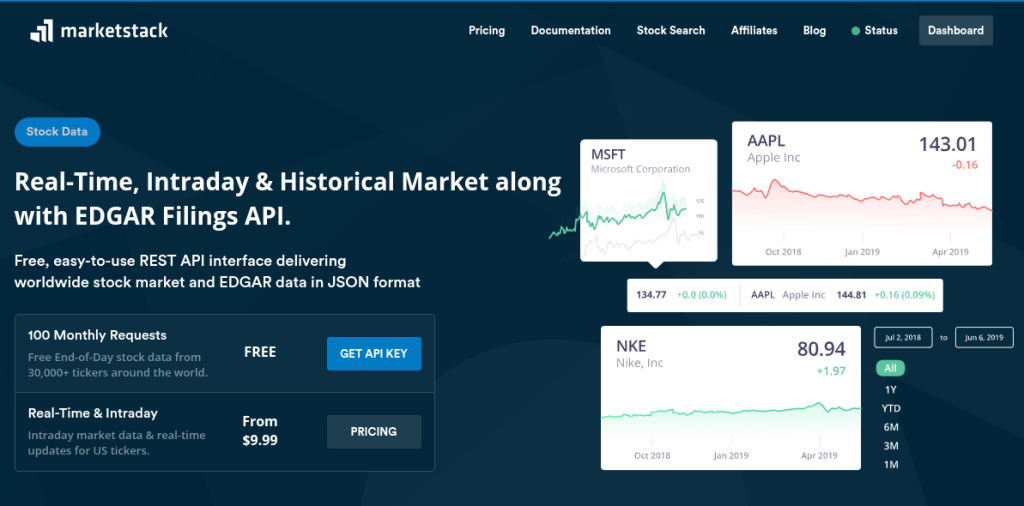
With Marketstack, you typically pass the ticker symbol directly when requesting price or historical data.

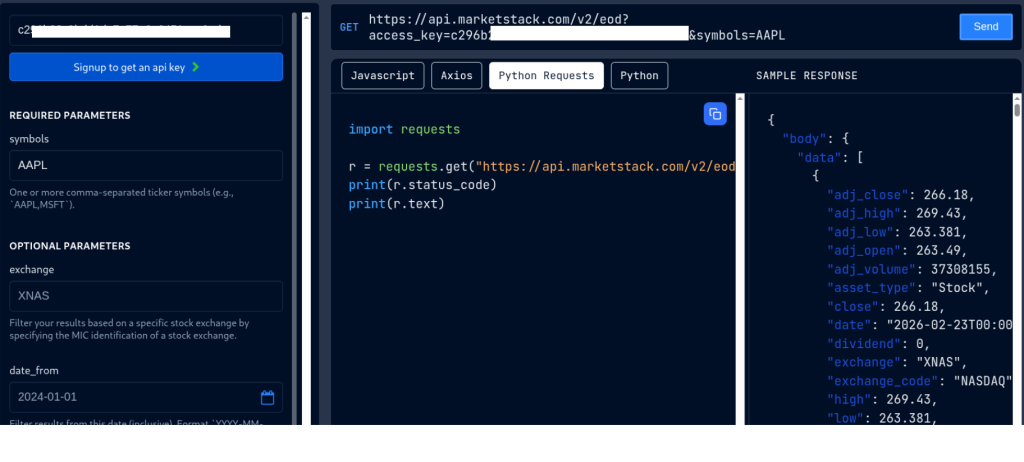
Marketstack provides:
- End-of-day data
- Intraday data (depending on plan)
- Exchange metadata
- Symbol listings
Code Examples: Finding and Using Tickers with Marketstack
All examples below use the Marketstack API documentation.
1. Searching for Ticker Symbols (Metadata Lookup)
Use the tickers endpoint to search and validate symbols.
cURL Example
curl "https://api.marketstack.com/v2/tickers/AAPL?access_key=YOUR_ACCESS_KEY"
Python Example
					import requests

API_KEY = "YOUR_API_KEY"

url = "https://api.marketstack.com/v2/tickers/AAPL"
params = {
    "access_key": API_KEY
}

response = requests.get(url, params=params)
data = response.json()

print(data)
Sample Response
					{
  "pagination": {
    "limit": 100,
    "offset": 0,
    "count": 1,
    "total": 1
  },
  "data": [
    {
      "name": "Apple Inc",
      "symbol": "AAPL",
      "has_intraday": true,
      "has_eod": true,
      "country": "United States",
      "stock_exchange": {
        "name": "NASDAQ Stock Exchange",
        "acronym": "NASDAQ",
        "mic": "XNAS",
        "country": "United States",
        "country_code": "US",
        "city": "New York",
        "website": "www.nasdaq.com"
      }
    }
  ]
}
Use this step to confirm the correct symbol before fetching prices.
2. Fetching Latest Price Data for a Validated Ticker
Once validated, fetch price data using the symbol.
cURL Example
curl "http://api.marketstack.com/v2/eod/latest?access_key=YOUR_API_KEY&symbols=AAPL"
Python Example
					import requests

API_KEY = "YOUR_API_KEY"
symbol = "AAPL"

url = "http://api.marketstack.com/v2/eod/latest"
params = {
    "access_key": API_KEY,
    "symbols": symbol
}

response = requests.get(url, params=params)
data = response.json()

print(data)
Sample Response
					{
  "data": [
    {
      "date": "2026-02-10",
      "symbol": "AAPL",
      "open": 152.0,
      "high": 155.2,
      "low": 151.5,
      "close": 154.0,
      "volume": 72_000_000
    }
  ]
}
3. Intraday Data API
Purpose: Retrieve intraday market prices, including minute-by-minute price updates for supported tickers.
Key Features
- Returns minute intervals (e.g., 1-min, 5-min) depending on plan.
- Helps build live price charts or real-time monitoring tools (Pro plan).
Example Request
					https://api.marketstack.com/v2/intraday
    ? access_key=YOUR_ACCESS_KEY
    & symbols=AAPL
    & interval=1min
Use Case: Real-time dashboards, algorithmic trading signals, market analytics.
4. Exchanges API
Purpose: List global stock exchanges supported by Marketstack (MIC codes, names, and regions).
What You Can Do
- Get all exchanges.
- Fetch detail for one exchange using its MIC identifier.
- Retrieve all tickers under an exchange.
Examples:
All Exchanges
https://api.marketstack.com/v2/exchanges?access_key=YOUR_ACCESS_KEY
Single Exchange
https://api.marketstack.com/v2/exchanges/XNAS?access_key=YOUR_ACCESS_KEY
Use Case: Region-specific market lists, filtering tickers by exchange.
5.Currencies API
Purpose: Retrieve currencies used by supported exchanges (e.g., USD, EUR, JPY).
This is useful when you’re showing prices across markets with different fiat settings.
https://api.marketstack.com/v2/currencies?access_key=YOUR_ACCESS_KEY
6. Timezones API
Purpose: Get timezone metadata that corresponds to different stock markets.
This helps normalize timestamp data across global markets when displaying or aggregating results.
Example
https://api.marketstack.com/v2/timezones?access_key=YOUR_ACCESS_KEY
Common Mistakes When Using Ticker Symbols
These issues account for most incorrect market data integrations.
1. Using a Company Name Instead of a Ticker
APIs expect AAPL, not Apple.
2. Choosing the Wrong Exchange
VOD on NASDAQ ≠ VOD on LSE.
3. Confusing Similar Tickers
GOOG vs GOOGL can return different results.
4. Assuming Tickers Never Change
Rebrands, mergers, and delistings happen.
5. Ignoring Currency Differences
Same stock, different exchange, different currency.
Common Scenarios and How to Handle Them
Scenario | Example | How to Handle |
Same company, multiple tickers | GOOGL / GOOG | Choose based on share class |
Regional listings | BABA / 9988 | Pick exchange + currency |
Delisted symbol | Old tech IPO | Check listing status |
ADR vs local | TSM / 2330 | Decide market exposure |
Similar names | Zoom companies | Verify legal entity |
Why Use Marketstack for Ticker-Based Market Data?
Marketstack provides a clean, developer-friendly way to:
Look up ticker symbols
Validate exchange and currency
Fetch reliable market data
Avoid ambiguity in financial applications
Instead of stitching together data from multiple sources, Marketstack lets you handle ticker discovery and price data in one place, without turning this into a sales pitch.
Get Your Market Data API
Access real-time and historical stock market data from exchanges worldwide. Build financial, trading, and investment applications with a reliable market data API.
View Marketstack PricingReal-time and historical market data
FAQs
Are ticker symbols unique?
No. They are only unique within an exchange.
How do I find a ticker symbol for a company?
Use a market data API’s ticker or symbol lookup endpoint rather than relying on search engines.
What happens if a ticker is delisted?
Historical metadata may exist, but price data may stop updating.
Can one company have multiple ticker symbols?
Yes, due to shared classes, ADRs, and regional listings.
Do APIs accept company names instead of tickers?
Most do not. Always use validated ticker symbols.
Should I store ticker symbols permanently?
Store them, but periodically revalidate, especially for long-lived applications.