


If you’ve been evaluating web scraping APIs, chances are you’ve come across both Zenscrape and Scrapestack. And here’s something most comparison posts won’t tell you upfront.
They’re both built by APILayer.
Same company, same infrastructure backbone, same commitment to uptime and reliability.
So why do both exist?
Because they’re designed for different developer workflows.
Think of it like choosing between two cars from the same brand, one optimized for everyday efficiency, the other built for more demanding terrain. Both are solid. But one will fit your use case better.
This post breaks that down clearly, no fluff, no marketing spin. Just what actually matters when you’re choosing between Zenscrape and Scrapestack.

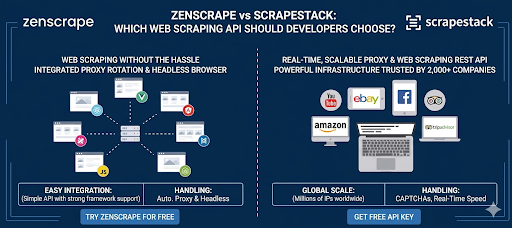
Table of Contents
Why Web Scraping APIs Exist (and Why This Comparison Matters)
If you’ve ever tried building a scraper from scratch, you already know the pain:
- Rotating proxies to avoid bans
- Solving CAPTCHAs
- Handling JavaScript-heavy pages
- Dealing with rate limits and IP blocks
- Maintaining infrastructure over time
This is exactly why API-based scraping services have become the standard.
Instead of managing all that complexity yourself, you just send a request to an API — and it returns the page content.
Now, within this API-based approach, different tools optimize for different things.
That’s where Zenscrape and Scrapestack diverge.
The Core Difference
Before we go deep, here’s the simplest way to understand it:
- Scrapestack → Simple, fast, high-volume HTML scraping
- Zenscrape → More control, better for complex/JS-heavy pages
That’s it.
Everything else flows from this difference.
How Each API Works (Developer Experience)
Let’s look at what it actually feels like to use both APIs.
Scrapestack: Straightforward HTML Extraction

Scrapestack is intentionally minimal.
You send a URL → you get back HTML.
cURL Example
curl "http://api.scrapestack.com/scrape?access_key=YOUR_ACCESS_KEY&url=https://httpbin.org/html"
Sample Response (Truncated)
Herman Melville - Moby-Dick
Availing himself of the mild, summer-cool weather...
That’s it. Clean, predictable, fast.
You can add optional parameters like:
- render_js=true (for JavaScript rendering)
- premium_proxy=true
- country=us
But the overall philosophy is: keep it simple and scalable.
Docs: https://scrapestack.com/documentation
APILayer listing: https://apilayer.com/products/scrapestack/
Zenscrape: More Control, More Flexibility

Zenscrape takes a slightly different approach.
Instead of just “fetch this page,” it gives you more knobs to control how the page is rendered and fetched.
cURL Example
curl "https://app.zenscrape.com/api/v1/get?apikey=YOUR_API_KEY&url=https://httpbin.org/html&render=true&premium=true&country=us"
Start Scraping Smarter
Access web data at scale with a powerful scraping API designed for developers. Bypass proxies, handle JavaScript rendering, and extract the data you need with ease.
Get Free API AccessFree plan available
Sample Response (Truncated)
    Sample Page


      Herman Melville - Moby-Dick
      Rendered content after JavaScript execution
Key difference here:
Zenscrape is designed with JavaScript rendering and environment control as first-class features, not add-ons.
You’ll typically use it when:
- The page relies heavily on JS (React, Vue, etc.)
- You need geo-targeted content
- You want device-level control (desktop/mobile)
Docs: https://app.zenscrape.com/documentation
APILayer listing: https://apilayer.com/products/scrapestack/
Feature Comparison (Side-by-Side)
Here’s a clear, honest comparison of what matters.
Feature | Scrapestack | Zenscrape |
JavaScript Rendering | Available (parameter-based) | Native, more flexible |
Geo-targeting | Yes (country parameter) | Yes (more granular control) |
Proxy Types | Datacenter + premium proxies | Datacenter + premium proxies |
Free Tier | 100 requests/month | 1,000 requests/month |
Starting Paid Plan | ~$19.99/month | ~$29.99/month |
Concurrency / Rate Limits | High, optimized for volume | Moderate, depends on rendering usage |
Response Format | HTML (primary) | HTML + structured options |
CAPTCHA Handling | Basic handling via proxies | More advanced handling with rendering |
Device Emulation | Limited | Yes (mobile/desktop control) |
What This Table Actually Means
- If your workload is simple and high-volume, Scrapestack is more cost-efficient
If your targets are complex and dynamic, Zenscrape gives you more control
Pricing Breakdown (What You Actually Pay)
This is where the difference between the two APIs starts to feel real, not just in features, but in how it impacts your monthly bill.
Scrapestack is clearly optimized for cost efficiency at scale. It offers a small free tier of 100 requests per month, and its paid plans start at around $19.99/month. On paper, that might look pretty standard, but the real advantage shows up when you’re making thousands (or millions) of requests. If your scraping targets are mostly static or don’t rely heavily on JavaScript, Scrapestack keeps things lightweight, and that translates directly into a lower cost per request. You’re not paying for extra processing you don’t need, which makes it a great fit for high-volume pipelines.
Zenscrape, on the other hand, takes a different approach. Its free tier is more generous at 1,000 requests per month, and paid plans start slightly higher at around $29.99/month. But that pricing isn’t arbitrary, it reflects the additional capabilities baked into the API. With Zenscrape, you’re paying for things like JavaScript rendering, stronger anti-bot handling, and more control over how each request is executed. In other words, each request does more work behind the scenes, which naturally costs more.
So what does this mean in practice?
If you’re running large-scale scraping jobs on relatively simple pages, Scrapestack will almost always be the more cost-effective option. But if you’re dealing with modern, JavaScript-heavy websites where basic scraping just doesn’t cut it, Zenscrape delivers more value per request, even if the per-request cost is higher.
That’s why the question isn’t really “which one is cheaper?” It’s “which one gives you the best return for the kind of scraping you’re actually doing?”
When to Choose Scrapestack
Go with Scrapestack if:
- You’re scraping large volumes of pages
- Your targets are mostly static HTML pages
- You want a simple API with minimal configuration
- Cost per request is a major concern
Example Use Cases
- Price monitoring for e-commerce sites
- SEO audits (metadata, headings, links)
- Content aggregation from blogs/news sites
- Lead generation from directory-style websites
In these cases, Scrapestack is fast, predictable, and cost-efficient.
When to Choose Zenscrape
Choose Zenscrape if:
- You’re scraping JavaScript-heavy websites (SPAs)
- You need geo-specific results (e.g., localized SERPs)
- You want control over rendering behavior
- You’re dealing with anti-bot protections
Example Use Cases
- Scraping React/Vue-based dashboards
- Extracting data from modern SaaS tools
- SERP tracking with location targeting
- Complex scraping pipelines with dynamic content
Here, Zenscrape saves you from building your own headless browser setup.
Can You Use Both?
Short answer: yes, and in many cases, that’s actually the smartest way to approach it.
Since both Zenscrape and Scrapestack are built by APILayer, they share the same underlying reliability and ecosystem. That means you’re not stitching together two completely different tools with inconsistent behavior, you’re working within the same infrastructure, just using each API for what it’s best at.
In practice, a lot of developers end up using a hybrid approach. Instead of forcing one tool to handle every edge case, they split the workload more strategically:
- Use Scrapestack for bulk scraping of straightforward pages
- Fall back to Zenscrape only when a page fails or requires JavaScript rendering
This kind of setup works really well in real-world pipelines because most pages don’t actually need heavy rendering. So you keep your baseline costs low with Scrapestack, and only “pay extra” (in terms of resources and cost) when it’s genuinely required.
The result is a setup that naturally balances performance and cost:
- Lower overall cost, since most requests stay lightweight
- Higher reliability, because you have a fallback for difficult pages
- Better efficiency, without over-engineering your scraping stack
If you’re building something at scale, this hybrid model isn’t just a nice-to-have, it’s often the most practical way to get the best of both worlds.
Python Example (Optional, But Useful)
If you’re integrating this into a backend, here’s a quick Python example using Scrapestack:
					import requests

url = "http://api.scrapestack.com/scrape"
params = {
    "access_key": "YOUR_ACCESS_KEY",
    "url": "https://httpbin.org/html"
}

response = requests.get(url, params=params)
print(response.text)
Final Recommendation (No “It Depends” Cop-Out)
Here’s the honest answer:
- Pick Scrapestack if your priority is scale, simplicity, and cost-efficiency
- Pick Zenscrape if your priority is handling complex, JavaScript-heavy websites reliably
If you’re unsure:
- Start with Scrapestack
- Switch to Zenscrape only when you hit limitations
Or better:
- Use both strategically
Both Zenscrape and Scrapestack offer free tiers, so the fastest way to decide is to test them with your actual target URLs.
- Get a free Scrapestack API key: https://apilayer.com/products/scrapestack/
- Get a free Zenscrape API key: https://zenscrape.com/
Run a few real requests against the pages you actually need to scrape.
You’ll know within 10 minutes which one fits your workflow better.
FAQ
- Is Zenscrape better than Scrapestack?
Not necessarily. It depends on whether you need advanced rendering (Zenscrape) or high-volume simplicity (Scrapestack). - Which API is cheaper for large-scale scraping?
Scrapestack is usually more cost-effective for high-volume, simple HTML scraping. - Does Scrapestack support JavaScript rendering?
Yes, but Zenscrape offers more flexibility and control for JS-heavy pages. - Can I use both Zenscrape and Scrapestack together?
Yes, many developers combine them to balance cost and performance.
5. Which one should I start with as a developer?
Start with Scrapestack for simplicity, and switch to Zenscrape if you hit limitations.