


If you are building a fintech dashboard, a portfolio tracker, or an internal analytics tool, one of the first things you need is reliable stock price data. And the fastest way to get that data into your application is through a stock data API.
But here is the problem: not all stock APIs work the same way. Some return end-of-day (EOD) snapshots, others push intraday quotes every minute, and a few offer full historical time-series going back decades. Knowing which endpoint to call, what data format to expect, and how to handle edge cases like market holidays, rate limits, and timezone mismatches can save you hours of debugging later.
This guide breaks down everything you need to know. We will cover the core data types (real-time, intraday, EOD, historical), walk through the most common API endpoints, show working code examples in cURL and Python, and share battle-tested best practices that keep your data pipeline clean and reliable.
Table of Contents
Key Takeaways
- What a stock data API delivers: Quotes, OHLC candles, intraday ticks, EOD summaries, and multi-year historical data, all via simple REST calls.
- Real-time vs. delayed vs. EOD: Each serves a different use case. Real-time suits trading alerts, delayed works for display widgets, and EOD is ideal for backtesting and reporting.
- Common workflow: Pick a ticker, choose the right endpoint, send an authenticated GET request, parse the JSON, store the result.
- Best practices matter: Timezone handling, market-hours awareness, caching, retry logic, and rate-limit management directly affect data quality and app reliability.
- Corporate actions: Stock splits and dividends change historical prices. Always use adjusted close values for accurate analysis.
What Is a Stock Data API?
A stock data API is a web service that gives you programmatic access to stock market information through HTTP requests. Instead of scraping websites or downloading CSV files manually, you send a GET request with a ticker symbol and receive structured JSON containing price data, volume, and metadata.
Most stock price APIs return one or more of these data points: open, high, low, close (OHLC) prices, trading volume, adjusted prices (corrected for splits and dividends), and timestamps. Some providers bundle in fundamentals like earnings, P/E ratios, or company profiles, but the pricing data is the core product.
The scope varies by provider. A basic free-tier API might give you delayed quotes for US equities. A paid plan might cover 72+ global exchanges with intraday resolution down to one-minute intervals. Choosing the right provider depends on your coverage needs, data freshness requirements, and budget.
Marketstack is a solid example here. It covers over 125,000 tickers across 72 exchanges and gives you EOD, intraday, and historical data through a clean REST interface. You can explore the full documentation here.
Data Types Explained: Real-Time vs. Intraday vs. EOD vs. Historical
One of the most common sources of confusion is the difference between data freshness levels. Here is a quick breakdown:
Data Type | Update Frequency | Best For | Typical Latency |
Real-Time | Seconds to sub-second | Trading alerts, live dashboards | < 1 second (exchange-dependent) |
Intraday | 1-min to 60-min intervals | Short-term analysis, charting | 1 to 15 minutes |
EOD (End-of-Day) | Once daily after market close | Daily reporting, portfolio snapshots | Updated within hours of close |
Historical | Static (past data) | Backtesting, research, ML training | N/A (archived) |
Table 1: Comparison of stock data types by update frequency, use case, and latency.
A note on “real-time”: Many free and mid-tier APIs label their data as real-time, but it is actually delayed by 15 minutes. This is because live exchange feeds require expensive licensing. If your app depends on sub-second data, confirm your provider’s actual feed latency and whether exchange fees are included in the plan.
Common Endpoints in Stock Data APIs
While endpoint naming varies slightly across providers, most stock price APIs share a similar structure. Here are the endpoints you will interact with most often:
Endpoint | Purpose | Example URL (Marketstack v2) |
/eod | End-of-day OHLCV data for one or more tickers | /v2/eod?symbols=AAPL |
/eod/latest | Latest available EOD record | /v2/eod/latest?symbols=AAPL |
/intraday | Intraday OHLCV at configurable intervals | /v2/intraday?symbols=AAPL |
/intraday/latest | Most recent intraday tick | /v2/intraday/latest?symbols=AAPL |
/tickers/{symbol} | Ticker metadata and lookup | /v2/tickers/AAPL |
/exchanges | List supported exchanges with timezone info | /v2/exchanges |
/splits | Stock split history | /v2/splits?symbols=AAPL |
/dividends | Dividend payout history | /v2/dividends?symbols=AAPL |
Table 2: Common stock data API endpoints with Marketstack v2 examples.
All Marketstack endpoints accept an access_key parameter for authentication and return paginated JSON. You can pass multiple tickers as comma-separated values in the symbols parameter.
How to Get Real-Time and Historical Stock Prices: Code Examples
Let us walk through two practical examples: fetching the latest EOD price and pulling a date range of historical data.
Step 1: Get Your API Key
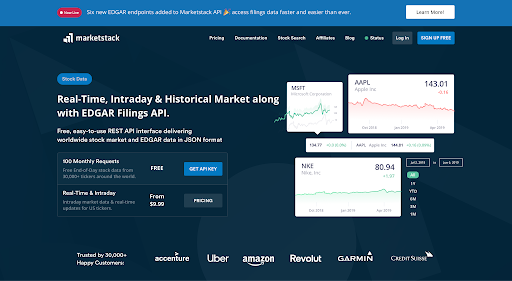
Sign up at Marketstack and grab your access key from the dashboard. The free plan gives you 100 requests per month, which is enough to test everything below.

Step 2: Fetch the Latest EOD Price (cURL)
curl “https://api.marketstack.com/v2/eod/latest?access_key=YOUR_ACCESS_KEY&symbols=AAPL”
This returns the most recent closing price, open, high, low, volume, and adjusted values for Apple (AAPL).
Step 3: Fetch Historical Data for a Date Range
					import requests

API_KEY = “YOUR_ACCESS_KEY”
BASE_URL = “https://api.marketstack.com/v2”

params = {
    “access_key”: API_KEY,
    “symbols”: “AAPL”,
    “date_from”: “2025-01-01”,
    “date_to”: “2025-06-30”,
}

response = requests.get(f”{BASE_URL}/eod”, params=params)

if response.status_code == 200:
    data = response.json()
    for record in data[“data”]:
        print(f”{record[“date”]}: Close={record[“close”]}, Volume={record[“volume”]}“)
else:
    print(f”Error: {response.status_code} – {response.text}“)
Step 4: Fetch Intraday Data (cURL)
					curl “https://api.marketstack.com/v2/intraday
  ?access_key=YOUR_ACCESS_KEY
  &symbols=AAPL
  &interval=15min”
Intraday data is available on Basic plans and above. Intervals below 15 minutes (like 1min or 5min) require a Professional plan. All intraday data covers US tickers listed on IEX.
Use Cases for Stock Data APIs
Stock data APIs serve a wide range of applications. Here are the most common ones developers build:
- Portfolio trackers: Fetch daily EOD data to calculate portfolio value, gains, and allocation percentages over time.
- Trading signal engines: Use intraday data to compute moving averages, RSI, or MACD and trigger buy/sell alerts.
- Financial dashboards: Display live or near-live stock quotes with charts on internal or client-facing dashboards. The APILayer blog has a full tutorial on building a stock market dashboard using Marketstack v2 and React.
- Backtesting strategies: Pull years of historical OHLCV data to test quantitative trading strategies before deploying real capital.
- News and sentiment correlation: Combine price data with news APIs to analyze how market-moving events affect specific tickers.
- Automated email alerts: Check stock prices on a schedule and send notifications when thresholds are hit. See the APILayer blog guide on automated stock alerts with Marketstack and Mailgun for a Node.js implementation.
Best Practices for Working With Stock Data APIs
Timezones and Timestamps
Stock exchanges operate in specific timezones. NYSE and NASDAQ run on Eastern Time (ET). If your server is in UTC and you store timestamps without converting, you will end up with off-by-one date errors on EOD records. Always store timestamps in UTC and convert to exchange-local time only at the display layer. The Marketstack /exchanges endpoint returns timezone info for each exchange, which you can use programmatically.
Market Hours and Holidays
US markets typically operate from 9:30 AM to 4:00 PM ET, Monday through Friday. But there are early closes (like the day after Thanksgiving) and holidays where no data is generated at all. If your app polls for new data and gets an empty response, check whether the market was closed before assuming an error. Maintain a holiday calendar or use the Marketstack /exchanges endpoint to verify trading schedules.
Caching Guidance
Cache aggressively where the data does not change. Historical and EOD records from past trading days will never update (unless there is a corporate action correction), so cache them permanently in your database. For intraday or latest-price requests, cache for shorter durations: 60 seconds is a reasonable default if you do not need sub-minute freshness. This reduces API calls and keeps you within rate limits.
Rate Limits and Retry Logic
Marketstack enforces a limit of 5 requests per second across all plans. If you exceed this, you will get a 429 response. Implement exponential backoff: wait 1 second, then 2, then 4, and so on. For batch operations like pulling data for 50 tickers, break them into groups and add a short delay between batches. Also remember that each ticker in a multi-symbol request counts as one API call toward your monthly quota.
Data Storage and Normalization
Store each data point as a timestamped row: ticker, date, open, high, low, close, adjusted_close, volume. Use adjusted_close for any analytical calculations because it accounts for stock splits and dividends. A simple PostgreSQL or SQLite table works well for most use cases. Index on (ticker, date) for fast lookups.
Corporate Actions Awareness
Stock splits and dividend payouts change the price history retroactively. For example, if a stock does a 4-for-1 split, all historical prices before the split date are divided by 4 in the adjusted data. If you store raw (unadjusted) prices and later need adjusted values, you will have to reprocess everything. The safer approach is to store adjusted values from the start and use the /splits and /dividends endpoints to log corporate actions for audit purposes.
Get Your Free
Stock Data API Key!
Marketstack
Join thousands of developers using Marketstack for real-time market data!
Get Your Free API Key!No Credit Card Required*
100 Requests Free!
Common Pitfalls
Even experienced developers run into these issues when integrating a stock data API for the first time:
- Assuming “real-time” means live: Free and low-tier plans often deliver data with a 15-minute delay. Check your plan’s actual latency before building time-sensitive features.
- Ignoring pagination: Large historical queries return paginated results. If you only read the first page, you will miss data. Always check the pagination.total field and loop through offsets.
- Hardcoding ticker symbols: Tickers change. Companies rebrand, get acquired, or delist. Use the /tickers or /tickerslist endpoint to validate symbols before querying price data.
- Mixing adjusted and unadjusted prices: If you compare raw close with adjusted close across different time periods, your analysis will be wrong. Pick one and stick with it.
- Not handling weekends and holidays: Requesting data for a Saturday returns no results, not an error. Build your request logic around actual trading days.
Burning through API quotas in development: Use cached responses or mock data during dev and testing. Save live API calls for staging and production.
Where Marketstack Fits In
If you have been searching for a stock data API that covers global markets without complex exchange licensing, Marketstack is worth evaluating. It is built on APILayer infrastructure and serves several million API requests per hour.
Here is what sets it apart for developers:
- Coverage across 125,000+ tickers from 72+ exchanges, including NASDAQ, NYSE, LSE, and more.
- A free tier with 100 monthly requests to test the API before committing.
- Clean REST endpoints with consistent JSON responses and pagination.
- The v2 API (released in late 2025) added new endpoints like /tickerslist, /tickerinfo, and market indices, plus 1-minute intraday intervals for Pro users. Read the full breakdown on the APILayer blog.
- Split and dividend endpoints to track corporate actions programmatically.
The pricing starts with a free plan and scales up to Business-level access with 500,000 monthly requests.
Conclusion
Getting stock prices into your application does not have to be complicated. With a clear understanding of the data types (real-time, intraday, EOD, historical), the right endpoint for each use case, and a handful of best practices around caching, timezones, and rate limits, you can build a reliable data pipeline in an afternoon.
The code examples above should get you from zero to a working integration in under 30 minutes. From there, you can expand into charting, alerting, or backtesting, all using the same underlying API.
Ready to start? Grab a free API key at marketstack and make your first request today.
FAQ
What is the difference between real-time and EOD stock data?
Real-time data updates within seconds during market hours and suits live dashboards or alert systems. EOD data updates once after the market closes each day and is better for reporting, portfolio valuation, and backtesting.
How far back does historical stock data go?
It depends on the provider and plan. Marketstack offers up to 30+ years of historical data on premium plans. Free plans typically limit history to one year.
Is the data truly real-time or delayed?
Most mid-tier APIs deliver data with a 15-minute delay. True real-time feeds require direct exchange licensing, which is usually available on Professional or Enterprise plans. Marketstack provides real-time updates starting from its Professional plan.
Can I use stock data APIs to build charts?
Yes. The OHLC data returned by endpoints like /eod and /intraday is exactly what charting libraries (D3.js, Chart.js, Recharts, Lightweight Charts) expect. Fetch the data, format it into the library’s required structure, and render.
How do I handle rate limits without losing data?
Implement exponential backoff on 429 responses, batch your requests with short pauses between groups, and cache static data (historical records) so you never re-fetch it. Also monitor your monthly usage against your plan’s quota.
Do I need to worry about timezones?
Absolutely. Always store timestamps in UTC internally. Use the /exchanges endpoint to get the local timezone of each exchange, and convert only at the display layer. This prevents date-mismatch bugs, especially when working with markets in different regions.