APILayer Playgroung

Introducing APILayer Playground: Test Live APIs in Real Time (Under 60 seconds)

Key Takeaways

  • Test live APILayer APIs instantly without writing code or setting up tools
  • Explore endpoints, parameters, and responses in real time
  • Accelerate API evaluation and onboarding for developers, SMBs, and enterprise teams
  • Reduce integration errors by validating requests before implementation
  • Get started for free with 100 API requests

 Try APILayer Playground now

What Is an API Playground (and Why Developers Need One)

An API playground is an interactive environment where developers can test API endpoints directly from the browser. Instead of switching between documentation, Postman, curl commands, and sample projects, a playground lets you:

  • Experiment with real API requests
  • See live responses instantly
  • Validate parameters, headers, and authentication
  • Understand API behavior before writing production code

For teams working under tight timelines—or evaluating multiple APIs—this drastically reduces friction and speeds up decision-making. Whether you’re testing currency exchange rates, email validation, IP geolocation, VAT validation, or market data, the Playground lets you interact with real endpoints in seconds.

That’s exactly why we built the APILayer Playground.

 Access the Playground

Why APILayer Playground Matters

1. Zero Setup, Zero Friction

• Browser-Based Testing
APILayer Playground runs directly in the browser with no installations required. Developers can start testing APIs without configuring any local environment.

• No External Tools Needed
There’s no need for Postman, curl commands, or SDK setup. Everything required to test an API is available in one interface.

• Instant API Access
Simply select an API and provide the required parameters. Requests can be executed immediately without additional setup steps.

2. Real-Time, Live API Responses

• Production-Grade Data
The Playground returns live responses from real API endpoints. This ensures the data matches what you’ll receive in production.

• Clear Response Structure
JSON responses are displayed in a clean, readable format. This makes it easy to understand fields, data types, and nesting.

• Reliable Error Visibility
Errors and status codes are shown instantly after each request. This helps identify incorrect parameters or missing inputs early.

3. Faster API Evaluation

• Quick Feature Validation
Test whether an API supports your specific use case in minutes. This avoids spending time integrating APIs that don’t meet requirements.

• Ideal for Proofs of Concept
Teams can use the Playground for demos and technical evaluations. This accelerates internal reviews and stakeholder approvals.

• Reduced Engineering Effort
Validate API behavior before writing application code. This minimizes rework and shortens development timelines.

APILayer Playground Walkthrough (Step-by-Step)

Let’s walk through how a developer would typically use the Playground.

Step 1: Open the APILayer Playground

Go to https://apilayer.com/playground/

You’ll see a list of available APILayer APIs, such as:


  • Fixer (currency exchange rates)

  • MailboxLayer (email validation)

  • IPStack (IP geolocation)

  • VATLayer (VAT validation)

  • CoinLayer (crypto market data)

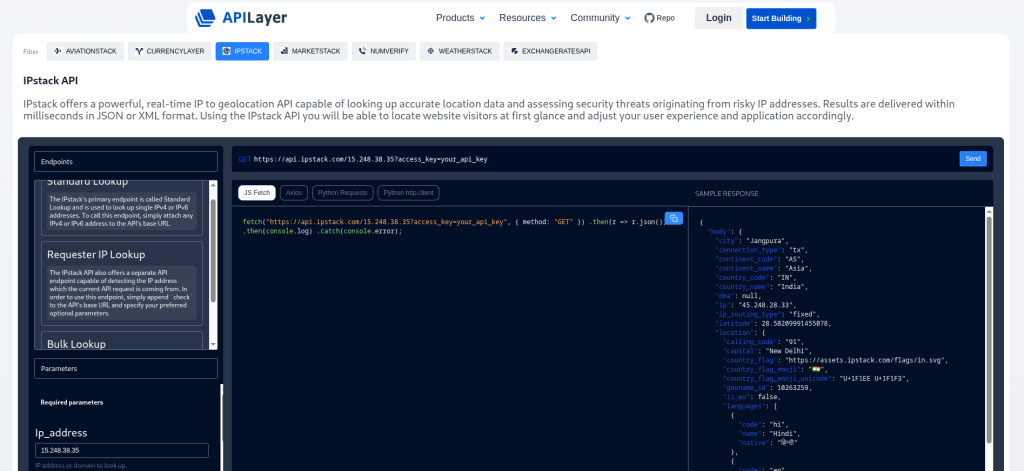
Step 2: Select an API

Click on any API to open its interactive testing interface.

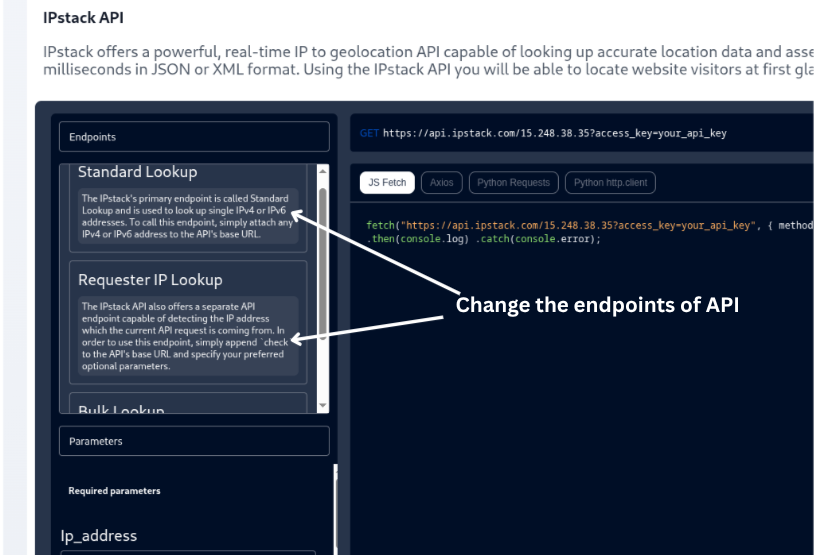
Each Playground view includes:

  • Endpoint selection
  • Required and optional parameters
  • Authentication details
  • Live request preview

This shows how you’ll use the API in production, no need to guess anything.

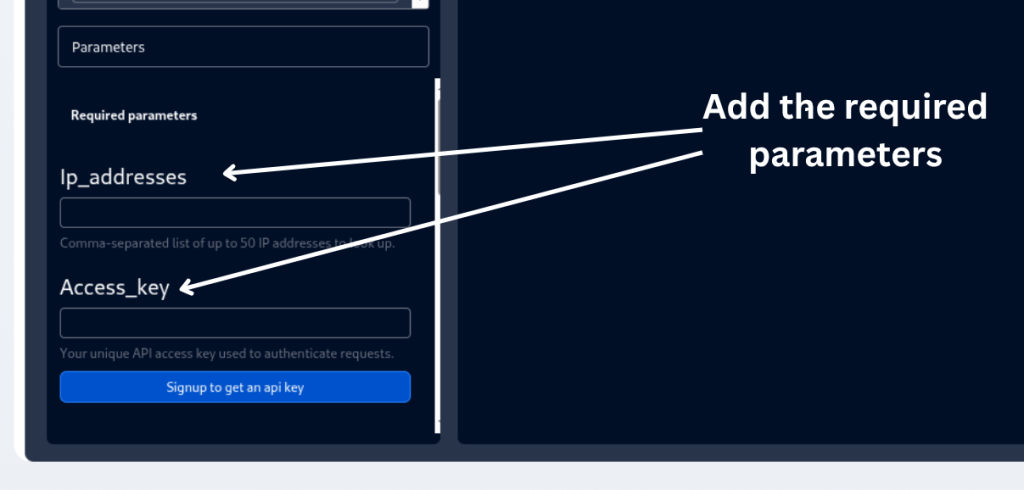
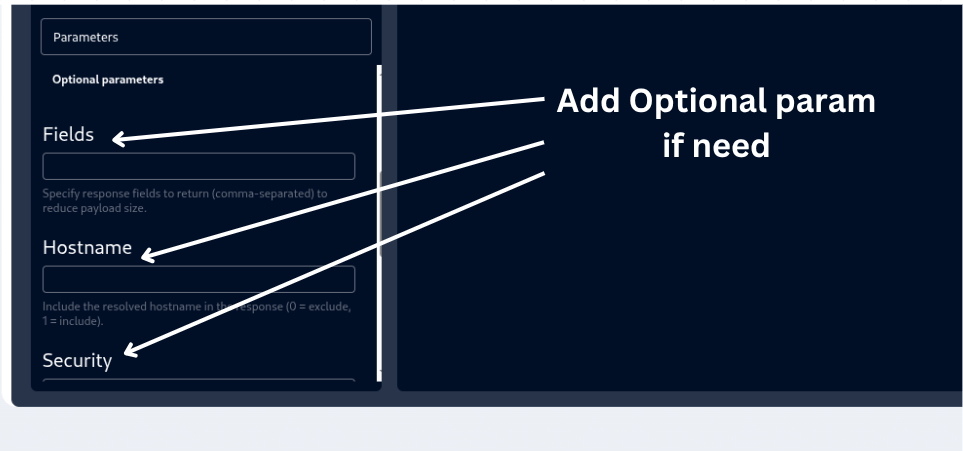
Step 3: Configure Parameters

Fill in the parameters directly in the UI.

For example:

Enter a base currency for Fixer  ➔  Add an email address for MailboxLayer  ➔  Provide an IP address for IPStack

The Playground clearly indicates:


  • Required fields

  • Optional parameters

  • Expected formats

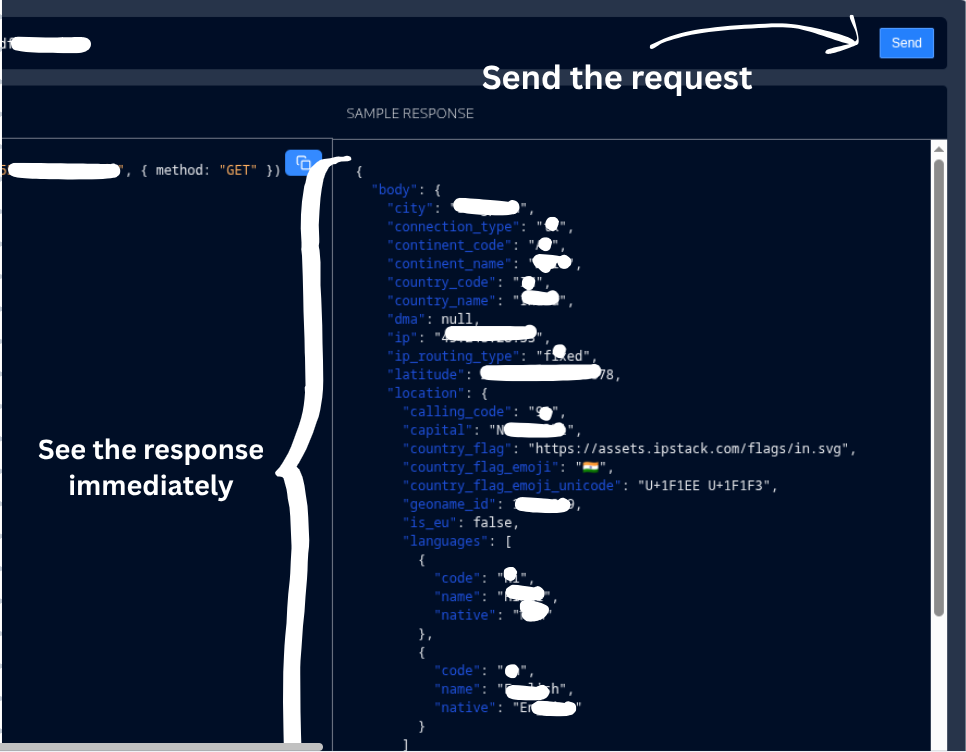
Step 4: Send the Request

Click Run (or equivalent) to send the request.

Within milliseconds, you’ll see:

  • HTTP status code
  • Full JSON response
  • Real-time data

This makes it easy to:

  • Inspect response structure
  • Validate field names
  • Check error handling

Step 5: Move to Implementation

Once you’re confident, you can:

  • Copy endpoint details
  • Reference the same parameters in your code
  • Integrate using your preferred language or framework

For real-world integration tips, check out:

  • How to Integrate REST APIs in Production Applications
  • Best Practices for API Error Handling

Who Should Use APILayer Playground?

Developers

APIs play a critical role in modern software development, and having the ability to evaluate them thoroughly before writing production code can save teams a significant amount of time and effort.

For developers, early API validation is especially valuable because it allows them to understand how an API behaves in real scenarios, explore different request parameters, and analyze response structures in detail without committing to implementation. By seeing actual responses upfront, developers can quickly grasp edge cases, error formats, and data inconsistencies, which leads to a much clearer mental model of how the API will integrate into their application. 

This deeper understanding reduces guesswork, minimizes back-and-forth experimentation during development, and ultimately cuts down debugging time, making the entire coding process smoother and more predictable.

In Short, Developers can:

  • Validate APIs before coding
  • Understand responses faster
  • Reduce debugging time

SMBs & Startups

For SMBs and startups, API testing at an early stage becomes a strategic advantage rather than just a technical convenience. When resources are limited and timelines are tight, quickly validating whether an API meets functional and performance requirements can prevent costly mistakes. 

Teams can test feasibility for new features, assess reliability, and ensure that an API aligns with product goals before investing engineering hours or budget. This approach helps avoid committing to the wrong API or building around limitations that only become obvious later. As a result, startups can move faster, make more confident decisions, and accelerate MVP development while maintaining flexibility to pivot if an API does not meet expectations.

To Summarize:

  • Quickly test feasibility for new features
  • Avoid investing in the wrong API
  • Accelerate MVP development

Enterprise Teams

Enterprise teams benefit from early and structured API evaluation at an even larger scale. With multiple stakeholders, complex systems, and strict standards, the ability to run detailed technical evaluations becomes essential. Teams can use API testing to support internal reviews, compare multiple solutions objectively, and document findings for architectural decisions.

 This process also plays a key role in onboarding, allowing new team members or departments to quickly understand how an API works without relying solely on documentation. 

By reducing friction during evaluations and knowledge transfer, enterprises can streamline collaboration across teams, improve consistency in integrations, and significantly speed up adoption across the organization.

Finally Teams can:

  • Run technical evaluations
  • Support internal API reviews
  • Speed up onboarding across teams

How APILayer Playground Fits Into Your API Workflow

A common workflow looks like this:

  1. Discover an API
  2. Test it instantly in the Playground
  3. Validate responses and edge cases
  4. Sign up and get your API key
  5. Integrate with confidence

Get 100 free API requests to start building today.

Why APILayer APIs + Playground Work Better Together

APILayer APIs are designed to be:

  • Developer-first
  • Scalable from MVP to enterprise
  • Well-documented and reliable

The Playground complements this by making evaluation and onboarding effortless.

For deeper dives, you may also like:

Key Benefits at a Glance

  • Live API testing in the browser
  • No setup or external tools required
  • Faster integration and fewer errors
  • Ideal for demos, POCs, and evaluations

Try the APILayer Playground Free

Explore the API Layer Playground

Experiment with live APIs in real time. Select an API, send a request, and see instant responses without setting up your development environment.

Visit API Layer Playground
No setup required
Test APIs and view responses in real time

FAQs

1. Is APILayer Playground free to use?

Yes. You can test APIs in the Playground and get 100 free requests when you sign up.

2. Do I need coding experience to use the Playground?

No. The Playground is UI-based and beginner-friendly, but powerful enough for experienced developers.

3. Are the responses real or mock data?

All responses are live and real-time, exactly as you’d receive in production.

4. Can I use the Playground for enterprise evaluations?

Absolutely. It’s ideal for technical reviews, proofs of concept, and internal demos.

5. Does using the Playground replace API documentation?

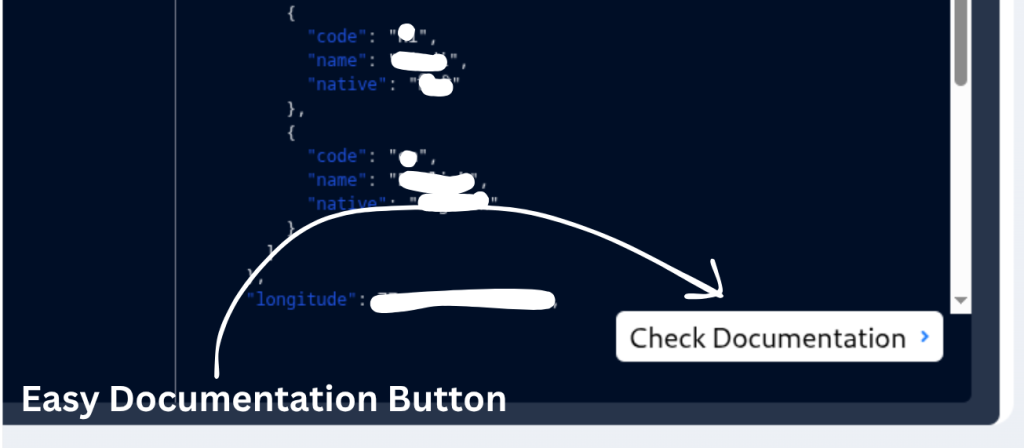
No. The Playground complements documentation by letting you interact with APIs while you read.

Stay Connected