When to use which
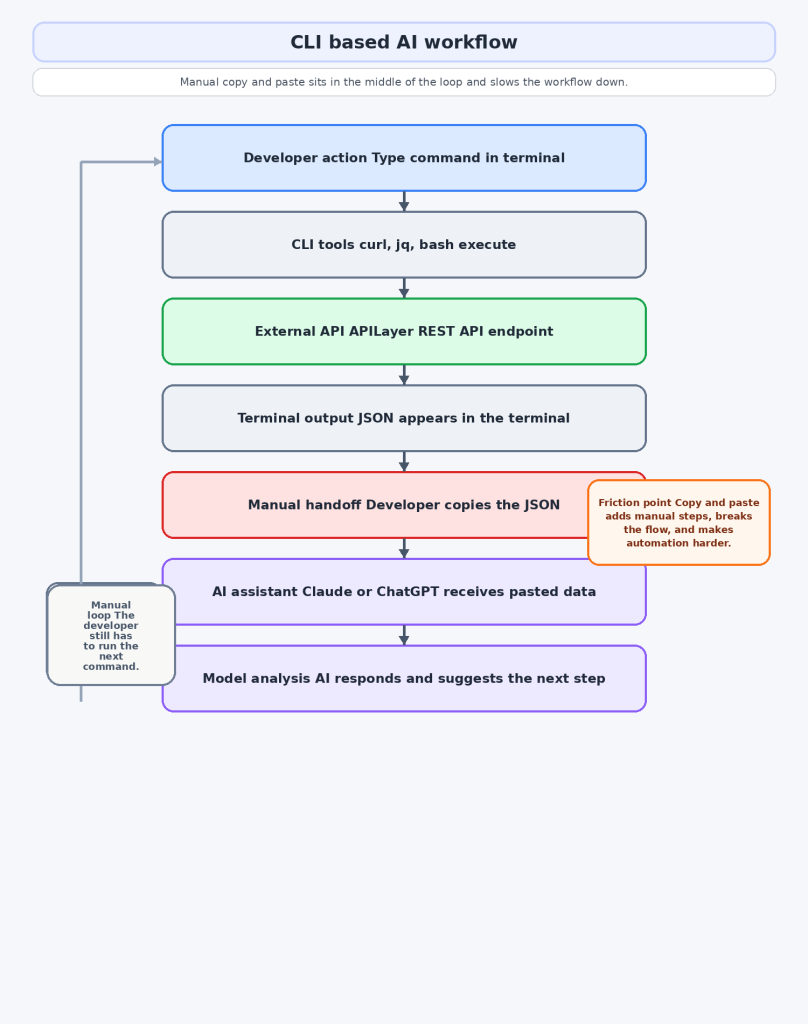
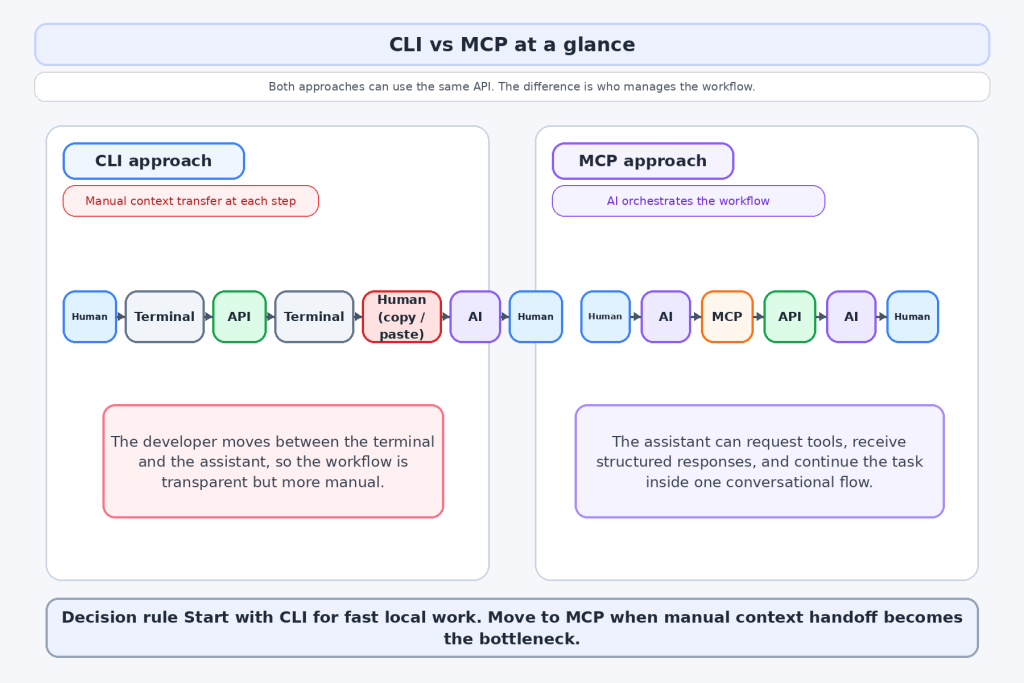
Use CLI when you need fast one off tasks, local debugging, and maximum visibility into the exact request and response. It is also the better choice when your assistant does not support MCP well or when you are still testing whether a workflow is worth automating.
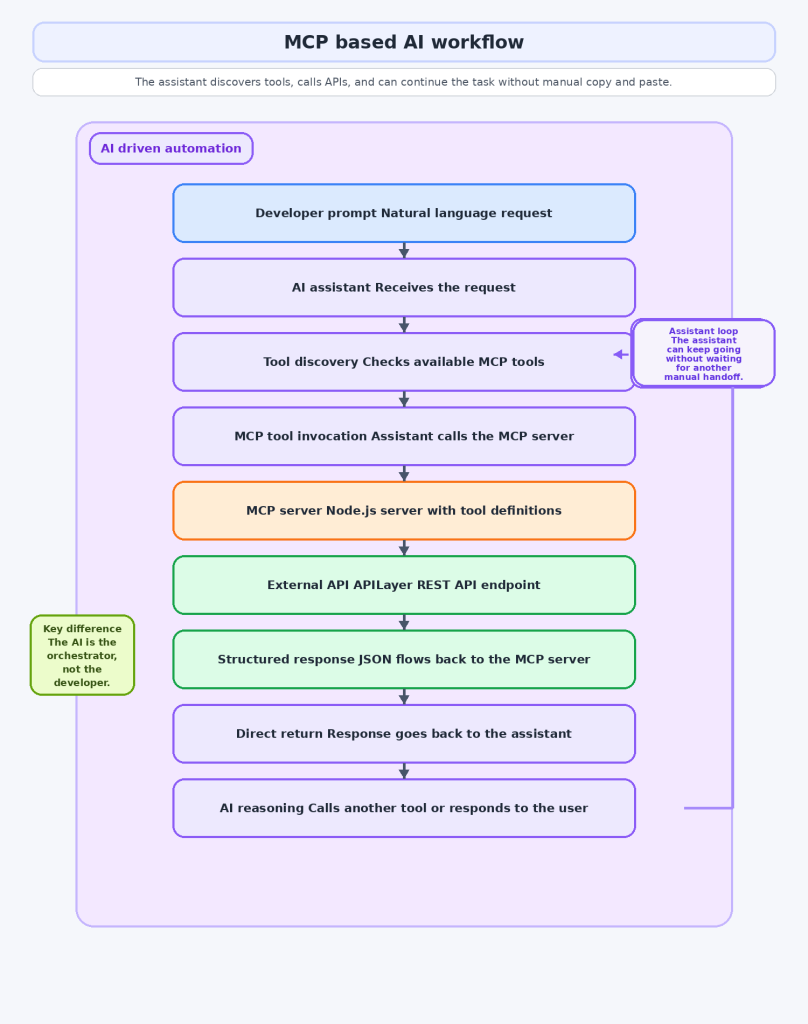
Use MCP when the assistant needs to call tools directly, chain several API calls in one flow, or choose between tools dynamically. That is where MCP stops feeling like extra setup and starts feeling like the cleaner architecture.
A good rule is simple. If you still want to inspect every step manually, stay in CLI. If you want the assistant to manage repeated steps on your behalf, move to MCP.
How APILayer fits into both approaches
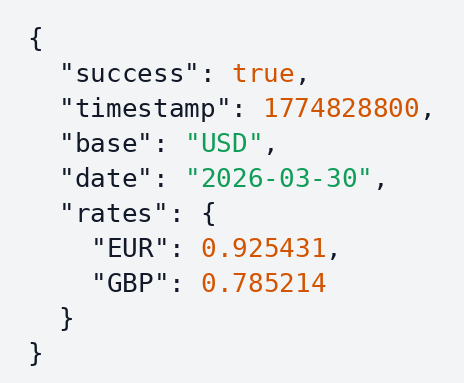
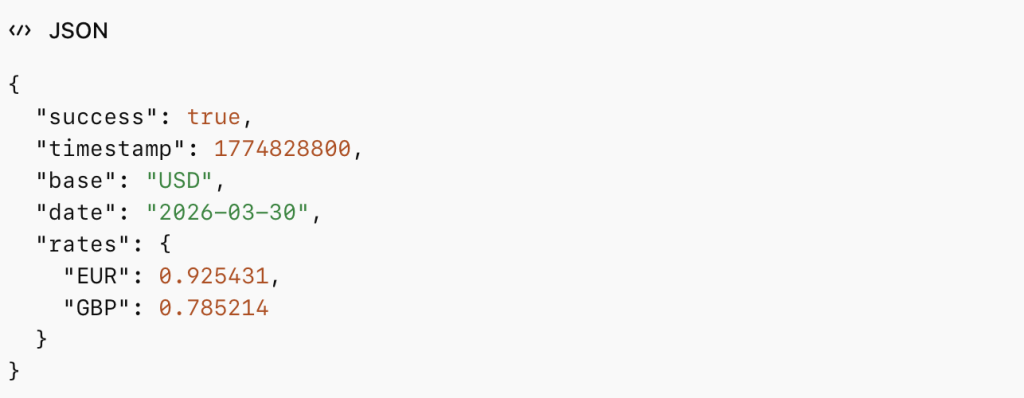
In a CLI workflow, APILayer gives you well documented REST endpoints, predictable JSON, and a quick way to test ideas from the terminal. The Exchange Rates Data API is a good example because you can start with one curl call and immediately use the response in scripts, dashboards, or pricing logic.
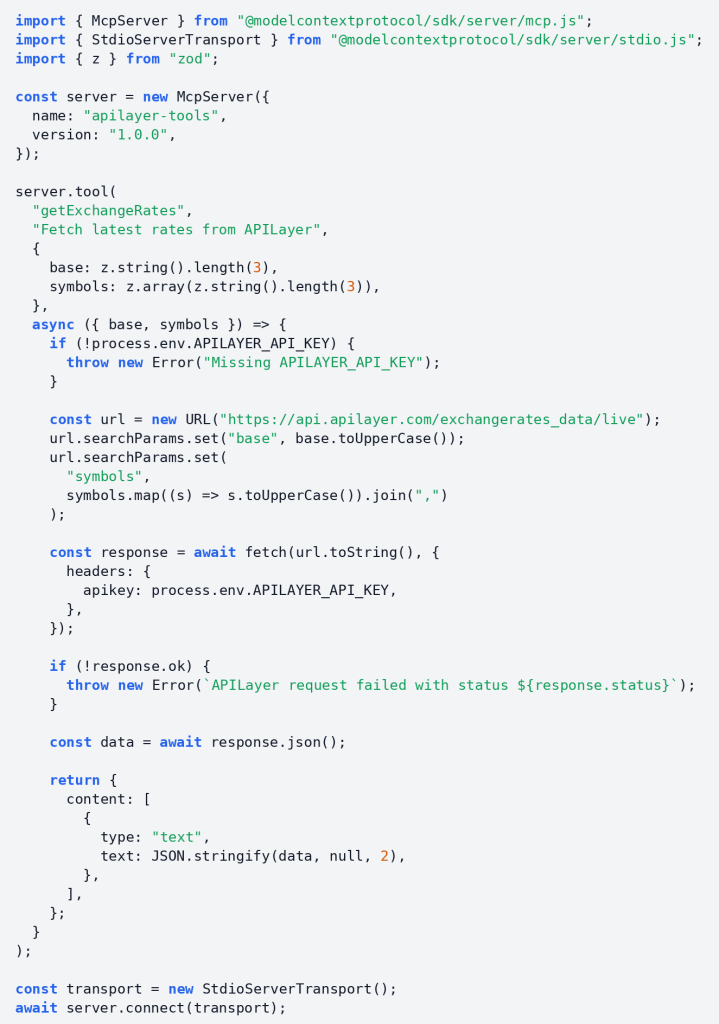
In an MCP workflow, the same API becomes the backend for a tool. You do not need a separate AI only product. You need a reliable API, a thin wrapper, and an assistant that can call it.
That makes APILayer useful in both stages of the journey: quick terminal validation first, repeatable assistant driven automation second.
For broader integration guidance, read the REST API design basics post. If you are exposing tools to assistants in production, read the API security guide.
Whether you build the terminal version or the MCP version, you still need reliable APIs underneath. Start with the APILayer and grab a free API key.
Conclusion
MCP is not a replacement for CLI, and CLI is not outdated because MCP exists.
CLI is better when you want speed, direct control, and easy debugging. MCP is better when you want your assistant to stop being a text box and start acting like a real tool user.
Start with a terminal call. Once you catch yourself repeating the same API steps and manual context transfer, wrap that API as an MCP tool. That is usually the point where MCP starts paying for itself.
FAQ
Is MCP better than CLI for AI assisted development?
Not across the board. CLI is usually better for quick local work and transparent debugging. MCP is better when the assistant needs direct access to tools and has to chain actions reliably.
Is CLI still worth learning?
Yes. AI does not replace CLI. It makes CLI more useful because terminal output is still the fastest way to test and inspect real requests.
What is the easiest way to start with MCP?
Wrap one API you already understand. A single exchange rates tool is enough to learn the pattern without overbuilding.
Do APILayer APIs work in both models?
Yes. They are standard REST APIs, so they work in curl, scripts, applications, and MCP wrappers.
Should most teams pick one and ignore the other?
No. The practical path is usually CLI first, then MCP for the workflows that deserve automation.
Stay Connected