


APIs aren’t just developer tools, they’re automation engines. Today, startups and growing teams are building powerful workflows using APIs without writing full backend systems or spending weeks on engineering roadmaps. With tools like APILayer, Google Sheets, and automation platforms such as Zapier and Make, it’s now possible to validate leads, enrich customer data, automate pricing, track crypto or forex markets, improve compliance, and even run content workflows with minimal work load.
If you’re a founder, developer, marketer, or operations lead looking to scale intelligently, this guide is for you. Instead of generic automation theory, you’ll get 7 concrete automation ideas you can deploy today, complete with real world examples, API calls, and workflow diagrams.
By the end of this post, you’ll walk away with practical, real-world ways to reduce manual work, improve data accuracy, and accelerate growth using automation powered by APILayer APIs.
Table of Contents
Key Takeaways
- You’ll learn 7 actionable automation ideas you can build today using APILayer APIs, Google Sheets, and Zapier/Make, no engineering sprint required.
- These automations help with lead scoring, geolocation, pricing updates, customer insights, fraud prevention, and content automation.
- Each idea includes a simple integration workflow, payload example, and a link to the corresponding API offered by APILayer.
- Perfect for startups, SMBs, and enterprise teams looking to scale operations efficiently using automation rather than manual work.
Why Automate Using APILayer?
Whether you’re validating leads, collecting data, syncing real-time financials, or verifying user identities. APIs enable you to automate repetitive tasks. APILayer offers a suite of production-ready APIs (Fixer, CoinLayer, IPStack, MailboxLayer, WeatherStack, etc.) designed for automation and scale.
Try APILayer APIs Free. Get 100 Free Requests Per Month
1. Automated Lead Verification and Scoring Using MailboxLayer and IPStack
Problem
Marketing teams often receive fake, invalid, or disposable emails during lead capture. These leads consume time, CRM space, and advertising budget without returning value. As a result, campaign performance drops, conversion rates fall, and ROI becomes unclear.
Solution
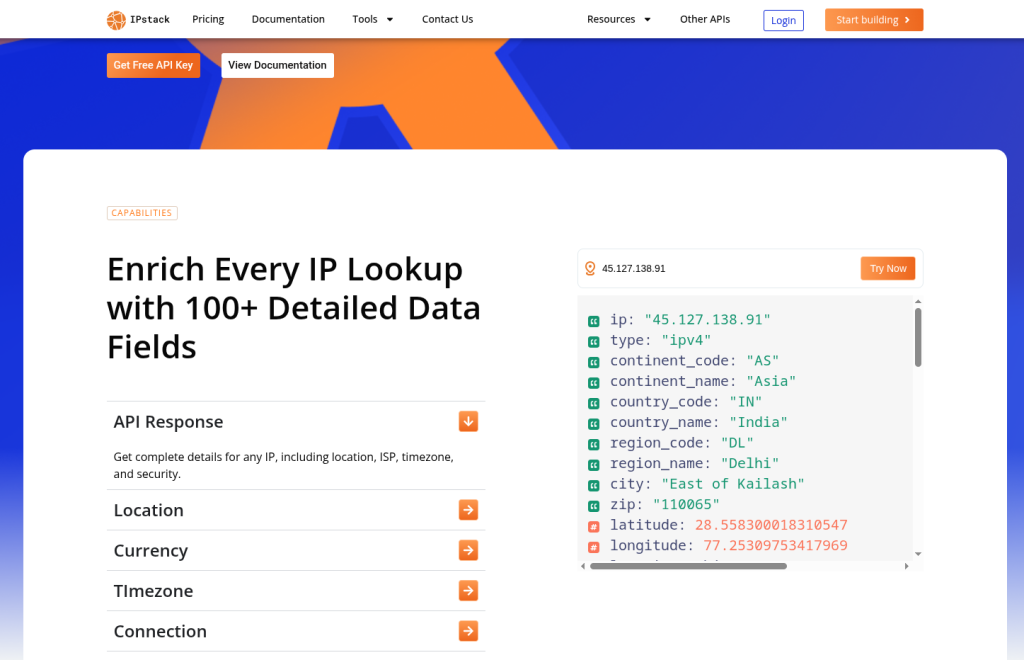
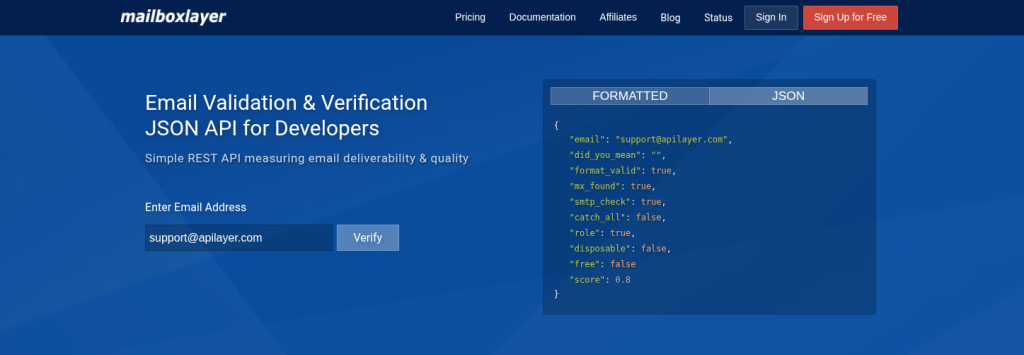
Automatically validate email addresses during or after submission to filter out bad leads. Use IPStack to detect location, risk level, and legitimacy for better lead qualification. This ensures only high-quality, verified leads move into nurturing or sales workflows, improving ROI.
Workflow (Zapier or Make)
- Trigger: New form submission.
- Call MailboxLayer API to validate the email.
- Call IPstack API to detect location details and potential VPN/proxy usage.
- Log the enriched lead in Google Sheets or send to a CRM.
MailboxLayer Payload Example
GET https://apilayer.net/api/check?access_key=YOUR_ACCESS_KEY&email=support@apilayer.com
IPstack Payload Example
GET http://api.ipstack.com/162.158.122.99?access_key=YOUR_API_KEY
Real World Application
A SaaS company offering a project management tool receives inbound leads from a Webflow form.
The automation collects the lead email and IP address, then:
- MailboxLayer verifies whether the email is formatted correctly, active, and non-disposable.
- IPStack checks if the user is from a supported region (United States, Canada, Australia) and identifies VPN or proxy risks.
The result is written to below Table with a score:
|
|
Country |
Disposable Email |
Proxy |
Score |
|
support@apilayer.com |
United States |
No |
No |
0.8 |
|
random123@mailinator.com |
Unknown |
Yes |
Yes |
0.3 |
The highest possible score indicates a highly reliable, deliverable email, often approaching 1, with scores around 0.8 being common for good emails.
Try Email Validation: MailboxLayer
Detect User Location: IPStack
2. Live Currency Conversion for Pricing Using Fixer API
Problem
Startups operating globally struggle to maintain accurate pricing across multiple currencies. Constantly changing exchange rates make manual updates slow, error-prone, and unsustainable. This leads to incorrect pricing, lost revenue, and reduced customer trust.
Solution
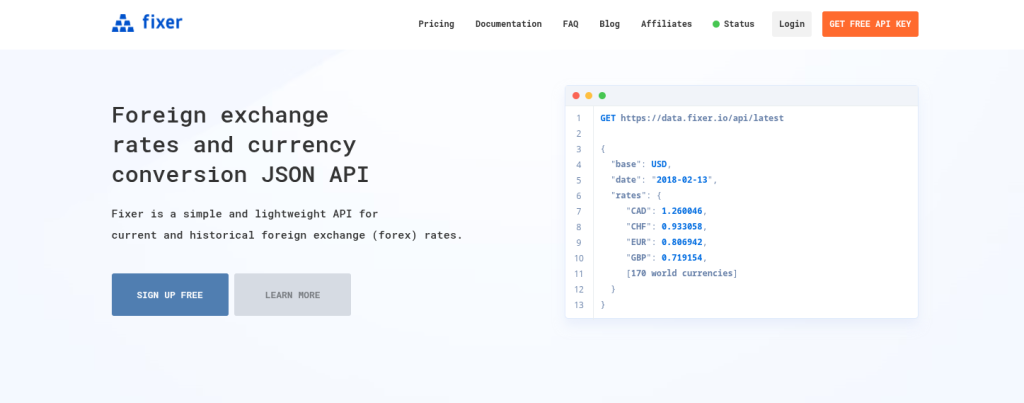
Schedule Fixer API calls to automatically fetch real-time currency exchange rates. Sync the updated values directly into Google Sheets or pricing sheets without manual effort. This ensures pricing stays accurate, consistent, and globally competitive at all times.
Workflow
Trigger every 6 or 12 hours.
Retrieve current currency values from Fixer.
Update pricing cells or formulas automatically.
Payload Example
GET https://data.fixer.io/api/latest?access_key=API_KEY
Real World Application
An e-commerce business selling digital subscriptions uses USD as the base price (49 USD/month) but serves customers in multiple currencies.
A schedule runs twice daily:
Fixer API retrieves live rates for EUR, INR, AED, and GBP.
Google Sheets updates pricing tables.
Shopify automatically syncs these values to localized pages.
Example price table after automation:
Currency | Converted Price | Updated At |
EUR | 44.21 | 2025-02-10 12:05 |
INR | 4075.32 | 2025-02-10 12:05 |
GBP | 39.02 | 2025-02-10 12:05 |
No one manually edits pricing anymore.
Test Currency API: Fixer
3. Automated Crypto Price Tracking Using CoinLayer
Problem
Crypto teams and analysts often rely on manual data entry to keep price dashboards accurate. Market values change rapidly, making manual updates outdated within minutes. This results in unreliable insights, delayed decisions, and missed trading or business opportunities.
Solution
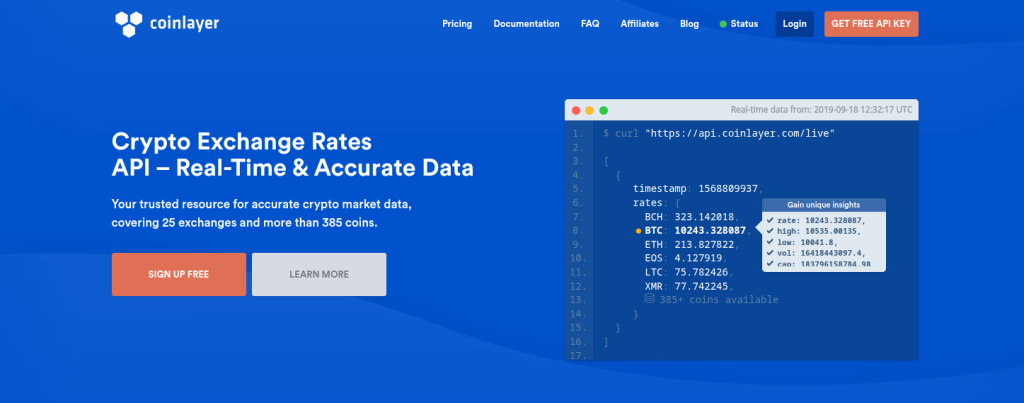
Use CoinLayer API to automatically fetch live cryptocurrency prices and market data. Sync values directly into spreadsheets or dashboards without manual intervention. This keeps analytics, forecasts, and financial reports accurate and real-time at all times.
Workflow
- Trigger on hourly schedule.
- Retrieve crypto price data.
- Append or overwrite relevant rows in Sheets.
Payload Example
GET https://api.coinlayer.com/live?access_key=YOUR_ACCESS_KEY
Real World Application
A fintech analytics team tracks revenue share payouts from token investments.
Every hour:
- CoinLayer fetches current values of BTC, ETH, SOL, and BNB.
- Google Sheets recalculates wallet balances.
Example output:
Token | Wallet Amount | Price (USD) | Total Value |
BTC | 0.34 | 98,240 | 33,401.60 |
ETH | 11.4 | 3,412 | 38,296.80 |
SOL | 244 | 106 | 25,864.00 |
The finance team uses the sheet for investor reporting.
Explore Crypto Market Data: CoinLayer
4. Automated Invoice Compliance Using VATLayer and Fixer
Problem
Finance and billing teams often validate VAT numbers manually, which slows down invoicing. Currency conversions for international customers add another layer of repetitive work. These manual tasks increase processing time, create errors, and delay payment cycles.
Solution
Use VATLayer API to automatically verify VAT registration before issuing invoices. Integrate Fixer API to calculate accurate currency conversions in real time. This automation streamlines billing workflows, reduces errors, and accelerates invoice processing.

Workflow
Trigger when a new invoice record is added in Google Sheets.
Call VATLayer to confirm VAT validity.
Call Fixer to convert the invoice currency.
Generate a compliance-ready entry.
VATLayer Payload Example
GET https://apilayer.net/api/validate?access_key=YOUR_KEY&vat_number=DE123456789
Real World Application
A European SaaS platform verifies B2B customers before generating invoices.
Workflow:
Customers submit their VAT number during checkout.
VATLayer validates that the business is real and VAT-compliant.
Fixer converts the subscription cost into EUR if the customer is outside the Eurozone.
Example record logged to Sheets:
Company | VAT Valid | Base Price | Conversion Rate | Final Price |
ABC Enterprise | Yes | $120 | 0.92 | €110.40 |
XYZ Corp. | No | $120 | – | Flagged |
The flagged entry triggers a review queue.
Check VAT Validity: VATLayer
5. Automated Multi-Language Customer Support with Translate Plus API
Problem
Startups expanding internationally often receive support questions in multiple languages. Support teams waste time translating messages manually or rely on inconsistent translation tools, resulting in delayed replies and poor customer experience.
Solution
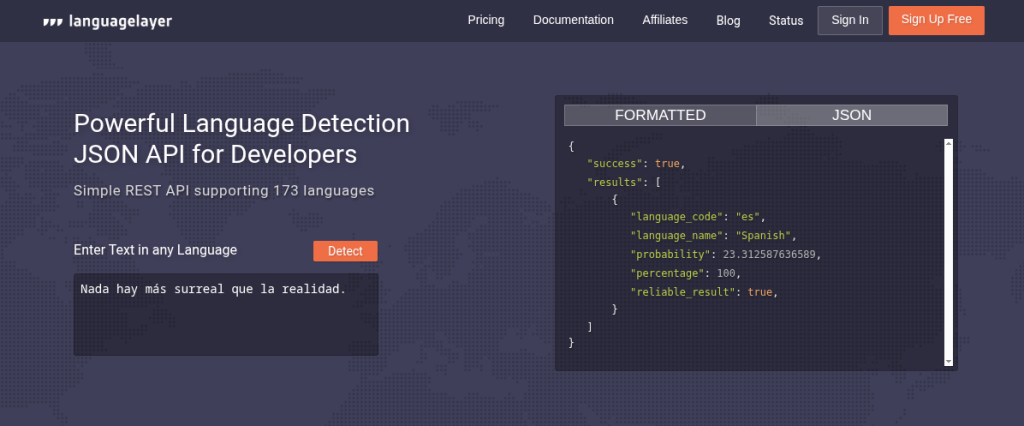
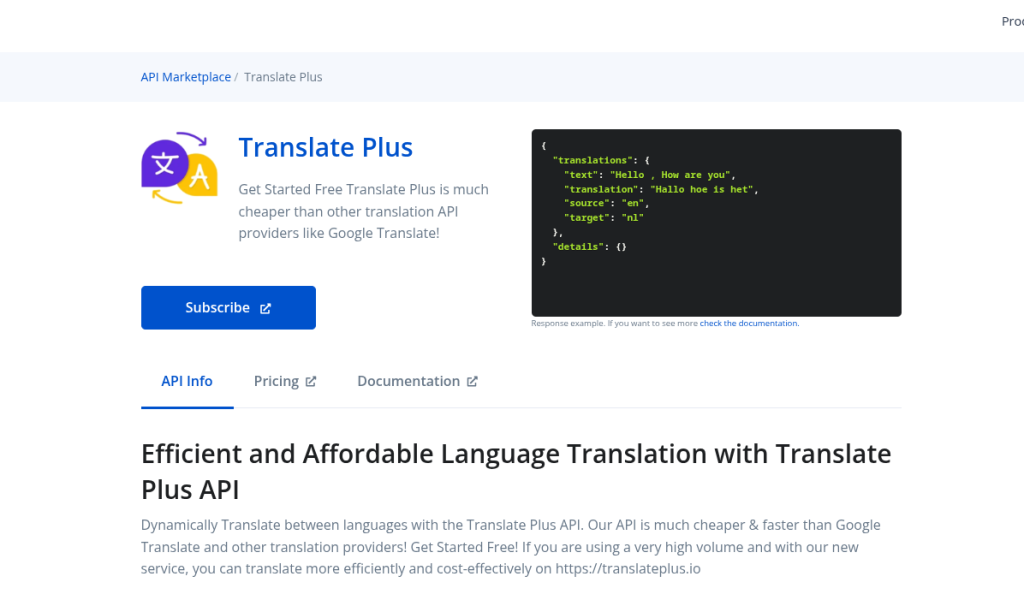
Automatically detect the language of messages and translate them into English using LanguageLayer. After the support team responds, translate the reply back into the customer’s language and send it automatically, creating a multilingual support workflow with no manual translation required.
Workflow
- Capture the customer message and detect its language using LanguageLayer.
- Translate the message to English if needed and store it in Google Sheets or your support system.
- The support team replies in English and the response is translated back into the customer’s original language.
- Automatically deliver the translated final response back to the customer.
Payload Example
POST
https://api.translateplus.io/v1/translate
Fields: text, source, target
Real World Application
A fast-growing SaaS product receives customer support messages from over 30 countries. The support team only replies in English, and manually translating messages takes too much time.
To streamline the workflow:
- A new customer message is submitted through a form or email.
- The text is sent to LanguageLayer to automatically detect the source language.
- If the text is not already in English, Translate Plus API translates it and stores the output in Google Sheets.
- The support team replies in English.
- Translate Plus API translates the English reply back into the customer’s original language.
- The final translated message is automatically delivered back to the customer via email.
Example row stored in Google Sheets:
Original Message | Detected Language | English Translation | Agent Reply | Translated Reply Sent to User |
“No puedo iniciar sesión con mi cuenta.” | Spanish | “I can’t log in to my account.” | “Please reset your password using the Forgot Password link.” | “Restablezca su contraseña usando el enlace Olvidé mi contraseña.” |
Detect languages: LanguageLayer API
Translate Language: Translate Plug API
6. Phone Number Validation Automation Using NumVerify
Problem
SMS marketing campaigns often send messages to invalid, inactive, or mistyped phone numbers. This leads to wasted budget, low engagement, and inaccurate campaign performance metrics. Teams lack a simple, automated way to validate numbers before launching outreach.
Solution
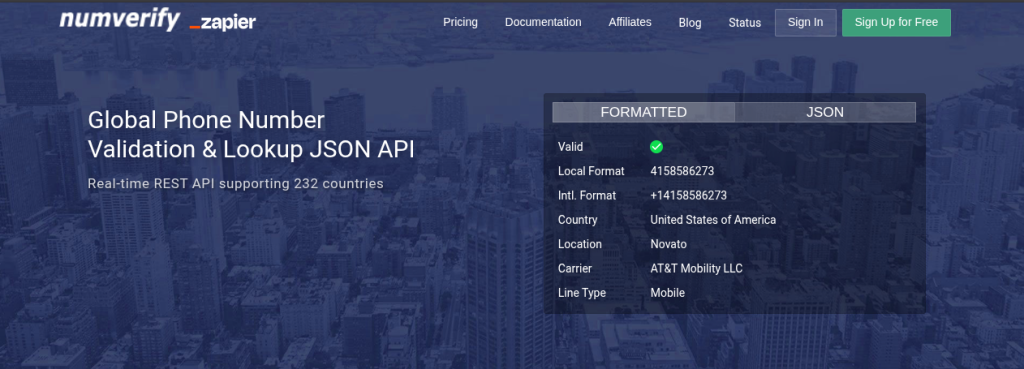
Use a phone validation API to verify number format, status, and carrier in real time. Filter out invalid or risky numbers before any SMS workflow begins. This ensures higher delivery rates, better ROI, and more accurate SMS campaign targeting.
Workflow
- Trigger when collecting new phone details.
- Call NumVerify API to validate the number.
- Forward validated numbers to your SMS automation platform.
Payload Example
GET http://apilayer.net/api/validate?access_key=YOUR_ACCESS_KEY&number=14158586273
Real World Application
A delivery marketplace verifies customer phone numbers before sending order notifications.
Process:
- The user signs up and enters a phone number.
- NumVerify confirms:
- Country format
- Valid carrier
- Not a VoIP or temporary SMS number
- If verified, your SMS Service sends the onboarding message.
Example record:
Phone Number | Valid | Line Type | Carrier | SMS Status |
+447912345678 | Yes | Mobile | Vodafone | Sent |
+15005550006 | No | VoIP | Unknown | Blocked |
This saves SMS costs and prevents fraud.
Validate Phone Numbers: NumVerify
7. Automated Weather-Triggered Alerts with Weather API
Problem
Teams in industries like logistics, travel, agriculture, delivery, and outdoor services rely heavily on accurate weather forecasts. Manually checking forecasts for multiple regions is inefficient, inconsistent, and can lead to delayed decisions, missed planning windows, or unnecessary operational costs.
Solution
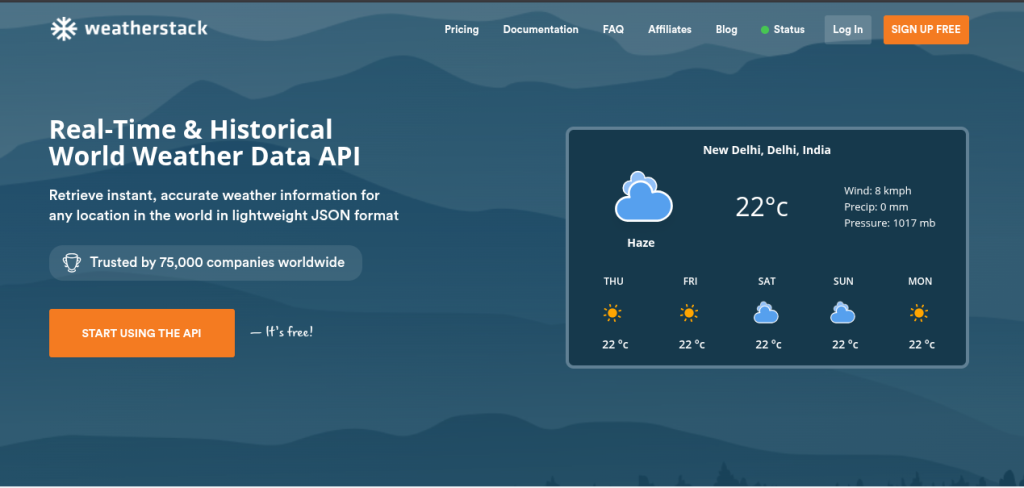
Use APILayer’s Weather API to automatically monitor weather conditions in real time and trigger workflows based on predefined rules—such as sending alerts when rain is expected, high winds exceed safety limits, or temperature crosses critical thresholds. The automation updates Google Sheets, notifies teams through email or Slack, and adjusts operational schedules automatically.
Workflow
Fetch hourly or daily weather data for selected regions.
Store results in Google Sheets and automatically check against predefined business rules.
Trigger alerts when weather conditions meet criteria.
Send notifications via SMS, or email and optionally update the timelines.
Payload Example
GET http://api.weatherstack.com/current?access_key=YOUR_ACCESS_KEY&query=NY
Real World Application
A food-delivery startup operates across five major cities. Weather impacts delivery efficiency, customer satisfaction, and rider safety.
Every morning at 6:00 AM:
The Weather API checks real-time and forecast conditions for different cities.
If rain probability exceeds 60%, the system:
Sends a notification alert to the logistics channel
Adds a note to Google Sheets forecast tracker
Automatically reduces delivery estimate time in the CRM from 30 mins to 45 mins
Triggers an email to customers in affected cities notifying longer delivery windows
Example entry:
City | Condition | Rain Probability | Action Triggered | Delivery ETA |
Mumbai | Cloudy | 20% | None | 30 min |
Delhi | Rain Expected | 78% | Email + ETA Update | 45 min |
Pune | Clear | 5% | None | 30 min |
This automation helps the startup proactively communicate delays, optimize scheduling, protect riders, and improve customer trust.
Get the weather data from Weatherstack API
Benefits of Using These Automations
Benefit | Impact |
Reduced manual tasks | Saves time and minimizes redundancy |
Higher data accuracy | Improves decision-making and reporting |
Better lead quality | Reduces wasted sales and marketing effort |
Faster process scaling | Improves internal operations without engineering overhead |
Seamless integration | Works well with Zapier, Make, Sheets, and CRMs |
Explore APILayer APIs
Explore a wide range of APIs from APILayer and find the right tools to power your applications.
Explore APILayer APIsStart exploring today!
FAQs
1. Can these workflows be built without writing code?
Yes. Zapier, Make, Airtable Automations, and Google Sheets allow non-technical users to build these workflows without custom development.
2. Are APILayer APIs reliable for production use?
Yes, APILayer provides scalable, high-uptime APIs trusted globally by developers, startups, and enterprise teams.
3. Is there a free tier available?
Yes, most APILayer products include free request credits to test before scaling.
4. Can I use tools other than Google Sheets?
Absolutely. These workflows also integrate with Airtable, Notion, CRMs like HubSpot or Salesforce, and custom databases.
5. Are APILayer APIs reliable for production use?
Yes, APILayer provides scalable, high-uptime APIs trusted globally by developers, startups, and enterprise teams.
Return to player is a long run average, not a description of a session. Variance is the missing figure that tells you how bumpy the ride between those averages will be. It is the single statistic most players ignore and most feel the effects of.
Understanding Slot Volatility and Variance
The practical question is how many spins your balance can absorb before a big payout arrives, which is exactly what variance predicts. Anyone sizing stakes to a fixed budget can narniaslotss.uk and compare volatility bands across popular titles. A small bankroll on a high variance game usually runs out before the maths has any chance to assert itself.
| Factor | Why It Matters |
|---|---|
| Bankroll size | Decides how long you can absorb dry spells |
| Session length | Short sessions suit lower variance |
| Stake per spin | Should shrink as volatility rises |
- Match variance to how long you plan to play
- Remember the house edge is the same either way
No amount of variance analysis removes the built in house margin, and choosing a high volatility game is not a strategy. It is a preference about pacing. Set a figure you are content to lose, treat the swings as part of the entertainment, and leave the table when the number is reached.
