

If you are building a product that reacts to weather, from a simple “today in London” widget to logistics alerts and operational dashboards. Your first question is usually the same: what is the best free weather API I can start with, and what will it cost me in limits and constraints?
In 2026, “free” almost always comes with tradeoffs: monthly quotas, lower update frequency, fewer endpoints (often current only), limited forecast horizons, or stricter usage policies. This guide helps developers and product teams pick the right free weather API for their use case, then implement it safely with beginner-friendly examples.
Want the simplest way to start? Create a free weatherstack account and grab your API access key, then follow the docs to make your first request in minutes.
Get started: https://weatherstack.com/
Docs: https://docs.apilayer.com/weatherstack/docs/api-documentation
Table of Contents
Key Takeaways
- Free usually means request limits plus feature restrictions, often current conditions only. Forecast and historical endpoints typically sit behind paid tiers.
- The best choice depends on your data type needs: current, forecast, historical, or specialised (marine, alerts).
- Most production apps should keep API keys server-side and add caching to reduce calls.
- Rate limits are easier to manage when you refresh on a schedule (every 15 to 60 minutes) rather than on every page load.
- If you need forecasts on day one, confirm which plan includes the forecast endpoint before you build your data model.
What “Free Weather API” Really Means in 2026
A free weather API can mean one of three things:
- A true free tier that remains available long-term, usually with a fixed quota (for example, requests per month or per day).
- A free trial that expires after a short period, often 14 to 21 days.
- A keyless public service or open data option that does not require registration, but has strict usage policies and unclear or unpublished rate limits.
For most product teams, the practical question is not “is it free,” but:
- Can we build and test quickly?
- Will we hit limits during QA, demo, or launch?
- Do we get the endpoint coverage we need (forecast, historical)?
- Are we allowed to use the data commercially?
Keyless vs Keyed APIs: What the Difference Actually Means
A common search query is “weather API without a key,” and it’s a reasonable thing to want, especially early in a project. Here is the honest picture:
Keyless APIs (Open Meteo, MET Norway):
- No account creation or signup required. Useful for quick experiments and learning.
- Open Meteo is free for non-commercial use only. Commercial use requires a subscription.
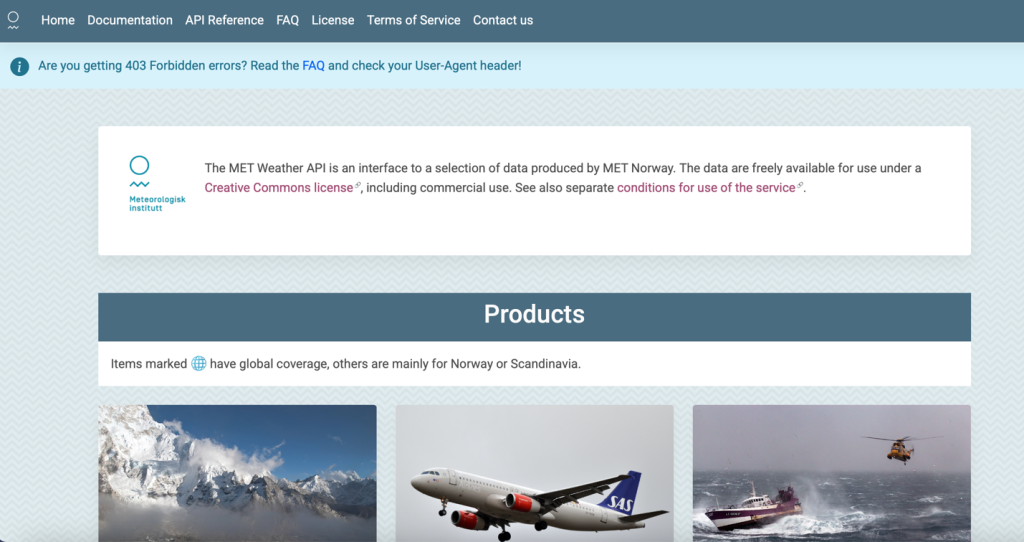
- MET Norway is free under a Creative Commons license, but you must send a correctly formatted User-Agent header identifying your application. Failure to do so will get your requests throttled or blocked.
- Neither publishes explicit rate limits, which makes production capacity planning harder.
Keyed APIs (weatherstack, OpenWeather, WeatherAPI.com, and others):
- Require a free account signup to get an access key, typically a 60-second process.
- Keys enable the provider to enforce your plan’s quota fairly, give you usage stats in a dashboard, and let you rotate keys if they are ever exposed.
- weatherstack requires an access_key on every request, including on the free plan. This is a feature, not a limitation: it means your quota is protected and your usage is trackable.
- For any app that may go to production or handle real users, a keyed free tier is significantly more reliable than a keyless public service.
If you only need a keyless option for a hackathon or prototype, Open Meteo is the cleanest choice. For anything production-bound, start with a keyed free tier.
What to Look for in a Free Weather API (Quick Checklist)
Use this to shortlist providers in minutes. Five things matter most:
- Data types available on free: does the free tier include current only, or also forecast and historical? Many providers reserve forecast and historical for paid plans.
- Quota model: is the limit per month, per day, or per hour? And what counts as one call: some APIs count each location or date in a bulk request separately.
- What happens at the limit: does the API hard-stop, throttle quietly, or allow overages billed at a pay-as-you-go rate?
- Commercial use: keyless and open-data options are often restricted to non-commercial projects. Check the licence before you ship.
- Key requirement and docs quality: a well-documented keyed API with a usage dashboard is easier to operate in production than a keyless service with unpublished rate limits.
Comparison Table: Free Tiers, Limits, and Best Fit
Free tiers change over time. The table below summarises what each provider publicly lists for free access as of February 2026. Always verify before you commit.
Provider | Free Tier Limit | Data Types | Update Frequency | Best For | Key Limitation |
|---|---|---|---|---|---|
weatherstack | 100 requests/month | Current: Free+ Historical: Standard+ Forecast: Professional+ | Real-time (provider-described) | Beginners wanting simple current weather API and clean JSON | Free plan current only; historical needs Standard; forecast needs Professional |
OpenWeather | 1,000,000 calls/month 60 calls/min | Current + short-range forecast on free | Every minute for some products | High-volume prototyping; apps needing broader free capacity | Product catalog can be complex across endpoints |
WeatherAPI.com | 100K calls/month | Current + 3-day forecast on free | Every 10 to 15 minutes | Apps wanting generous monthly quota with short forecast | Forecast horizon short on free tier |
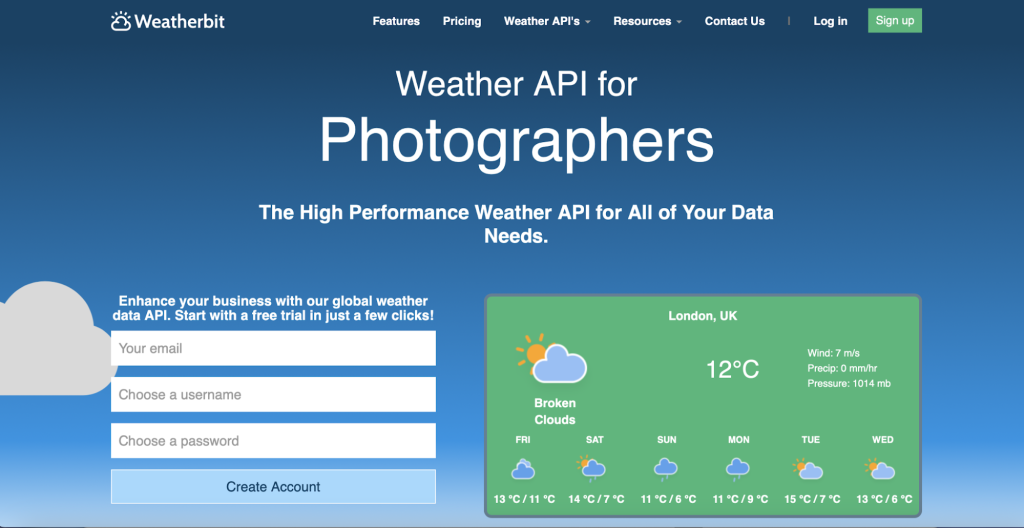
Weatherbit | 50 requests/day | Current + daily forecast (varies by endpoint) | Not published in pricing table | Small dashboards and controlled refresh schedules | Daily cap easy to hit in client-side widgets |
Tomorrow.io | 500/day 25/hour 3/second | Core weather parameters on free | Rate-limit framed, not frequency | Teams needing clear per-second/per-hour caps | Hourly cap constrains multi-user apps without caching |
Visual Crossing | 1,000 records/day | Current, forecast, historical (record-based) | Continuous (no strict interval published) | Data analysis, Power BI, multi-date queries | Record counting model can be confusing vs request counting |
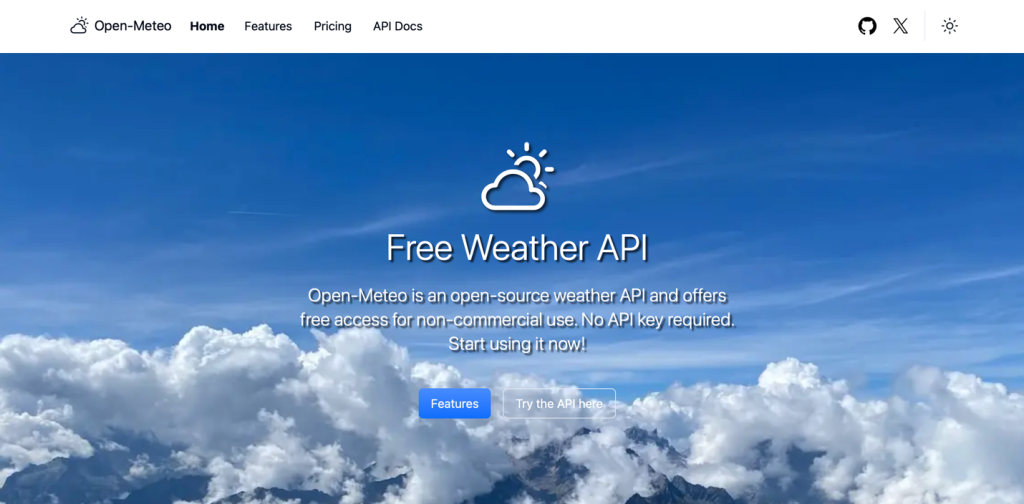
Open Meteo | Keyless, non-commercial use | Current + forecast + other datasets | Not stated on homepage | Hobby projects, learning, and prototypes. No signup needed. | Non-commercial restriction; not for production commercial apps |
MET Norway | Keyless. User-Agent required. | Multiple products; some regional, some global | Not framed as frequency | Open data licensing; projects that follow usage rules strictly | Strict User-Agent identification rules; some products regional only |
The Best Free Weather APIs in 2026
Below are eight strong options. For each provider you will see a quick summary, a high-level view of the free tier, best use cases, and key limitations.
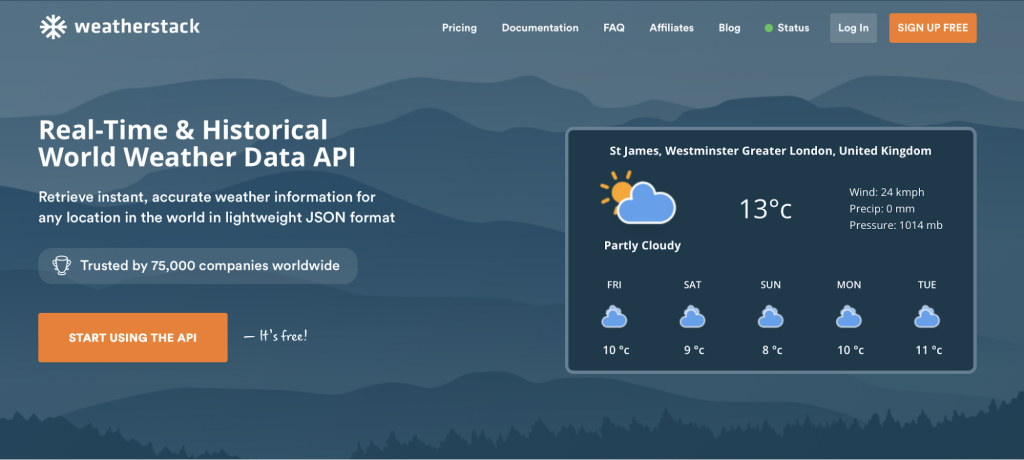
1) weatherstack: Best Beginner-Friendly Choice for Fast Current Weather
weatherstack is a straightforward REST API that returns weather data in lightweight JSON, with a simple access_key plus query pattern and clear error handling. An access key is required on all plans, including free. Sign up takes under a minute and your key is available immediately in the dashboard.
Free tier overview
- Free Plan: 100 monthly API lookups.
- Current endpoint: available on Free and above.
- Historical endpoint: available on Standard and above.
- Forecast endpoint (up to 14 days): available on Professional and above.
- Marine and Locations endpoints: available on Standard and above.
Best use cases
- Prototypes that need reliable current conditions.
- Product features like weather banners, basic outdoor recommendations, and location-based UX.
- Internal dashboards where refresh is controlled and cached.
Limitations
- The free plan is 100 calls per month by design. Cache aggressively or upgrade for higher volume.
- Forecast endpoint requires Professional plan or above. Historical endpoint requires Standard or above.
2) OpenWeather: Best for High-Volume Free Capacity
OpenWeather is widely used and offers high free request volume, plus multiple related APIs (weather, maps, air pollution, geocoding).
Free tier overview
- 1,000,000 calls per month and 60 calls per minute for free access.
Best use cases
- Apps that need a higher free quota while you validate product demand.
- Products that may later expand into air quality or maps.
- Engineering teams that can invest time in learning the product catalogue.
Limitations
- Endpoint selection can be confusing at first because there are multiple products and subscriptions.
3) WeatherAPI.com: Best Generous Monthly Free Tier with Short Forecast
WeatherAPI.com includes a free plan with a meaningful monthly quota, plus a clear plan comparison table.
Free tier overview
- 100K calls per month and a 3-day forecast horizon on free.
Best use cases
- Consumer apps that want current plus short-range forecast without paying initially.
- Projects that need a predictable monthly quota for lightweight usage.
- Teams that want a simple, transparent plan table.
Limitations
- Forecast horizon is short (3 days) on free.
- Test response schema stability for the fields you depend on.
4) Weatherbit: Best for Low-Call Dashboards with Daily Refresh Patterns
Weatherbit’s free plan is simple: a small daily request limit that can work well for internal tools with controlled polling.
Free tier overview
- Free plan: 50 requests per day.
Best use cases
- Single dashboard screens.
- Small internal analytics and operations panels.
- Scheduled jobs that refresh a few locations on an interval.
Limitations
- 50 per day is easy to hit if you call on every page load.
- Browser-side implementations can burn quota quickly.
5) Tomorrow.io: Best for Explicit Per-Hour and Per-Second Limits
Tomorrow.io’s free plan is rate limited in a way that is easy to reason about when you build throttling into your backend.
Free tier overview
- 500 requests per day.
- 25 requests per hour.
- 3 requests per second.
Best use cases
- Apps that need strict traffic shaping and predictable caps.
- Teams building multi-service systems that already use rate limiting middleware.
- Prototypes where you want to learn the API before committing.
Limitations
- The hourly cap can be restrictive for multi-user apps unless you cache results.
6) Visual Crossing: Best for Record-Based Querying and Data Analysis
Visual Crossing positions free access around records per day, which can be a better mental model for analytics and history-style queries.
Free tier overview
- 1,000 free records per day.
Best use cases
- Data science, business analytics, and reports that pull historical ranges.
- Power BI and spreadsheet-style workflows.
- Apps that benefit from fetching multiple dates and locations efficiently.
Limitations
- Record-based billing means you must understand how many rows your query produces.
- Test how records are counted before you design your refresh strategy.
7) Open Meteo: Best Keyless Option for Learning and Hobby Projects
Open Meteo is popular for quick experiments because it requires no API key, no registration, and no credit card. The key nuance: free access is for non-commercial use only. If your project is commercial, you will need a paid plan.
Free tier overview
- No API key required.
- Free access for non-commercial use.
Best use cases
- Learning projects, hackathons, and prototypes.
- Quick weather enrichment for internal experimentation.
- Anything where you do not want account creation overhead and commercial use is not a factor.
Limitations
- Free access is explicitly not for commercial production use.
- No published rate limits. Cache responsibly or risk being throttled.
8) MET Norway: Best Keyless Open Data Approach
The MET Weather API is free under a Creative Commons license and requires no API key, but a valid User-Agent header is mandatory on every request. See the Keyless vs Keyed section above for the full picture on what that means in practice.
Free tier overview
- No API key. User-Agent header required instead.
- Creative Commons licence; attribution required.
Best use cases
- Teams that value open data licensing and transparent conditions.
- Projects with strong engineering governance that will follow usage rules strictly.
- Use cases where regional (rather than global) coverage is acceptable.
Limitations
- Requests without a valid User-Agent are throttled or blocked.
- Coverage is strongest for Northern Europe; not all products are global.
Advanced Use Cases: Beyond the Basic Weather Widget
Weather data can do more than show a current temperature. Here are three higher-value use cases that make weather-aware apps more engaging and useful:
- Weather-driven UI theming: Change your app’s visual mood based on conditions. Sunny days get bright, warm palettes; rainy days get muted, cosy tones. This makes the app feel alive without extra user input.
- Personalised recommendations: A travel app suggesting activities, a fitness app recommending indoor vs outdoor workouts, or a retail app surfacing seasonal products. All become smarter when they pull real-time or forecast conditions for the user’s location.
- Logistics and operational alerts: Delivery, field service, and agriculture teams can trigger automated alerts when conditions cross thresholds such as high wind, freezing temperatures, or heavy rain, without a human watching a dashboard all day.
How to Use Weather Data in Apps (Copy-and-Paste Examples)
These examples use the official weatherstack API documentation and are intentionally minimal so you can paste them into your workflow quickly.
Docs reference: https://docs.apilayer.com/weatherstack/docs/api-documentation
Example 1: Current Weather for a City (cURL)
The weatherstack current endpoint is available on Free and above. It accepts an access_key and a query parameter: city name, latitude and longitude, postal code, or IP address.
curl "https://api.weatherstack.com/current?access_key=YOUR_ACCESS_KEY&query=London&units=m"
Example response (trimmed):
					{
  "request": { "type": "City", "query": "London, United Kingdom" },
  "location": { "name": "London", "country": "United Kingdom", "timezone_id": "Europe/London" },
  "current": {
    "observation_time": "09:45 AM",
    "temperature": 12,
    "feelslike": 10,
    "humidity": 78,
    "wind_speed": 14,
    "wind_dir": "WSW",
    "weather_descriptions": ["Partly cloudy"],
    "weather_icons": ["https://cdn.worldweatheronline.com/images/wsymbols01_png_64/wsymbol_0002_few_clouds_night.png"],
    "precip": 0,
    "visibility": 10
  }
}
Notes:
- units=m returns Celsius, km/h, and mm. Use s for scientific (Kelvin) or f for Fahrenheit.
- The weather_descriptions array is localised if you add &language=fr (or another supported language code).
- If you have exhausted your monthly quota, the API returns an error object with a code and info field rather than weather data. Always handle this in your parsing logic.
Example 2: Show Forecast on a Simple Dashboard (Node.js, Server-Side)
Forecasts are available on Professional and above. If your plan does not include forecasts, the API returns an error object. The pattern below attempts forecast first, then falls back to current conditions gracefully, meaning the same code works across plan tiers.
Create a small Node.js server endpoint that your frontend calls. This keeps your API key private and never exposed in browser code.
					import express from "express";


const app = express();
const WEATHERSTACK_KEY = process.env.WEATHERSTACK_KEY;
const BASE_URL = "https://api.weatherstack.com";


app.get("/api/weather", async (req, res) => {
  const query = req.query.q || "London";
  const forecastDays = req.query.days || "3";


  try {
    // Attempt forecast first (Professional plan and above)
    const forecastUrl =
      `${BASE_URL}/forecast?access_key=${WEATHERSTACK_KEY}` +
      `&query=${encodeURIComponent(query)}` +
      `&forecast_days=${forecastDays}` +
      `&units=m`;


    const r = await fetch(forecastUrl);
    const data = await r.json();


    // If forecast endpoint returns error, fall back to /current
    if (data?.error) {
      const currentUrl =
        `${BASE_URL}/current?access_key=${WEATHERSTACK_KEY}` +
        `&query=${encodeURIComponent(query)}&units=m`;


      const r2 = await fetch(currentUrl);
      const current = await r2.json();


      return res.json({ mode: "current", query, data: current });
    }


    return res.json({ mode: "forecast", query, data });


  } catch (e) {
    res.status(500).json({ error: "Weather request failed", detail: e.message });
  }
});


app.listen(3000, () =>
  console.log("Weather server running on http://localhost:3000")
);
Frontend wiring (minimal):
- Call /api/weather?q=London&days=3 from your frontend.
- If mode === “forecast”, render the next few days from data.forecast.
- If mode === “current”, render current conditions and show a note like “Forecast available on higher plan.”
Best Practices to Stay Within Free Limits
If you want your free tier to last longer than a day, your architecture matters as much as your provider choice.
Cache First, Then Call the API
- Cache per location for a sensible time window, around 15 to 60 minutes for current conditions.
- Share cached results across users. A single cached response can serve thousands of page views.
Refresh on a Schedule, Not on Every Request
- For most user experiences, current conditions do not need to update every time a user opens a page.
- Use a scheduled job (cron or queue worker) to refresh popular locations on an interval.
Reduce Location Calls
- If you show weather for “near me,” do not call a weather API on every keystroke or scroll.
- Use a two-step flow: location selection first, weather request second.
Plan for Limit Errors
- Handle rate limit responses with exponential backoff.
- Show a fallback UI state such as “Weather temporarily unavailable” without breaking the page.
Keep Keys Private
- Do not ship your weather API key in browser code. It will be visible in network requests.
- Call the weather API from your backend, then return only the data your UI needs.
Additional reading on safe API integration patterns:
- How to Build a Real-Time Weather Dashboard Using the weatherstack API: https://blog.apilayer.com/integrate-real-time-weather-dashboard-weatherstack-api/
- REST API design and implementation best practices: https://blog.apilayer.com/api-development-best-practices-for-rest-api-design/
- Securing API keys with a backend (pattern applies to weather too): https://blog.apilayer.com/build-a-real-time-news-app-mediastack-api/
Weatherstack in Context
If your goal is to ship a reliable weather feature quickly, weatherstack is a strong starting point because the integration is simple and the API design is consistent.
What teams typically like about it:
- Simple authentication pattern: access_key plus query. The same pattern works across all endpoints.
- Lightweight JSON responses that are easy to parse and map to UI components.
- Clear plan-based access: start with current conditions on free, then unlock historical data on Standard and forecasts on Professional as your feature matures.
Where it fits best:
- Early-stage product validation where you want to launch a weather feature with minimal engineering overhead.
- Internal dashboards and operational tools where you can control refresh frequency.
- Products that want to start free on current conditions, then scale into forecast and historical as the feature proves value.
Start with the free plan for current conditions, then use the docs to expand into forecast and historical when your feature needs it. View pricing · Read the docs
FAQ
What is the best free weather API?
There is no single best option for every team. If you want a simple current weather API with minimal setup, weatherstack is an easy starting point. Sign up, get your key, and make your first call in minutes. If you need a large free quota for prototyping, OpenWeather and WeatherAPI.com publish generous free tier limits. If you need a keyless option for a hobby project, Open Meteo is popular for non-commercial use, and MET Norway provides keyless access under a Creative Commons license with strict usage rules.
Do free weather APIs include forecasts?
Sometimes, but less often than you might expect. Many free tiers provide current conditions only, with forecasts reserved for paid plans. On weatherstack, the forecast endpoint (up to 14 days) requires the Professional plan or above. WeatherAPI.com includes a 3-day forecast on its free plan. Always confirm forecast availability and horizon before designing your UI and data model.
Can I use a weather API without a key?
Yes, but the options come with real constraints you should understand before committing:
- Open Meteo is the most popular keyless option. No signup or credit card required. However, free access is explicitly restricted to non-commercial use. If your app generates revenue or is used in a commercial context, you need a paid plan.
- MET Norway (api.met.no) is keyless and licensed under Creative Commons, but requires a valid User-Agent header on every request. Coverage is strongest for Northern Europe.
- Both keyless options have unpublished rate limits, which makes capacity planning for production apps difficult.
weatherstack requires an access_key on all plans including free. Getting a key is a one-minute signup process. The key gives you a usage dashboard, quota enforcement, and the ability to rotate keys if they are ever accidentally exposed. For any app heading to production, a keyed free tier is significantly more predictable than a keyless public service.
How often should I refresh weather data?
For most apps, updating current conditions every 15 to 60 minutes is sufficient. The right interval depends on what you display: a simple “today” widget can refresh hourly, while an operational logistics dashboard may need shorter intervals. Build your refresh strategy around your provider’s rate limits. If you are on a plan with hourly caps, that cap sets your ceiling.
What should I do if I hit rate limits?
Add server-side caching immediately and stop calling the API directly from the browser. Implement exponential backoff when you receive a rate limit error response. Consolidate calls by refreshing popular locations on a schedule rather than per user request. If the feature is valuable and users rely on it, upgrading to a plan with a higher quota is usually cheaper than the engineering time required to work around an extremely small free tier.
Do I need current, forecast, or historical data?
Start with what your product uses. If you only display “right now,” current is enough and is available on most free tiers. If you show planning information such as weekend outdoor advice, you need forecast data, so check which plan tier that requires for your chosen provider. If you do analytics, correlations, or reporting on past weather, you need historical data, which is typically a paid feature.
Stay Connected
Few casino games reward correct decisions as directly as blackjack. With good rules and accurate basic strategy the margin against the player is among the smallest anywhere on the floor.
Rule Variations That Change the Odds
Whether the dealer stands on soft seventeen, how many decks are in the shoe and whether surrender is available all shift the mathematics measurably. Players comparing table conditions before sitting down often betbluffff.uk to check rule sets by variant. Basic strategy charts are freely available and remain the single most effective adjustment any newcomer can make.
| Rule | Effect on House Edge |
|---|---|
| Dealer stands on soft 17 | Favourable |
| Single deck | Favourable |
| Blackjack pays 6:5 | Unfavourable |
- Check the deck count and dealer rules before sitting
- Keep a strategy chart open while you learn
Correct play narrows the margin but never removes it, and online shuffling closes the door on counting entirely. What remains is a game where good decisions genuinely matter. Play the chart, size your bets sensibly, and accept that a winning night is variance rather than skill compounding.
