

There’s a growing gap between powerful language models and the real-world data they need to access. Model Context Protocols (MCPs) are bridging this gap, allowing AI assistants like Claude to seamlessly connect with external APIs and access real-time data without requiring complex custom integrations. As a developer, understanding how to make your REST APIs compatible with MCPs opens up a world of possibilities. Your APIs can be discovered and utilized by AI assistants through a standardized interface, dramatically expanding their reach and utility.
In this guide, I’ll walk you through the process of transforming standard REST APIs into AI-ready endpoints that can be dynamically discovered and called by large language models. We’ll focus on implementing a real-world example: connecting the Marketstack API to Claude using MCP, giving the AI assistant the ability to retrieve up-to-date stock market data.
By the end, you’ll have the knowledge to create AI-augmented services that can process natural language requests and deliver real-time data from your APIs. The best part? You don’t need to be an AI researcher or modify any LLM models to implement this, it’s all about exposing your APIs in a standardized, discoverable way.
Table of Contents
Key Takeaways
- MCPs provide a standardized way for AI models to discover and interact with your REST APIs
- Implementing an MCP requires two key components: a manifest file and an OpenAPI specification
- You can transform existing REST APIs into AI-ready endpoints with minimal code changes
- Marketstack products can be easily integrated with AI assistants using MCP
- Local AI models (like those in Claude Desktop) can use MCPs just like cloud-based systems
- MCP integration opens up new use cases and market opportunities for your existing APIs
Understanding Model Context Protocols
What is an MCP?
A Model Context Protocol (MCP) is a standardized protocol that allows large language models (LLMs) to discover, understand, and interact with external services through APIs. Think of it as a universal translator between AI assistants and your web services.
When implemented correctly, MCPs enable AI models to:
- Discover your API’s capabilities without hardcoded instructions
- Understand what operations are available and what parameters they require
- Make appropriate API calls based on user requests
- Process and present the returned data in human-friendly ways
The key innovation here is that the AI model doesn’t need to be specifically trained on your API; it can dynamically learn about your service’s capabilities at runtime through standardized documentation.
Origin and Evolution
MCPs evolved from the broader ecosystem of AI-API integration approaches. The concept began with the introduction of OpenAI’s plugin system in March 2023, which allowed ChatGPT to interact with external services.
As various AI providers developed their own systems for connecting LLMs with external services, the need for a more standardized, cross-platform approach became apparent. This evolution led to what we now call Model Context Protocol, an open standard developed by Anthropic.
Unlike proprietary solutions tied to specific vendors, MCPs aim to create a universal standard for API-AI integration that works across different AI platforms, including both cloud services and local models.
Get Your Free API Keys!
Join thousands of developers using APILayer to power their applications with reliable APIs!
Get Your Free API Keys!100 Requests Free!
MCP vs. OpenAI Function Calling
While both MCPs and OpenAI function calling enable AI models to interact with external services, there are key differences in their approach:
Model Context Protocol (MCP) | OpenAI Function Calling |
Platform-agnostic standard designed to work across different AI systems | Specific to OpenAI’s API and models |
Uses a standardized manifest file at a well-known URL for discovery | Functions are defined directly in the API request to OpenAI |
Relies on OpenAPI specifications for describing API capabilities | Uses a custom JSON schema format for function definitions |
Designed for web-based discovery and interaction | Integrated directly into the API request/response flow |
Works with both cloud and local AI models | Requires access to OpenAI’s API |
Implementation is independent of any specific AI provider | Implementation is tied to OpenAI’s ecosystem |
The fundamental difference is that MCPs provide a discovery-based approach where the AI can learn about API capabilities through standardized web endpoints, while OpenAI function calling requires defining functions directly in the API request. MCPs aim to be more portable and flexible across different AI ecosystems.
How MCPs Work with REST APIs
The MCP Manifest Structure
At the heart of any MCP implementation is the manifest file, typically hosted at /.well-known/mcp.json on your domain. This JSON file acts as the entry point that tells AI models about your service.
Here’s an example of what an MCP manifest might look like:
					{
  "schema_version": "v2",
  "name_for_human": "Marketstack Financial Data",
  "name_for_model": "marketstack",
  "description_for_human": "Get real-time and historical stock market data for any symbol worldwide.",
  "description_for_model": "Provides access to current stock prices, historical data, and company information through the Marketstack API. Use this when users ask about stock prices, market trends, or company financial information.",
  "auth": {
    "type": "api_key",
    "instructions": "Use the access_key query parameter for all API requests."
  },
  "api": {
    "type": "openapi",
    "url": "https://api.example.com/openapi.json"
  },
  "logo_url": "https://api.example.com/logo.png",
  "contact_email": "support@example.com",
  "legal_info_url": "https://api.example.com/legal"
}
The manifest includes several key sections:
- Basic metadata (names, descriptions, logos)
- Authentication requirements
- Pointer to the detailed rest APIs specification (usually OpenAPI)
- Contact and legal information
Notice there are separate fields for human and model descriptions, this is important because good model descriptions focus on capabilities and use cases rather than marketing language.
OpenAPI Schemas for API Functionality
While the manifest provides a high-level overview of your service, the OpenAPI specification details the actual API endpoints, parameters, and response formats.
OpenAPI uses a structured format to describe:
- Available endpoints and operations (GET, POST, etc.)
- Operation parameters and their data types
- Authentication requirements
- Response structures and status codes
- Examples and descriptions
Here’s a simplified example showing how you might describe a stock data endpoint:
					openapi: 3.0.0
info:
  title: MarketStack API
  version: 1.0.0
  description: Access current and historical stock market data
paths:
  /eod/latest:
    get:
      summary: Get latest stock prices
      description: Retrieve the most recent end-of-day stock prices for specified symbols
      operationId: getLatestStockPrices
      parameters:
        - name: symbols
          in: query
          description: Stock symbols to get prices for (comma-separated)
          required: true
          schema:
            type: string
        - name: access_key
          in: query
          description: Your API access key
          required: true
          schema:
            type: string
      responses:
        '200':
          description: Successful response
          content:
            application/json:
              schema:
                type: object
                properties:
                  pagination:
                    type: object
                    # pagination properties...
                  data:
                    type: array
                    items:
                      type: object
                      properties:
                        symbol:
                          type: string
                        exchange:
                          type: string
                        date:
                          type: string
                        open:
                          type: number
                        high:
                          type: number
                        low:
                          type: number
                        close:
                          type: number
                        volume:
                          type: number
What makes an OpenAPI spec particularly suitable for MCPs is its ability to precisely define input parameters and output structures. This allows AI models to:
- Understand what data is needed to make a request
- Extract relevant information from user queries
- Format API requests correctly
- Parse and interpret the responses
AI Model Discovery Process
When an AI assistant interacts with an MCP-enabled API, the process typically follows these steps:
- Discovery: The AI model learns about the rest APIs through the MCP manifest, either pre-loaded or dynamically fetched
- Understanding: The model parses the OpenAPI specification to understand available endpoints
- Selection: Based on user intent, the model selects the appropriate API endpoint
- Parameter Extraction: The model extracts necessary parameters from the user’s query
- Request Execution: The model makes the API call with the extracted parameters
- Response Processing: The model receives the response and translates it into natural language
- Presentation: The model presents the information to the user in a helpful format
This entire process happens seamlessly, creating an experience where the user simply asks a question and gets an answer without ever needing to know the API details behind the scenes.
Building an AI-Ready API with MCPs
Now let’s build a practical implementation that connects the Marketstack API to Claude Desktop using MCP. This will allow Claude to retrieve real-time stock market data in response to natural language queries.
Step 1. Setting Up Your Environment
Before we start, make sure you have the following prerequisites installed:
- Node.js (v14 or later) and npm
- TypeScript
- Claude Desktop application
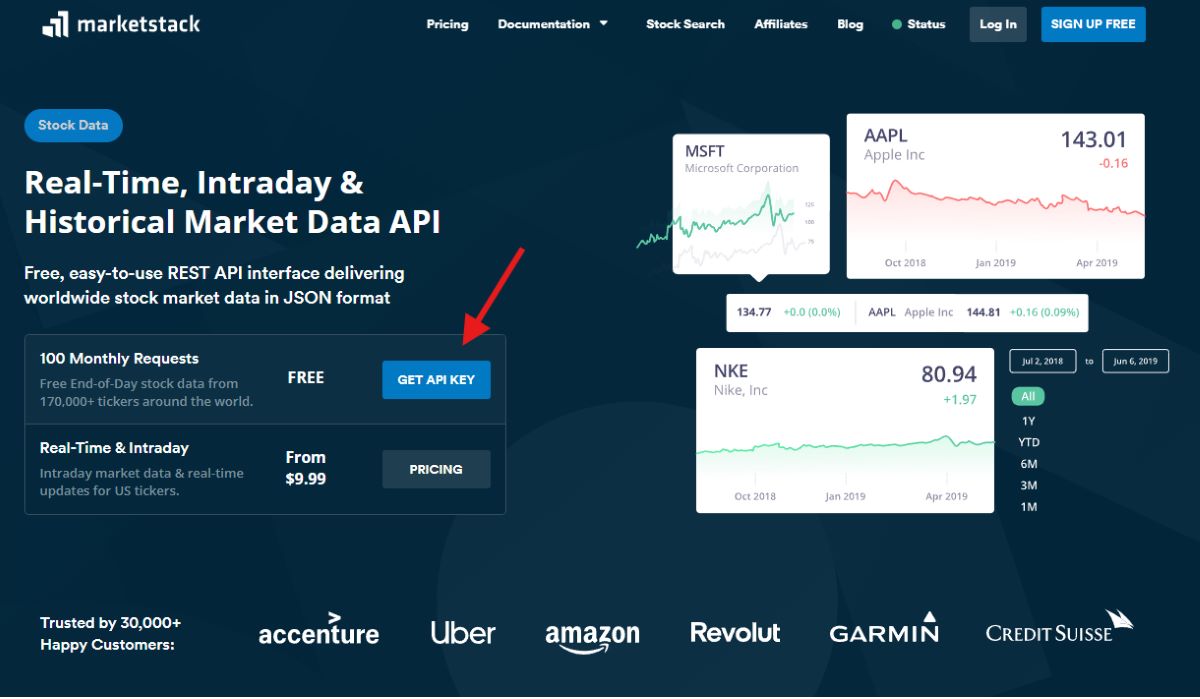
You’ll also need to sign up for a free Marketstack API key at Marketstack.
Let’s create a new project for our MCP server:
					# Create project directory
mkdir marketstack-mcp
cd marketstack-mcp

# Initialize npm project
npm init -y

# Install dependencies
npm install @modelcontextprotocol/sdk axios dotenv zod
npm install --save-dev typescript ts-node @types/node

# Initialize TypeScript
npx tsc --init
Now, let’s set up our project structure:
					mkdir src
touch src/server.ts
touch .env
Add your Marketstack API key to the .env file:
MARKETSTACK_API_KEY=your_api_key_here
Update your tsconfig.json to support ESM modules, which is required by the MCP SDK:
					{
  "compilerOptions": {
    "target": "ES2022",
    "module": "NodeNext",
    "moduleResolution": "NodeNext",
    "esModuleInterop": true,
    "outDir": "./dist",
    "strict": true,
    "skipLibCheck": true,
    "forceConsistentCasingInFileNames": true
  },
  "include": ["src/**/*"]
}
Update your package.json to include the necessary scripts and configuration:
					{
  "name": "marketstack-mcp",
  "version": "1.0.0",
  "description": "MCP server for Marketstack API",
  "main": "dist/server.js",
  "type": "module",
  "scripts": {
    "build": "tsc",
    "start": "node dist/server.js",
    "dev": "ts-node --esm src/server.ts"
  },
  "keywords": [
    "mcp",
    "model-context-protocol",
    "marketstack",
    "api-ai-integration",
    "claude"
  ],
  "author": "Your Name",
  "license": "MIT"
  // dependencies and devDependencies will be added automatically by npm
}
Step 2. Creating a Marketstack MCP Server in TypeScript
Now let’s implement our MCP server that connects to the Marketstack API. Open src/server.ts and add the following code:
2.1 Imports and Environment Setup
					import { McpServer } from "@modelcontextprotocol/sdk/server/mcp.js";
import { StdioServerTransport } from "@modelcontextprotocol/sdk/server/stdio.js";
import { z } from "zod";
import axios from "axios";
import dotenv from "dotenv";
import { fileURLToPath } from 'url';
import path from 'path';

// Load environment variables
dotenv.config();
This section imports all necessary dependencies. The MCP SDK provides the core functionality for creating an MCP server, Zod is used for schema validation, Axios handles HTTP requests, and dotenv loads environment variables from a .env file.
2.2. API Configuration
					// Marketstack API key
const API_KEY = process.env.MARKETSTACK_API_KEY;
if (!API_KEY) {
  console.error("Error: MARKETSTACK_API_KEY environment variable is not set");
  process.exit(1);
}

// Base URL for MarketStack API
const API_BASE_URL = "https://api.marketstack.com/v2";
Here we retrieve the Marketstack API key from environment variables and set up the base URL. The code includes a safety check to exit if the API key isn’t found, preventing runtime errors when attempting API calls.
2.3. Creating the MCP Server
					// Create MCP server
const server = new McpServer({
  name: "MarketStack Financial Data",
  version: "1.0.0",
  description: "Access real-time and historical stock market data"
});
This creates a new MCP server instance with basic metadata that helps AI models understand what this server provides. This information will be visible to Claude Desktop when it discovers the server.
2.4. Implementing the getStockQuote Tool
					// Implement getStockQuote tool
server.tool(
    "getStockQuote",
    "Get real-time stock quote information",
    { symbol: z.string().describe("Stock symbol (e.g., AAPL, MSFT, GOOGL)") },
    async (args, extra) => {
      try {
        // Extract symbol from args
        const { symbol } = args;

        // Call Marketstack API for latest EOD data
        const response = await axios.get(`${API_BASE_URL}/eod/latest`, {
          params: {
            access_key: API_KEY,
            symbols: symbol,
          },
        });

        // Check for empty data
        if (!response.data.data || response.data.data.length === 0) {
          return {
            content: [
              {
                type: "text",
                text: `No stock data found for symbol ${symbol}.`
              }
            ]
          };
        }

        // Extract stock data
        const stockData = response.data.data[0];

        // Format the response
        const formattedResponse = `
  Stock quote for ${symbol}:
  Price: $${stockData.close.toFixed(2)}
  Change: ${(stockData.close - stockData.open).toFixed(2)} (${((stockData.close - stockData.open) / stockData.open * 100).toFixed(2)}%)
  Volume: ${stockData.volume.toLocaleString()}
  High: $${stockData.high.toFixed(2)}
  Low: $${stockData.low.toFixed(2)}
  Date: ${new Date(stockData.date).toLocaleDateString()}
        `.trim();

        return {
          content: [
            {
              type: "text",
              text: formattedResponse
            }
          ]
        };
      } catch (error) {
        console.error("Marketstack API error:", error);
        return {
          content: [
            {
              type: "text",
              text: `Error fetching stock data: ${error instanceof Error ? error.message : String(error)}`
            }
          ]
        };
      }
    }
  );
This section defines the first tool that Claude can use – getStockQuote. First, we create a schema using Zod to specify what parameters the tool accepts (a stock symbol). Then, we implement the tool’s functionality:
- It calls the Marketstack API to get the latest end-of-day data for the requested stock
- Checks if data was returned
- Formats the stock information into a readable format
- Returns the response in the MCP content format
- Includes error handling to provide meaningful feedback when something goes wrong
2.5. Implementing the getHistoricalData Tool
					server.tool(
    "getHistoricalData",
    "Get historical stock data for a specific symbol",
    {
      symbol: z.string().describe("Stock symbol (e.g., AAPL, MSFT, GOOGL)"),
      days: z.number().optional().describe("Number of days of historical data (default: 7)")
    },
    async (args, extra) => {
      try {
        const { symbol, days = 7 } = args;

        // Calculate date range
        const endDate = new Date();
        const startDate = new Date();
        startDate.setDate(startDate.getDate() - days);

        // Format dates for API
        const dateFrom = startDate.toISOString().split('T')[0];
        const dateTo = endDate.toISOString().split('T')[0];

        // Call Marketstack API
        const response = await axios.get(`${API_BASE_URL}/eod`, {
          params: {
            access_key: API_KEY,
            symbols: symbol,
            date_from: dateFrom,
            date_to: dateTo,
            limit: 100,
          },
        });

        // Check for empty data
        if (!response.data.data || response.data.data.length === 0) {
          return {
            content: [
              {
                type: "text",
                text: `No historical data found for symbol ${symbol} in the specified date range.`
              }
            ]
          };
        }

        // Create a table of historical data
        let formattedResponse = `Historical data for ${symbol} (last ${days} days):\n\n`;
        formattedResponse += "Date | Open | High | Low | Close | Volume\n";
        formattedResponse += "---- | ---- | ---- | --- | ----- | ------\n";

        // Sort data by date (newest first)
        const sortedData = [...response.data.data].sort(
          (a, b) => new Date(b.date).getTime() - new Date(a.date).getTime()
        );

        // Add each day's data to the table
        for (const day of sortedData.slice(0, days)) {
          const date = new Date(day.date).toLocaleDateString();
          formattedResponse += `${date} | $${day.open.toFixed(2)} | $${day.high.toFixed(2)} | $${day.low.toFixed(2)} | $${day.close.toFixed(2)} | ${day.volume.toLocaleString()}\n`;
        }

        return {
          content: [
            {
              type: "text",
              text: formattedResponse
            }
          ]
        };
      } catch (error) {
        console.error("Marketstack API error:", error);
        return {
          content: [
            {
              type: "text",
              text: `Error fetching historical data: ${error instanceof Error ? error.message : String(error)}`
            }
          ]
        };
      }
    }
  );
The second tool, getHistoricalData, provides historical stock price information. Its schema accepts both a stock symbol and an optional number of days to look back. The implementation:
- Calculates the date range based on the requested number of days
- Calls the Marketstack API with the date parameters
- Formats the data as a markdown table for better readability
- Sorts the data by date (newest first) and limits to the requested number of days
- Returns the formatted table in the MCP content format
- Includes error handling
2.6. Implementing the searchCompany Tool
					// Implement searchCompany tool
server.tool(
    "searchCompany",
    "Search for companies by name or keyword",
    {
      query: z.string().describe("Company name or keyword to search for")
    },
    async (args, extra) => {
      try {
        const { query } = args;

        // Call MarketStack API to search for tickers
        const response = await axios.get(`${API_BASE_URL}/tickers`, {
          params: {
            access_key: API_KEY,
            search: query,
            limit: 5,
          },
        });

        // Check for empty data
        if (!response.data.data || response.data.data.length === 0) {
          return {
            content: [
              {
                type: "text",
                text: `No companies found matching "${query}".`
              }
            ]
          };
        }

        // Format the results
        let formattedResponse = `Companies matching "${query}":\n\n`;

        for (const company of response.data.data) {
          formattedResponse += `Symbol: ${company.symbol}\n`;
          formattedResponse += `Name: ${company.name}\n`;
          formattedResponse += `Exchange: ${company.stock_exchange.acronym} (${company.stock_exchange.name})\n`;
          formattedResponse += `Country: ${company.stock_exchange.country}\n`;
          formattedResponse += `------------------\n`;
        }

        return {
          content: [
            {
              type: "text",
              text: formattedResponse
            }
          ]
        };
      } catch (error) {
        console.error("MarketStack API error:", error);
        return {
          content: [
            {
              type: "text",
              text: `Error searching for companies: ${error instanceof Error ? error.message : String(error)}`
            }
          ]
        };
      }
    }
  );
The third tool, searchCompany, allows Claude to search for companies by name or keyword. The implementation:
- Accepts a search query parameter
- Searches the Marketstack tickers endpoint with the query
- Formats the results with key company information (symbol, name, exchange, country)
- Limits to 5 results to avoid overwhelming responses
- Returns the formatted information in the MCP content format
- Includes error handling
2.7. Starting the MCP Server
					// Start the MCP server
async function startServer() {
  try {
    const transport = new StdioServerTransport();
    await server.connect(transport);
  } catch (error) {
    process.exit(1);
  }
}

startServer();
Finally, this section starts the MCP server using the StdioServerTransport, which handles communication between Claude Desktop and the server. The server:
- Initializes the transport layer (stdio is used for communication with Claude Desktop)
- Connects the server to the transport
- Logs success or failure messages
- Exits with an error code if startup fails
This transport mechanism allows Claude Desktop to discover and use the tools we’ve defined, seamlessly integrating stock market data into Claude’s capabilities.
This MCP server implements three tools:
- getStockQuote – Gets the latest stock price for a symbol
- getHistoricalData – Retrieves historical price data for a specified number of days
- searchCompany – Searches for companies based on a keyword
2.8. Let’s build and run the TypeScript code:
					npm run build
Node dist/server.js
This will compile the TypeScript code to JavaScript in the dist directory.
Step 3. Integrating with Claude Desktop
To connect our MCP server to Claude Desktop, we need to modify the Claude Desktop configuration file:
- Open Claude Desktop and go to the app menu (usually in the menu bar or system tray)
- Select Settings
- In the left sidebar, click Developer
- Click Edit Config to open the configuration file
This will open the claude_desktop_config.json file in your default text editor. Replace its contents with:
					{
  "mcpServers": {
    "marketstack": {
      "command": "node",
      "args": [
        "/full/path/to/your/marketstack-mcp/dist/server.js"
      ],
      "env": {
        "MARKETSTACK_API_KEY": "your_api_key_here"
      }
    }
  }
}
Make sure to replace:
- /full/path/to/your/marketstack-mcp/dist/server.js with the actual full path to your built server
- your_api_key_here with your actual Marketstack API key
Save the file and restart Claude Desktop for the changes to take effect.
Testing Your MCP Server
After restarting Claude Desktop, you should now be able to interact with your Marketstack MCP server. You’ll see a hammer icon in the input box, indicating that tools are available.
Try asking Claude questions like:
- “What’s the current stock price of Apple?”
- “Show me historical data for Microsoft stock for the last 5 days.”
- “Can you find companies related to electric vehicles?”
Claude will use your MCP server to fetch data from Marketstack and provide intelligent responses to these queries.
Here’s what’s happening behind the scenes:
- Claude Desktop discovers your MCP server through the configuration file
- When you ask a question about stocks, Claude identifies the relevant tool to use
- Claude extracts the necessary parameters (like stock symbols) from your query
- Claude calls the appropriate tool in your MCP server
- Your server fetches data from Marketstack and returns it to Claude
- Claude formats the data into a natural language response
This process happens seamlessly, giving Claude access to real-time financial data without requiring any modifications to the AI model itself.
Get Your Free
Stock Data API Key!
Marketstack
Join thousands of developers using Marketstack for real-time market data!
Get Your Free API Key!No Credit Card Required*
100 Requests Free!
Advanced Usage Scenarios
Authentication and Security
When deploying MCP servers in production environments, security is a critical consideration. Here are some best practices:
- API Key Management: Never hardcode API keys in your code. Use environment variables or secure credential storage.
- Rate Limiting: Implement rate limiting to prevent abuse of your API endpoints:
					// Simple rate limiting example
const rateLimits = new Map<string, { count: number, resetTime: number }>();

function checkRateLimit(clientId: string, limit = 10, windowMs = 60000): boolean {
  const now = Date.now();

  if (!rateLimits.has(clientId)) {
    rateLimits.set(clientId, { count: 1, resetTime: now + windowMs });
    return true;
  }

  const clientLimit = rateLimits.get(clientId)!;

  if (now > clientLimit.resetTime) {
    // Reset window
    clientLimit.count = 1;
    clientLimit.resetTime = now + windowMs;
    return true;
  }

  if (clientLimit.count >= limit) {
    return false; // Rate limit exceeded
  }

  clientLimit.count++;
  return true;
}
3. Input Validation: Use Zod schemas not just for documentation but for strict validation of inputs:
					const getStockQuoteSchema = z.object({
  symbol: z.string()
    .min(1, "Symbol cannot be empty")
    .max(10, "Symbol too long")
    .regex(/^[A-Z0-9.]+$/, "Invalid symbol format"),
});
Error Handling and Rate Limiting
Robust error handling ensures a good user experience even when things go wrong:
					try {
  // API call here
} catch (error) {
  if (axios.isAxiosError(error)) {
    if (error.response?.status === 429) {
      return {
        content: [
          {
            type: "text",
            text: "Rate limit exceeded. Please try again in a few minutes."
          }
        ]
      };
    } else if (error.response?.status === 401) {
      return {
        content: [
          {
            type: "text",
            text: "Authentication error. Please check your API key."
          }
        ]
      };
    }
  }

  // Generic error handling
  return {
    content: [
      {
        type: "text",
        text: `Error fetching data: ${error.message}`
      }
    ]
  };
}
Multi-API Orchestration
One of the most powerful aspects of MCPs is the ability to orchestrate multiple APIs in a single server. For example, you could combine MarketStack with news APIs to provide richer context:
					server.tool(
  "getStockWithNews",
  z.object({
    symbol: z.string().describe("Stock symbol"),
  }),
  async ({ symbol }) => {
    // Fetch stock data from Marketstack
    const stockData = await fetchStockData(symbol);

    // Fetch related news from a news API
    const newsData = await fetchNewsData(symbol);

    // Combine the data
    const response = formatStockAndNewsData(stockData, newsData);

    return {
      content: [
        {
          type: "text",
          text: response
        }
      ]
    };
  }
);
This approach allows Claude to provide more comprehensive responses by drawing data from multiple sources.
Why AI-Ready APIs Are the Future
LLMs as Developer Platforms
Large Language Models (LLMs) like Claude are evolving into developer platforms, where the AI itself becomes an interface through which users can access various services. This shift changes how users interact with APIs:
- Users can make natural language requests instead of learning specific API syntax
- Complex workflows can be simplified through conversational interfaces
- Technical barriers to API usage are significantly reduced
By making your APIs MCP-compatible, you’re positioning them to be part of this emerging ecosystem of AI-accessible services.
Benefits of MCP Exposure
Exposing your rest APIs through MCPs offers several advantages:
- Wider Adoption: Make your APIs accessible to users who prefer conversational interfaces
- Reduced Integration Friction: Standardized discovery eliminates the need for custom integration code
- Future-Proofing: As the AI ecosystem evolves, MCP-compatible APIs will remain accessible
- Developer Experience: Simplify how developers interact with and explore your APIs
For API providers like Marketstack, embracing MCP means opening up to a new generation of AI-powered applications and workflows.
Real-World Applications
The combination of financial rest APIs like Marketstack with AI assistants enables powerful use cases:
- Personal Finance Assistants: “How are my stocks performing today?”
- Investment Research: “Compare the historical performance of AAPL and MSFT over the last quarter.”
- Market Monitoring: “Alert me when Tesla stock drops below $200.”
- Portfolio Analysis: “What’s my portfolio’s exposure to the technology sector?”
By implementing MCP, you’re enabling these kinds of natural, intuitive interactions with your API.
Wrapping Up
In this guide, we’ve explored how Model Context Protocols (MCPs) are revolutionizing the way APIs connect with AI assistants. We’ve built a complete MCP server that exposes Marketstack financial data to Claude Desktop, allowing the AI to access real-time stock information through natural language queries.
The key takeaways:
- MCPs provide a standardized, platform-agnostic way to connect rest APIs with AI models
- Implementing an MCP server requires minimal code but opens up powerful AI integration possibilities
- By exposing rest APIs through MCP, you’re making them accessible to the growing ecosystem of AI-powered applications
As AI continues to evolve as an interface for accessing digital services, ensuring your rest APIs are AI-ready through standards like MCP will be increasingly important for staying relevant and accessible in this new paradigm.
FAQs
1. Do I need to modify my existing REST APIs to support MCP?
No, you don’t need to rewrite your existing REST APIs. MCP works as a wrapper layer around your API. You expose your API’s capabilities through an MCP server using a manifest and OpenAPI schema, allowing AI assistants to discover and call your endpoints without changing the underlying API logic.
2. Is MCP limited to Claude, or can other AI models use it?
MCP is platform-agnostic. While this guide demonstrates integration with Claude Desktop, the protocol is designed to work with any AI assistant or LLM that supports MCP, including local models and future cloud-based AI systems.
3. How is MCP different from simply exposing an OpenAPI spec?
An OpenAPI spec alone documents your API, but MCP adds:
- AI-oriented discovery via a standardized manifest
- Tool semantics that help models decide when and how to use an API
- Runtime interaction between AI assistants and your API
MCP turns static API documentation into an interactive AI interface.
4. Can MCP servers be used in production environments?
Yes, MCP servers can be production-ready. However, you should implement:
- Secure API key handling (environment variables or secret managers)
- Rate limiting and request validation
- Proper error handling and logging
For public or multi-user deployments, additional authentication layers are recommended.
5. What types of APIs benefit most from MCP integration?
APIs that provide dynamic, real-time, or complex data benefit the most, such as:
- Financial and market data APIs (like Marketstack)
- Analytics and reporting APIs
- Search, discovery, or aggregation services
- Workflow and automation APIs
MCP is especially valuable when users would rather ask questions in natural language than learn API syntax.
Additional Resources
- Model Context Protocol Official Documentation
- MCP TypeScript SDK
- Marketstack API Documentation
- Claude Desktop Documentation
- OpenAPI Specification
- APIs Without AI Are Just Dead Endpoints

