

Integrating a weather API into your application allows you to deliver real-time forecasts, current conditions, and location-specific weather data. Whether you’re building a mobile app, dashboard, logistics platform, or IoT system, understanding how authentication, parameters, JSONP callbacks, and API security work is essential for a reliable production integration.
This guide explains everything developers need to successfully integrate the Weatherstack API, including access keys, request parameters, JSONP support, and security best practices.
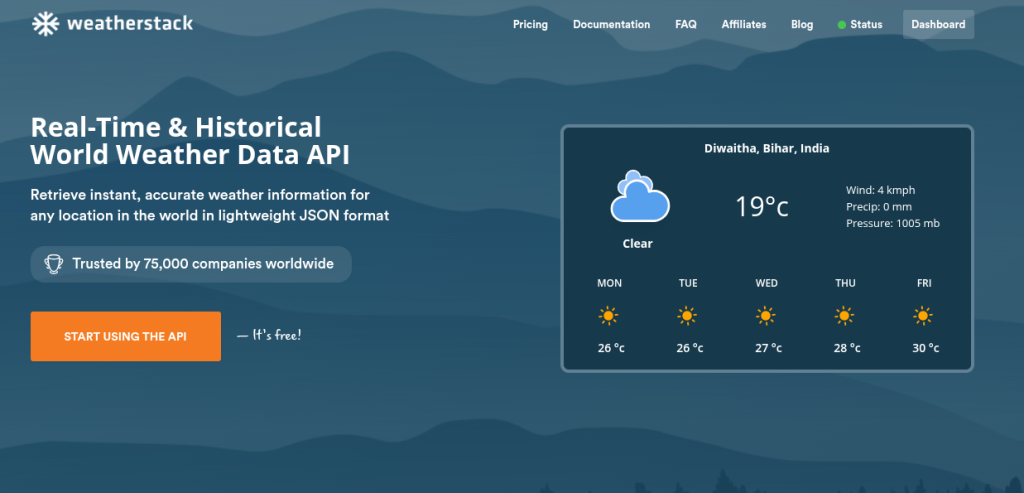
Table of Contents
Key Takeaways
- Every Weatherstack request must include a valid access_key for authentication.
- The query parameter defines the location and supports city names, coordinates, and IP lookups.
- Optional parameters like units and language let you customize format and response localization.
- JSONP is available for legacy browser use cases, but modern integrations should use secure server-side requests.
- API keys must be stored securely (e.g., environment variables) and never exposed in frontend code.
- Implement caching, monitor usage, and handle 401/429 errors properly to stay within rate limits and ensure reliability.
Quick Start: Fastest Working API Request
The fastest way to test Weatherstack is using a simple cURL request:
curl "http://api.weatherstack.com/current?access_key=YOUR_ACCESS_KEY&query=New York"
What this request does
- Authenticates using your access key
- Fetches current weather data for New York
- Returns a JSON response containing:
- Temperature
- Weather description
- Wind speed
- Humidity
- Location information
Example JSON response
					{
  "location": {
    "name": "New York",
    "country": "United States",
    "region": "New York",
    "lat": "40.71",
    "lon": "-74.01",
    "timezone_id": "America/New_York"
  },
  "current": {
    "temperature": 22,
    "weather_descriptions": ["Partly cloudy"],
    "wind_speed": 13,
    "humidity": 56,
    "feelslike": 24
  }
}
This response can be directly used to power UI components, analytics, or automation systems.
Access Keys Explained (Authentication)
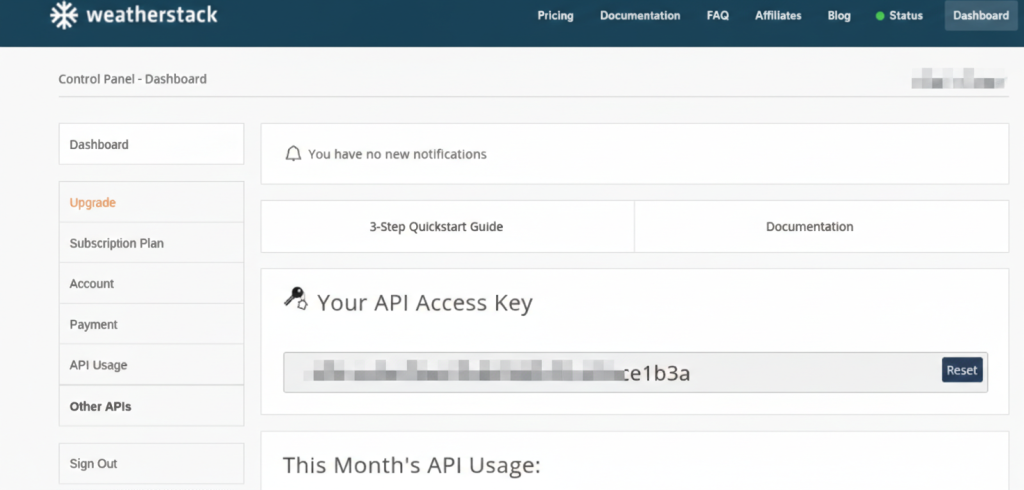
The Weatherstack API uses an access key as its authentication mechanism. This key identifies your account and tracks your usage.
Where the access key is used
Every API request must include:
access_key=YOUR_ACCESS_KEY
Example:
http://api.weatherstack.com/current?access_key=YOUR_ACCESS_KEY&query=London
Where to find your access key
- Sign up at Weatherstack
- Open your dashboard
- Copy your unique access key
Common mistakes developers make
1. Missing access key
http://api.weatherstack.com/current?query=London
This will return an authentication error.
2. Invalid access key
Occurs when:
- Key is mistyped
- Key is revoked
- Wrong environment key is used
3. Exposing keys in frontend code
Avoid this:
❌ Unsafe
const apiKey = "your_real_access_key";
Anyone can extract this key and abuse your account.
Environment separation (recommended)
Use different keys or environments for:
Development
Staging
Production
Store keys using environment variables:
WEATHERSTACK_API_KEY=your_access_key_here
Core Parameters You’ll Use Most
Weatherstack uses simple query parameters to control requests.
Parameter | Required | Description |
access_key | Yes | Your API authentication key |
query | Yes | Location (city, coordinates, IP, etc.) |
units | No | Units format (m, f, s) |
language | No | Response language |
callback | No | JSONP callback function |
Units parameter
Controls temperature format:
Value | Unit |
m | Celsius |
f | Fahrenheit |
s | Scientific |
Example:
curl "http://api.weatherstack.com/current?access_key=YOUR_KEY&query=Tokyo&units=f"
Language parameter
Returns weather descriptions in other languages:
curl "http://api.weatherstack.com/current?access_key=YOUR_KEY&query=Paris&language=fr"
Response:
"weather_descriptions": ["Partiellement nuageux"]
Location Inputs: How to Query Weather Correctly
Weatherstack supports multiple location formats.
1. City name
curl "http://api.weatherstack.com/current?access_key=YOUR_KEY&query=Mumbai"
2. City with country
Reduces ambiguity:
query=Springfield,US
3. Latitude and longitude
Most accurate method:
curl "http://api.weatherstack.com/current?access_key=YOUR_KEY&query=28.6139,77.2090"
4. IP address lookup
query=134.201.250.155
Automatically detects location.
Best practice
Use coordinates for production systems to avoid ambiguity.
JSONP Callbacks: When and Why They Exist
JSONP (JSON with Padding) is a legacy technique used to fetch data from APIs in browsers that do not support modern CORS.
Instead of returning pure JSON, the API wraps the response inside a JavaScript function.
Example request:
http://api.weatherstack.com/current?access_key=YOUR_KEY&query=London&callback=myFunction
Response:
					myFunction({
  "location": {...},
  "current": {...}
});
When JSONP is useful
- Legacy browser integrations
- Old frontend systems without CORS support
Why modern apps should avoid JSONP
JSONP has security and architectural limitations.
Modern alternatives:
- Server-side API calls
- Backend proxy
- Secure API gateway
Use JSONP only if absolutely required.
Security Best Practices (Production-Ready)
API security is critical for protecting your account and preventing abuse.
Do | Don’t |
Store API keys in environment variables | Hardcode keys in frontend code |
Call Weatherstack from your backend | Expose keys in mobile or browser apps |
Rotate keys periodically | Reuse compromised keys |
Monitor usage for spikes | Ignore unusual traffic |
Implement caching | Call API unnecessarily |
Log errors safely | Log access keys in logs |
Recommended architecture
Secure architecture flow:
Frontend → Your Backend → Weatherstack API
Not:
Frontend → Weatherstack API (exposes key)
Rate Limits + Error Handling (Practical Guide)
APIs enforce rate limits to ensure fair usage.
Common errors
Error Code | Meaning | Cause | Fix |
401 | Unauthorized | Missing or invalid key | Check access key |
403 | Forbidden | Access restricted | Verify subscription plan |
429 | Too Many Requests | Rate limit exceeded | Retry with delay |
For more keys check this out
Retry strategy example
Use exponential backoff:
Retry after:
1 second
2 seconds
4 seconds
8 seconds
Caching recommendation
Weather data does not change every second.
Cache responses for:
- 5–15 minutes (current weather)
- 30–60 minutes (forecast)
This reduces API calls and improves performance.
Example Integration (cURL + Python)
This example demonstrates a production-ready integration.
cURL example
curl "http://api.weatherstack.com/current?access_key=YOUR_KEY&query=Delhi&units=m"
Python example with error handling
					import os
import requests
import time

API_KEY = os.getenv("WEATHERSTACK_API_KEY")
URL = "http://api.weatherstack.com/current"

params = {
    "access_key": API_KEY,
    "query": "Delhi",
    "units": "m"
}

try:
    response = requests.get(URL, params=params)
Example output
Weather in Delhi: 31°C, Sunny
Production Checklist for Weatherstack Integration
- Access key stored securely
Ensure your Weatherstack API access key is never hardcoded directly into your frontend application or committed to version control. Store it securely using environment variables or a secure secrets manager to prevent unauthorized access. - Backend proxy implemented
Always route API requests through your backend instead of calling Weatherstack directly from the client. A backend proxy protects your access key and allows you to control request validation, logging, and usage limits. - Error handling added
Implement proper error handling for network failures, invalid responses, and API errors. Gracefully inform users when something goes wrong instead of allowing the app to crash or show incomplete data. - Rate limit retry logic added
Weather APIs often enforce rate limits, so add retry logic with exponential backoff for temporary failures. This ensures better reliability and prevents your application from breaking due to request throttling. - Responses cached
Cache weather responses for a reasonable duration to reduce API calls and improve performance. This lowers server load, speeds up response times, and helps stay within rate limits. - Keys not exposed publicly
Double-check that your API keys are not exposed in client-side code, logs, or public repositories. Public exposure can lead to misuse, unexpected billing, or service suspension.
FAQ
Where do I find my access key?
Your access key is available in your Weatherstack dashboard after creating an account.
What parameters control units and language?
Use:
units=m
units=f
language=fr
language=es
These control temperature units and response language.
Can I call the API directly from the browser?
Technically yes, but it is not recommended because it exposes your access key. Always use a backend proxy in production.
What is JSONP and do I still need it?
JSONP is a legacy technique used for cross-domain browser requests. Modern applications should use server-side calls or CORS-enabled APIs instead.
What should I do when I hit rate limits?
- Retry with delay
- Cache responses
- Reduce request frequency
- Upgrade your API plan if needed
