


Data Validation is helpful to businesses, and automating phone number validation using cloud services like NumVerify API can eliminate valueless leads. For example, your web application gathers user information but users provide random phone numbers or invalid email addresses to gain access. It is not an ideal situation because you need that data to promote your products in the future. That is why having a validation service integrated into your platform is handy. It provides you with better data, and better data also means better conversion rates.
If you have been following our APILayer API tutorials, then you already how to integrate NumVerify API into NodeJS. You have also seen our articles about why you should choose NumVerify API over any other validation API. Today, however, we will take a look at using Numverfy with Python Flask.
Table of Contents
Brief Introduction to NumVerify API
NumVerify API is a global phone number validation and lookup JSON API. It is a real-time REST API that supports 232 countries.
Here are some of its notable features:
- Keep your user database clean and fight fraud by validating phone numbers at the point of entry into your system. Capture only good leads.
- Simple and Secure API – Easy to integrate URL structure, delivered in lightweight JSON format, and secured via 256-bit HTTPS encryption
- Advanced phone number validation using the most up-to-date international numbering plans, carrier & line type detection, and location lookup
- The most cost-effective API — you can validate 250 phone numbers per month for free
How to Validate a Phone Number
As we said earlier, using the NumVerify API is straightforward. For example, here you can see a request to the endpoint.
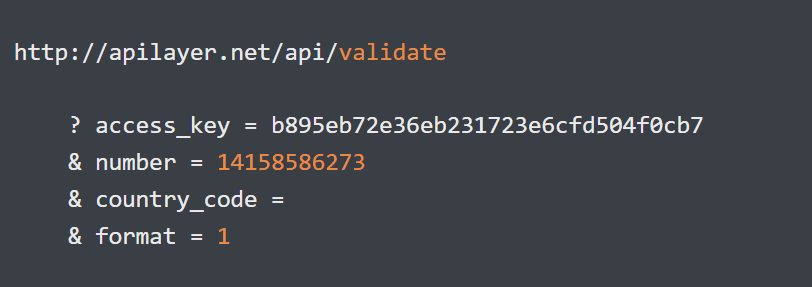
{
  "valid": true,
  "number": "14158586273",
  "local_format": "4158586273",
  "international_format": "+14158586273",
  "country_prefix": "+1",
  "country_code": "US",
  "country_name": "United States of America",
  "location": "Novato",
  "carrier": "AT&T Mobility LLC",
  "line_type": "mobile"
}
Learn How To Maintain a Clean User-Base By Validating Phone Numbers
You can start by initializing a Python Flask project with these commands:
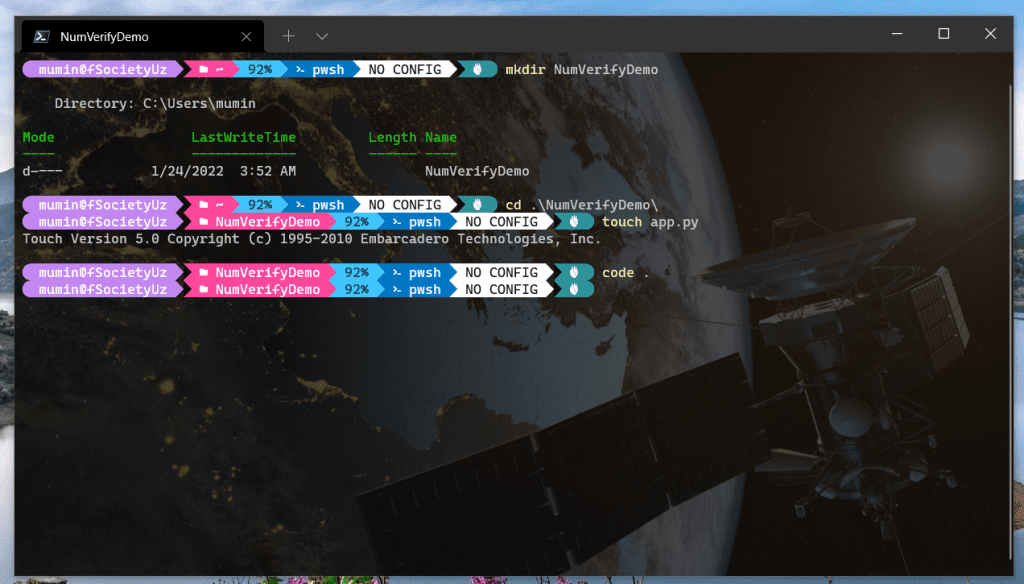
After that, use these commands to create a virtual dev environment for the Python project. Firstly, activate the environment. Next, install your packages or update the package manager.
py -m venv env
env\Scripts\activate
pip install --upgrade pip
Then, type these commands to create a virtual environment for your project. Finally, run the virtual environment, then upgrade your pip.
With all that done, copy these source codes to your app.py and use HTML web pages for data representation (you can find them from the GitHub repository)
from flask import Flask, request, redirect, url_for
import requests


app = Flask(__name__)

app.config['DEBUG'] = True


@app.route('/')
def index():  # put application's code here
    return 'index ../..'


@app.route('/result/<string:acc_key>/<string:number>/<string:valid>/<string:country_code>/<string:location>/<string'
           ':carrier>')
def result(acc_key, number, valid, country_code, location, carrier):
    return '<h3>Number: {};  <br> Valid: {}; <br>  Country Code: {}; <br> Location: {}; <br> Carrier: {};<br>Your ' \
           'Access Key:{} </h3>'.format(
        number, valid, country_code, location, carrier, acc_key)


@app.route('/numverify', methods=['GET', 'POST'])
def numverify():
    if request.method == 'GET':
        return '''<h1>Please fill out the parameters</h1>
                    <form method="POST" action="/numverify">
                    <input type="text" name="acc_key">
                    <input type="text" name="number">
                    <input type="submit" value="Request">
                </form>'''
    else:
        acc_key = request.form['acc_key']
        number = request.form['number']

        req = requests.get('http://apilayer.net/api/validate?access_key=' + acc_key + '&number=' + number)
        response = req.json()

        valid = response["valid"]
        country_code = response["country_code"]
        location = response["location"]
        carrier = response["carrier"]

        return redirect(url_for('result', acc_key=acc_key, number=number, valid=valid,
                                country_code=country_code, location=location, carrier=carrier))


if __name__ == '__main__':
    app.run()
How to Run NumVerify API Based Flask Application?
[picture or command goes here]
Here is the result:
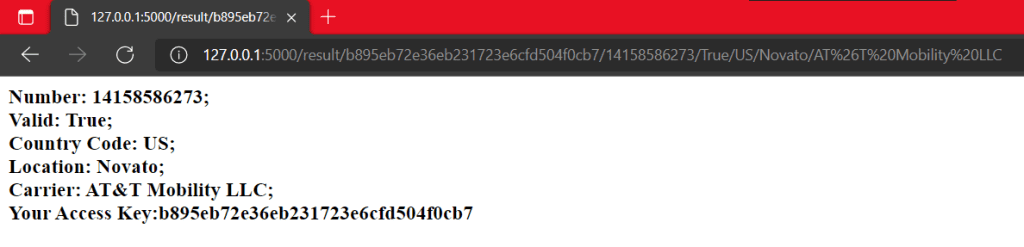
As you can see, it is easy to integrate NumVerify from Python Flask or any other programming language.
