


ChatGPT can write code and answer questions, but it can’t fetch live data or interact with external systems on its own. OpenAI Function calling changes this. It turns ChatGPT into a bridge between users and real APIs. A user asks “What’s the weather in San Francisco?” and ChatGPT automatically calls your weather API, grabs the data, and formats a clean response. No manual parsing, no regex headaches, no prompt engineering workarounds.
Here’s the problem most developers hit, you build a ChatGPT integration, users ask for real-time data, and the model just makes up answers. Function calling fixes this by letting ChatGPT detect when it needs external data and trigger the right API call with correct parameters. You define available functions using JSON schemas, ChatGPT analyzes user intent, and your backend executes the actual API requests.
This guide covers 8 production-ready APIs you can integrate today. Each one comes with actual function definitions, API execution logic, and example prompts that trigger the function. All APIs offer generous free tiers, so you can build and test without burning through credits.
Table of Contents
Key Takeaways
- Function calling stops hallucinations by letting ChatGPT (OpenAI) fetch real data from external APIs instead of generating plausible-sounding answers that might be wrong.
- No complex prompt engineering needed because the model automatically detects when to call functions and generates the correct JSON parameters for your API.
- 8 production-ready APIs covered including geolocation, currency conversion, stock data, phone validation, weather forecasts, VAT validation, news aggregation, and flight tracking.
- Free tiers available on all APIs so developers can build and test integrations without upfront costs or credit card requirements
- Structured JSON responses make it easy to parse and use data in your application without regex or manual text parsing.
What is OpenAI Function Calling?
Function calling allows ChatGPT to interact with external tools and APIs by converting natural language requests into structured API calls. When you define functions in your ChatGPT integration, the model analyzes user prompts and decides whether to invoke one or more functions to fulfill the request. The model doesn’t execute functions directly. Instead, it returns JSON-formatted parameters that your application uses to make the actual API call. Your code maintains full control over execution, security, and error handling.
How Function Calling Works
The workflow follows four clear steps :
- Function Definition: You define available functions using JSON schema that describes parameters, types, and descriptions. Each function needs a name, description, and parameters field that follows JSON schema specifications so ChatGPT can generate accurate function calls.
- User Query: A user sends a natural language prompt to ChatGPT, like “What’s the weather in San Francisco?” or “What are my recent orders?”.
- Function Selection: ChatGPT analyzes the prompt and decides which function(s) to call, generating appropriate parameters in JSON format. The model checks the context and determines if a function call is needed or if it can answer directly.
- API Execution: Your application receives the function call request, executes the API call on your server, and returns results to ChatGPT for final response formatting. ChatGPT then uses this data to create a natural language response for the user.
Here is an example function definition for a get_weather function:
					{
    "type": "function",
    "name": "get_weather",
    "description": "Get current weather for my current location.",
    "parameters": {
        "type": "object",
        "properties": {
            "location": {
                "type": "string",
                "description": "City and country e.g. San Francisco"
            },
            "units": {
                "type": "string",
                "enum": ["celsius", "fahrenheit"],
                "description": "Units the temperature will be returned in."
            }
        },
        "required": ["location", "units"],
        "additionalProperties": false
    },
    "strict": true
}
This JSON schema tells OpenAI (ChatGPT) what functions exist and how to structure parameters when a user asks weather-related questions.
Modern OpenAI (ChatGPT) models (GPT-5, GPT-4, GPT-3.5-turbo-0613 and later) support function calling natively. The feature works with both Chat Completions API and GPT Actions in Custom GPTs.
1. IPstack API
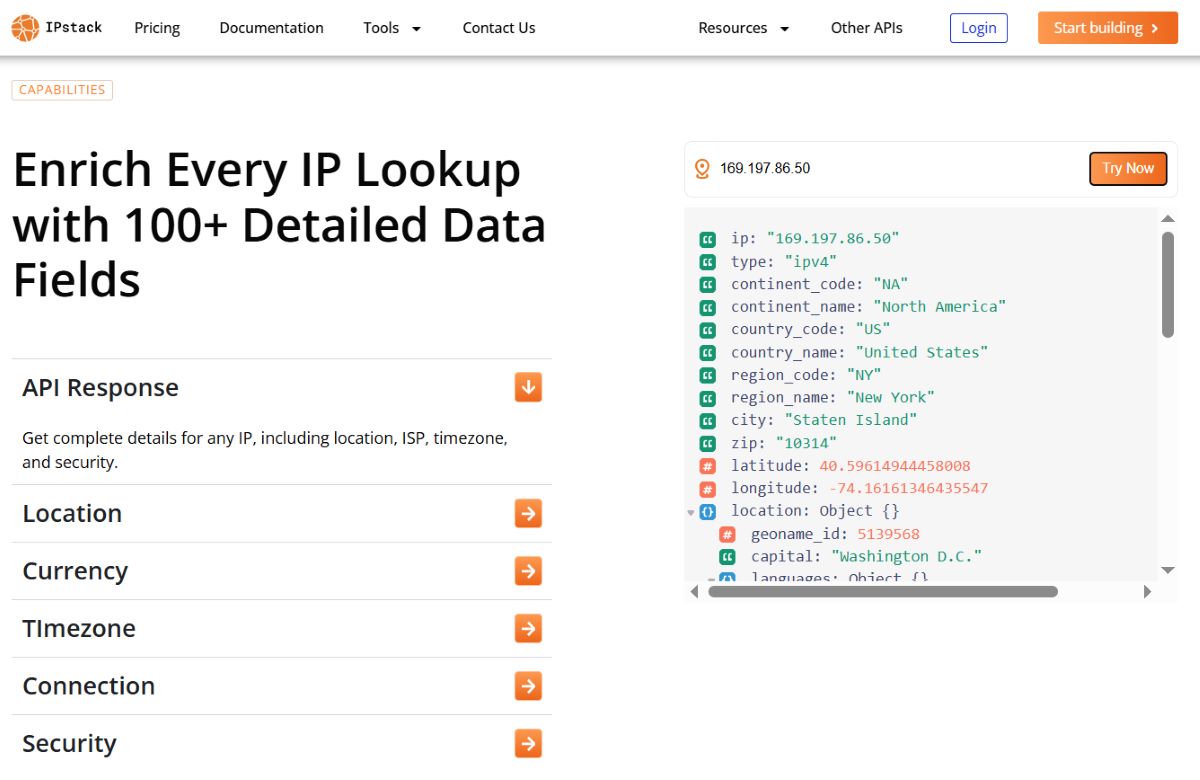
IPstack API identifies geographic location and metadata from IP addresses. The API returns country, region, city, latitude/longitude, timezone, currency, and connection details for any valid IPv4 or IPv6 address. You get access to 100+ data points with 99.9% uptime and global coverage spanning over 2 million unique locations in more than 200,000 cities around the world. The API also includes security module features that detect VPN, proxy, and Tor usage to help identify risky connections.
Available Endpoints
- Standard Lookup: GET
https://api.ipstack.com/134.201.250.155?access_key=YOUR_ACCESS_KEY
Retrieves complete geolocation data for a single IPv4 or IPv6 address. - Bulk Lookup: GET
https://api.ipstack.com/134.201.250.155,72.229.28.185,110.174.165.78?access_key=YOUR_ACCESS_KEYAllows you to query up to 50 IP addresses in a single request for efficient batch processing. - Requester Lookup: GET
https://api.ipstack.com/check?access_key=YOUR_ACCESS_KEY
Provides a dedicated API endpoint that detects the IP address originating from the current API request.
Code
					import requests
import openai

# Function definition for ChatGPT
ipstack_function = {
    "name": "get_ip_location",
    "description": "Get geographic location data for an IP address",
    "parameters": {
        "type": "object",
        "properties": {
            "ip_address": {
                "type": "string",
                "description": "IPv4 or IPv6 address to lookup"
            }
        },
        "required": ["ip_address"]
    }
}

# API execution function
def get_ip_location(ip_address):
    url = f"https://api.ipstack.com/{ip_address}"
    params = {"access_key": "YOUR_IPSTACK_KEY"}
    response = requests.get(url, params=params)
    return response.json()

# ChatGPT integration
messages = [{"role": "user", "content": "Where is IP 8.8.8.8 located?"}]
response = openai.ChatCompletion.create(
    model="gpt-5",
    messages=messages,
    functions=[ipstack_function],
    function_call="auto"
)

# Execute function if ChatGPT requests it
if response.choices[0].message.get("function_call"):
    function_args = json.loads(response.choices[0].message["function_call"]["arguments"])
    location_data = get_ip_location(function_args["ip_address"])
Example Prompts
- “What country is IP address 134.201.250.155 from?” triggers a standard lookup that returns the country name, country code, and additional location details.
- “Show me location details for 2001:4860:4860::8888” demonstrates IPv6 support and retrieves full geolocation information including city, region, and coordinates.
- “Where are visitors from IP 72.229.28.185 located?” returns comprehensive location data that includes timezone, currency, and connection type for visitor tracking.
Integration Ideas
- Fraud Detection: Automatically flag orders when the billing address doesn’t match IP geolocation data, helping prevent fraudulent transactions and chargebacks.
- Content Localization: Serve region-specific content, language preferences, and currency formatting based on visitor IP without requiring manual user input.
- Analytics Enhancement: Enrich user analytics with geographic data for better audience segmentation, campaign targeting, and business intelligence insights.
2. Fixer API

Fixer API provides real-time and historical foreign exchange rates for 170 world currencies. The API delivers accurate forex data sourced from financial institutions and central banks with updates every 60 seconds on paid plans. Currency data delivered by Fixer comes from multiple financial data providers and banks, including the European Central Bank. Your connection to the Fixer API is encrypted using bank-grade 256-bit SSL encryption for secure transactions.
Available Endpoints
- Latest Rates: GET
https://data.fixer.io/api/latest?access_key=API_KEY&base=USD &symbols=GBP,JPY,EURreturns real-time exchange rate data for all available currencies or a specific set based on your query. - Historical Rates: GET
https://data.fixer.io/api/2013-12-24?access_key=API_KEY&base=GBP&symbols=USD,CAD,EURretrieves exchange rate data for any past date, allowing you to track currency trends over time. - Currency Conversion: GET
https://data.fixer.io/api/convert?access_key=API_KEY&from=GBP&to=JPY&amount=25converts any amount from one currency to another using current exchange rates. - Supported Symbols: GET
https://data.fixer.io/api/symbols?access_key=API_KEYreturns a complete list of all 170+ available currencies with their three-letter codes and full names.
Code
					import requests
import json
import openai

# Function definition for ChatGPT
fixer_function = {
    "name": "convert_currency",
    "description": "Convert amount between currencies using current exchange rates",
    "parameters": {
        "type": "object",
        "properties": {
            "from_currency": {
                "type": "string",
                "description": "Source currency code (e.g., USD)"
            },
            "to_currency": {
                "type": "string",
                "description": "Target currency code (e.g., EUR)"
            },
            "amount": {
                "type": "number",
                "description": "Amount to convert"
            }
        },
        "required": ["from_currency", "to_currency", "amount"]
    }
}

# API execution function
def convert_currency(from_currency, to_currency, amount):
    url = 'https://api.apilayer.com/fixer/convert'
    params = {
        'from': from_currency,
        'to': to_currency,
        'amount': amount
    }
    headers = {'apikey': 'YOUR_FIXER_KEY'}
    response = requests.get(url, params=params, headers=headers)
    return response.json()

# Usage with ChatGPT
messages = [
    {"role": "user", "content": "Convert 500 USD to Japanese Yen"}
]

chat_response = openai.ChatCompletion.create(
    model="gpt-5",
    messages=messages,
    functions=[fixer_function],
    function_call="auto"
)

# Execute function if ChatGPT requests it
if chat_response.choices[0].message.get("function_call"):
    args = json.loads(chat_response.choices[0].message["function_call"]["arguments"])
    result = convert_currency(args["from_currency"], args["to_currency"], args["amount"])
Example Prompts
- “How much is 1000 EUR in British Pounds?” triggers the conversion endpoint and returns the exact amount in GBP using current exchange rates.
- “Convert 250 CAD to USD at today’s rate” uses the latest rates endpoint to calculate the precise conversion from Canadian to US dollars.
- “What was the exchange rate from USD to INR on January 15, 2024?” accesses historical data to retrieve past exchange rates for analysis or reporting.
Integration Ideas
- E-commerce Multi-Currency: Automatically display product prices in customer’s local currency based on their location, reducing cart abandonment and building trust.
- Financial Dashboards: Build real-time currency conversion tools for international portfolios and transactions that update every 60 seconds.
Travel Budgeting: Create expense trackers that convert spending across multiple currencies with current rates for accurate financial planning.
3. Marketstack API
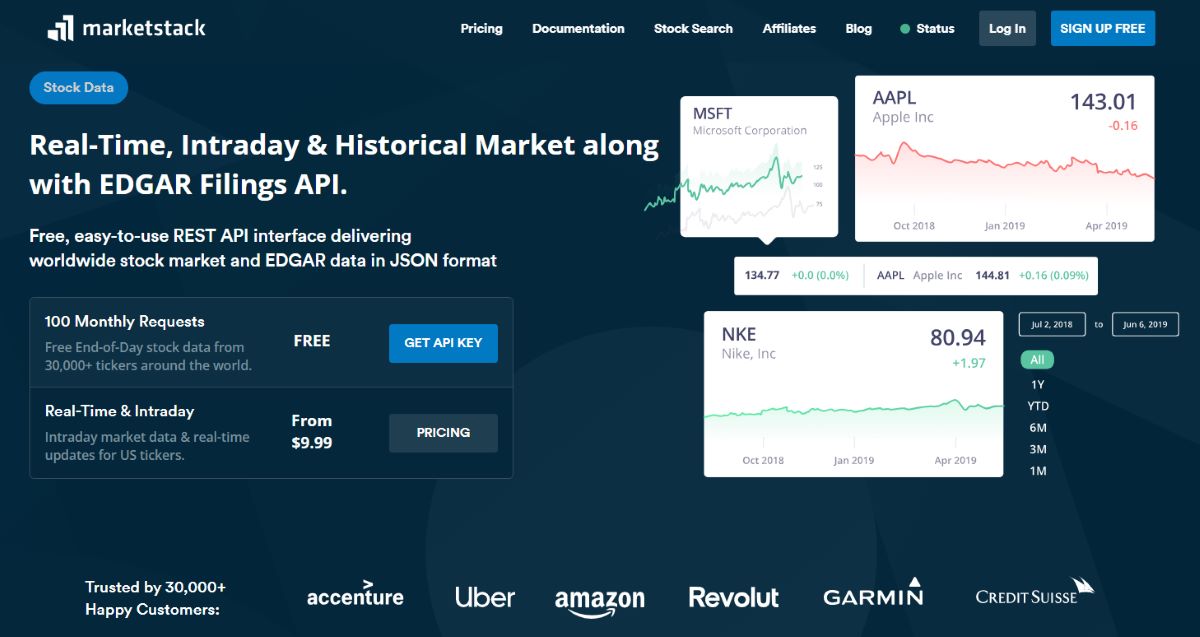
Marketstack API delivers real-time, intraday, and historical stock market data for 170,000+ tickers across 70+ global exchanges. The API covers NASDAQ, NYSE, LSE, ASX, and other major markets with end-of-day and intraday pricing data. You get real-time stock data for more than 30,000 tickers down to the minute, request intraday quotes from IEX, or search 15+ years of accurate EOD historical market data. The API uses a RESTful structure with JSON responses that make integration straightforward for developers.
Available Endpoints
- End-of-Day Data: GET
https://api.marketstack.com/v2/eod? access_key=YOUR_ACCESS_KEY&symbols=AAPLretrieves end-of-day data for one or multiple stock tickers. - Intraday Prices: GET
http://api.marketstack.com/v2/intraday?access_key=YOUR_KEY &symbols=AAPLprovides minute-by-minute trading data including price movements and volume during market hours. - Historical Data: GET
https://api.marketstack.com/v2/eod?access_key=YOUR_ACCESS_KEY&symbols=AAPL& date_from=2026-09-30&date_to=2026-10-10returns historical stock performance data for any date range over the past 15+ years. - Ticker Search: GET
https://api.marketstack.com/v2/tickers/AAPL?access_key=YOUR_ACCESS_KEYallows you to search and find ticker symbols across global exchanges by company name or keyword.
Code
					import requests
import json
import openai

# Function definition for ChatGPT
marketstack_function = {
    "name": "get_stock_price",
    "description": "Get current or historical stock price data",
    "parameters": {
        "type": "object",
        "properties": {
            "symbol": {
                "type": "string",
                "description": "Stock ticker symbol (e.g., AAPL, TSLA)"
            },
            "date": {
                "type": "string",
                "description": "Optional date for historical data (YYYY-MM-DD)"
            }
        },
        "required": ["symbol"]
    }
}

# API execution function
def get_stock_price(symbol, date=None):
    url = "http://api.marketstack.com/v1/eod"
    params = {
        "access_key": "YOUR_MARKETSTACK_KEY",
        "symbols": symbol
    }
    if date:
        params["date_from"] = date
        params["date_to"] = date

    response = requests.get(url, params=params)
    data = response.json()
    return data["data"][0] if data.get("data") else None

# ChatGPT integration
messages = [{"role": "user", "content": "What's the current price of Tesla stock?"}]

response = openai.ChatCompletion.create(
    model="gpt-5",
    messages=messages,
    functions=[marketstack_function],
    function_call="auto"
)

if response.choices[0].message.get("function_call"):
    args = json.loads(response.choices[0].message["function_call"]["arguments"])
    stock_data = get_stock_price(args["symbol"], args.get("date"))
Example Prompts
- “What was Apple’s closing price yesterday?” triggers the end-of-day endpoint and returns the most recent closing price.
- “Show me Microsoft’s stock performance for last week” queries historical data for a specific date range and returns daily trading information.
- “Get current trading data for TSLA and NVDA” uses the intraday endpoint to fetch live trading data for multiple ticker symbols in a single request.
Integration Ideas
- Investment Chatbots: Build AI assistants that answer portfolio questions with real market data, enabling users to check stock prices and trends through conversation.
- Trading Alerts: Create automated systems that monitor stock prices and trigger notifications based on price thresholds or percentage changes.
- Financial Analysis Tools: Develop dashboards that combine AI insights with live market data for research, analysis, and investment decision-making.
4. Numverify

Numverify validates and formats phone numbers globally, providing carrier information, line type, and geographic location data. The API supports international phone number validation for 232 countries with real-time carrier detection and cross-checking against the latest international numbering plan databases. You can identify any national and international phone numbers simply by passing them into the API’s request URL and receiving detailed validation results in JSON format.
Available Endpoints
- Number Validation: GET
http://apilayer.net/api/validate?access_key=YOUR_KEY&number=14158586273validates any phone number and returns complete information including carrier, location, and line type. - Country-Specific Validation: GET
http://apilayer.net/api/validate?access_key=YOUR_KEY&number=4158586273&country_code=USvalidates national numbers by providing a 2-letter country code parameter for more accurate results.
Code
					import requests
import json
import openai

# Function definition for ChatGPT
numverify_function = {
    "name": "validate_phone",
    "description": "Validate phone number and get carrier information",
    "parameters": {
        "type": "object",
        "properties": {
            "phone_number": {
                "type": "string",
                "description": "Phone number to validate (with or without country code)"
            },
            "country_code": {
                "type": "string",
                "description": "Optional 2-letter country code (e.g., US, GB)"
            }
        },
        "required": ["phone_number"]
    }
}

# API execution function
def validate_phone(phone_number, country_code=None):
    url = f"http://apilayer.net/api/validate"
    params = {
        'access_key': 'YOUR_NUMVERIFY_KEY',
        'number': phone_number
    }
    if country_code:
        params['country_code'] = country_code

    response = requests.get(url, params=params)
    return response.json()

# ChatGPT integration
messages = [
    {"role": "user", "content": "Is +1-415-858-6273 a valid phone number?"}
]

response = openai.ChatCompletion.create(
    model="gpt-5",
    messages=messages,
    functions=[numverify_function],
    function_call="auto"
)

# Execute function if ChatGPT requests it
if response.choices[0].message.get("function_call"):
    args = json.loads(response.choices[0].message["function_call"]["arguments"])
    phone_data = validate_phone(args["phone_number"], args.get("country_code"))
Example Prompts
- “Validate phone number +44 20 7946 0958” triggers the API to check the UK number and returns validity status, carrier details, and location information.
- “Is 555-1234 a real US phone number?” uses country-specific validation to determine if the number follows valid US formatting rules.
- “Check if this number is a mobile or landline: +61 2 1234 5678” retrieves line type detection data to identify whether it’s a mobile, landline, or other connection type.
Integration Ideas
- Form Validation: Automatically verify phone numbers during user registration to reduce fake accounts and ensure contact information accuracy at the point of entry.
- SMS Campaign Optimization: Filter out invalid numbers before sending messages to improve delivery rates and reduce wasted SMS credits.
- CRM Data Cleaning: Validate existing contact databases and enrich records with carrier and location data to maintain clean, actionable customer information.
5. Weatherstack API
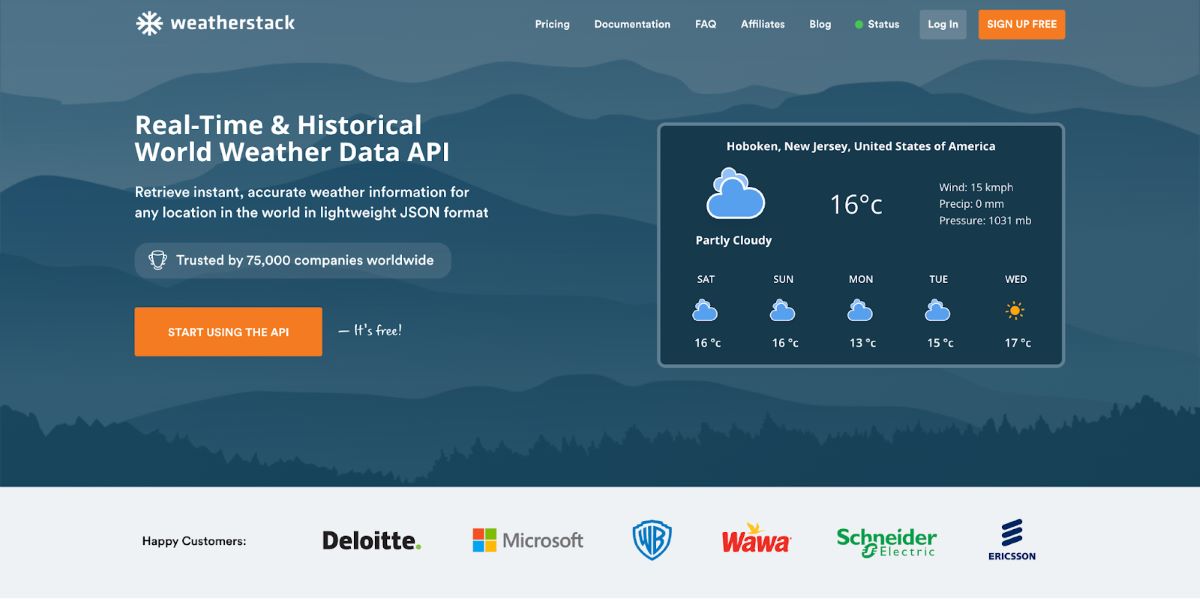
Weatherstack API provides real-time weather data, historical records from 2008, and 14-day forecasts for any global location. The API delivers temperature, precipitation, humidity, wind speed, UV index, and weather conditions in JSON format that’s easy to parse and integrate. Millions of locations can be looked up by city or region name, ZIP code, IP address, or even using latitude and longitude coordinates. The API processes over 2 billion requests annually and serves weather data with minimal latency from servers distributed globally.
Available Endpoints
- Current Weather: GET
http://api.weatherstack.com/current?access_key=YOUR_KEY &query=New Yorkretrieves real-time weather conditions including temperature, wind speed, precipitation, humidity, and weather descriptions for any specified location. - Historical Weather: GET
https://api.weatherstack.com/historical?access_key= YOUR_ACCESS_KEY&query=New York&historical_date=2015-01-21&hourly=1accesses weather data from any date going back to 2008 for climate analysis and historical comparisons. - Weather Forecast: GET
https://api.weatherstack.com/forecast?access_key=YOUR_ACCESS_KEY&query=New York&forecast_days=1&hourly=1returns weather predictions for up to 14 days ahead with hourly breakdowns and daily summaries. - Location Autocomplete: GET
https://api.weatherstack.com/autocomplete? access_key=YOUR_ACCESS_KEY&query=San - helps you find the correct location by providing autocomplete suggestions as they type city names.
Code
					import requests
import json
import openai

# Function definition for ChatGPT
weatherstack_function = {
    "name": "get_weather",
    "description": "Get current weather conditions for a location",
    "parameters": {
        "type": "object",
        "properties": {
            "location": {
                "type": "string",
                "description": "City name or coordinates (e.g., 'Paris' or '40.7128,-74.0060')"
            },
            "units": {
                "type": "string",
                "enum": ["m", "f"],
                "description": "Metric (m) or Fahrenheit (f)"
            }
        },
        "required": ["location"]
    }
}

# API execution function
def get_weather(location, units="m"):
    url = "http://api.weatherstack.com/current"
    params = {
        "access_key": "YOUR_WEATHERSTACK_KEY",
        "query": location,
        "units": units
    }
    response = requests.get(url, params=params)
    return response.json()

# ChatGPT integration
messages = [
  {"role": "user", "content": "What's the weather like in Tokyo right now?"}
]

response = openai.ChatCompletion.create(
    model="gpt-5",
    messages=messages,
    functions=[weatherstack_function],
    function_call="auto"
)

if response.choices[0].message.get("function_call"):
    args = json.loads(response.choices[0].message["function_call"]["arguments"])
    weather = get_weather(args["location"], args.get("units", "m"))
Example Prompts
- “What’s the temperature in London?” triggers the current weather endpoint and returns immediate temperature data along with feels-like temperature and weather conditions.
- “Will it rain in Seattle tomorrow?” uses the forecast endpoint to check precipitation probability and weather conditions for the next day.
- “Show me the weather forecast for Miami this weekend” retrieves multi-day forecast data with daily high and low temperatures and precipitation chances.
Integration Ideas
- Smart Home Automation: Adjust thermostats and lighting based on current weather conditions like temperature drops or sunset times for energy efficiency.
- Travel Planning Assistants: Provide real-time weather updates for trip destinations with packing recommendations based on forecasted conditions.
- Event Management: Alert organizers about weather conditions that might affect outdoor events, enabling proactive decisions about venue changes or equipment needs.
6. Vatlayer
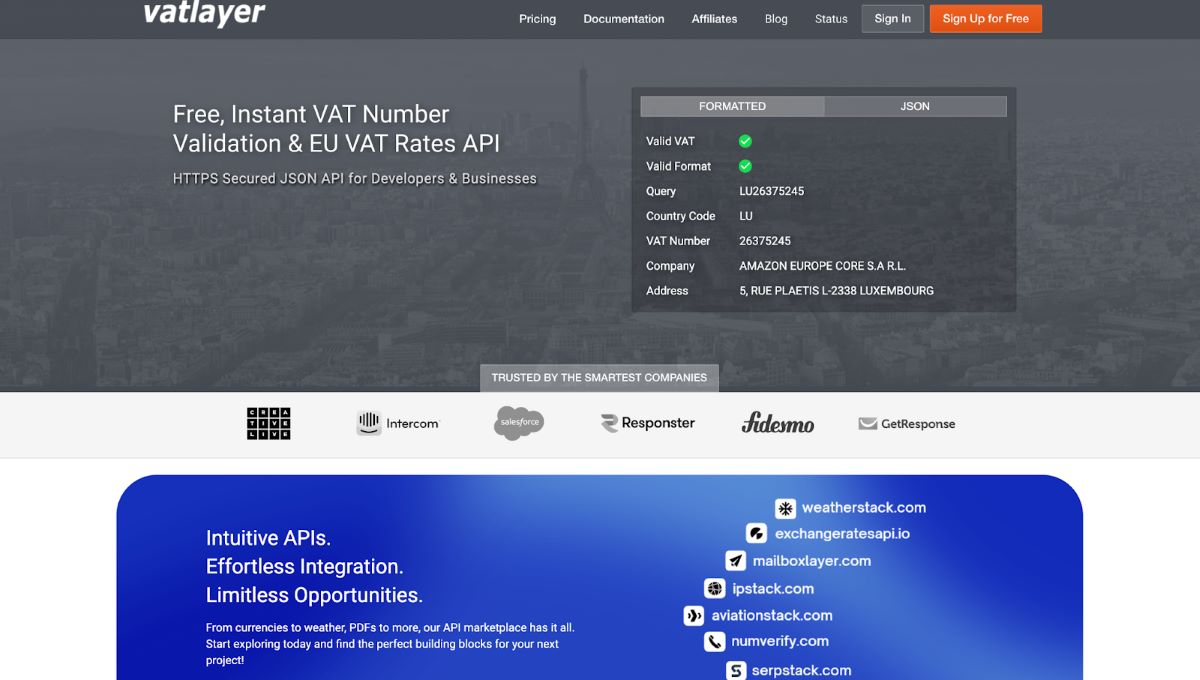
Vatlayer API validates EU VAT numbers, retrieves VAT rates for all EU member states, and performs VAT-compliant price calculations. The API includes company name lookup and address verification for registered VAT numbers by connecting directly to EU Commission databases. You can instantly validate VAT numbers, obtain EU VAT rates by country code or IP address, perform VAT-compliant price calculations, and access detailed company information. The API uses 256-bit HTTPS encryption to ensure secure and encrypted datastreams during all transactions.
Available Endpoints
- VAT Validation: GET
http://apilayer.net/api/validate?access_key=YOUR_KEY&vat_number=LU26375245checks the validity of any EU VAT number and returns company name and address information. - VAT Rate by Country: GET
http://apilayer.net/api/rate?access_key=YOUR_KEY&country_code=DEretrieves the standard and reduced VAT rates for a specific EU member state using a 2-letter country code. - All EU VAT Rates: GET
http://apilayer.net/api/rate_list?access_key=YOUR_KEYreturns a complete list of VAT rates for all 27 EU member states in a single response. - Price Calculation: GET
http://apilayer.net/api/price?access_key=YOUR_KEY&amount=100&country_code=DEcalculates VAT-compliant prices by applying the correct VAT rate to your specified amount.
Code
					import requests
import json
import openai

# Function definition for ChatGPT
vatlayer_function = {
    "name": "validate_vat",
    "description": "Validate EU VAT number and get company information",
    "parameters": {
        "type": "object",
        "properties": {
            "vat_number": {
                "type": "string",
                "description": "VAT number to validate (e.g., LU26375245)"
            }
        },
        "required": ["vat_number"]
    }
}

# API execution function
def validate_vat(vat_number):
    url = "http://apilayer.net/api/validate"
    params = {
        "access_key": "YOUR_VATLAYER_KEY",
        "vat_number": vat_number
    }
    response = requests.get(url, params=params)
    return response.json()

# ChatGPT integration
messages = [
  {"role": "user", "content": "Check if VAT number GB123456789 is valid"}
]

response = openai.ChatCompletion.create(
    model="gpt-5",
    messages=messages,
    functions=[vatlayer_function],
    function_call="auto"
)

if response.choices[0].message.get("function_call"):
    args = json.loads(response.choices[0].message["function_call"]["arguments"])
    vat_data = validate_vat(args["vat_number"])
Example Prompts
- “Is VAT number DE123456789 registered in Germany?” triggers the validation endpoint to check the number against official databases and returns company details if valid.
- “What’s the current VAT rate in France?” uses the country-specific rate endpoint to retrieve both standard and reduced VAT percentages for France.
- “Calculate price including VAT for 500 EUR in Italy” queries the price calculation endpoint to add the appropriate Italian VAT rate to the base amount.
Integration Ideas
- E-commerce Checkout: Automatically validate business customer VAT numbers and apply appropriate tax rates during checkout to ensure compliance and prevent fraud.
- Accounting Software: Verify supplier VAT numbers and calculate compliant invoices for EU transactions before generating financial documents.
- Compliance Systems: Build automated VAT verification workflows for regulatory reporting that check and store validation results with timestamps.
7. Mediastack API

Mediastack API provides real-time news articles and headlines from 7,500+ sources worldwide. The API delivers news in 50+ languages with filtering by source, category, country, and keywords for precise content targeting. You get structured and readable news data from thousands of international news publishers and blogs, updated as often as every single minute. The API returns results in lightweight JSON format with comprehensive metadata including author, title, description, URL, image, category, language, and publish timestamp.
Available Endpoints
- Live News: GET
https://api.mediastack.com/v1/news?access_key=YOUR_ACCESS_KEY & keywords=AI&countries=us,gb,deretrieves real-time news articles filtered by keywords and multiple countries simultaneously. - Category News: GET
http://api.mediastack.com/v1/news?access_key=YOUR_KEY&categories=technology,-businessfetches news from specific categories while excluding others using comma-separated values. - Country-Specific News: GET
http://api.mediastack.com/v1/news?access_key=YOUR_KEY & countries=au,-us returns news from selected countries while filtering out unwanted regions. - News Sources: GET
https://api.mediastack.com/v1/sources?access_key=YOUR_ACCESS_KEY&search=abc searches and lists all available news sources with their metadata and source IDs.
Code
					import requests
import json
import openai

# Function definition for ChatGPT
mediastack_function = {
    "name": "get_news",
    "description": "Get latest news articles on specific topics or from sources",
    "parameters": {
        "type": "object",
        "properties": {
            "keywords": {
                "type": "string",
                "description": "Search keywords for news articles"
            },
            "categories": {
                "type": "string",
                "description": "News categories (e.g., technology, business, sports)"
            },
            "limit": {
                "type": "number",
                "description": "Number of articles to return (max 100)"
            }
        },
        "required": ["keywords"]
    }
}

# API execution function
def get_news(keywords, categories=None, limit=10):
    url = 'http://api.mediastack.com/v1/news'
    params = {
        'access_key': 'YOUR_MEDIASTACK_KEY',
        'keywords': keywords,
        'limit': limit
    }
    if categories:
        params['categories'] = categories

    response = requests.get(url, params=params)
    return response.json()

# ChatGPT integration
messages = [
    {"role": "user", "content": "Show me the latest AI technology news"}
]

response = openai.ChatCompletion.create(
    model="gpt-5",
    messages=messages,
    functions=[mediastack_function],
    function_call="auto"
)

# Execute function if ChatGPT requests it
if response.choices[0].message.get("function_call"):
    args = json.loads(response.choices[0].message["function_call"]["arguments"])
    news_data = get_news(
        args["keywords"],
        args.get("categories"),
        args.get("limit", 10)
    )
Example Prompts
- “What are the top tech headlines today?” triggers the category news endpoint filtered for technology articles from the current day.
- “Find news about renewable energy from the last week” uses keyword filtering combined with date parameters to retrieve relevant articles from a specific timeframe.
- “Show me business news from UK sources” combines category and country filters to return business-specific content from United Kingdom publishers.
Integration Ideas
- News Aggregator Chatbots: Build AI assistants that curate personalized news feeds based on user interests, language preferences, and regional relevance.
- Market Intelligence Tools: Monitor industry news and trends for competitive analysis by tracking keywords related to competitors, products, or market segments.
- Content Discovery: Create recommendation engines that suggest relevant articles based on user behavior, reading history, and engagement patterns.
8. Aviationstack

Aviationstack API provides real-time flight tracking, historical flight data, and aviation information for global flights with status updates delayed by only 30-60 seconds. The API covers over 19,000 airplanes, 10,000+ airports, 13,000+ airlines, 250+ countries, and 9,000+ cities, delivering comprehensive data including live aircraft locations, delays, gates, terminals, and route information. You can access flight details like scheduled and actual departure times, estimated arrival times, current altitude, speed, direction, and even baggage carousel numbers. The API runs on auto-scaling cloud infrastructure capable of handling millions of calls per hour with consistently quick response times.
Available Endpoints
- Real-Time Flights: GET
https://api.aviationstack.com/v1/flights?access_key=YOUR_KEYretrieves live flight data with optional filters for status, airline, route, departure airport, arrival airport, and delay thresholds. - Flight by Number: GET
https://api.aviationstack.com/v1/flights?access_key=YOUR_KEY&flight_iata=AA1004tracks a specific flight using its IATA or ICAO code and returns detailed status including current position and gate information. - Airport Data: GET
https://api.aviationstack.com/v1/airports?access_key=YOUR_KEYprovides complete airport information including codes, names, cities, countries, timezone, and geographic coordinates. - Airline Routes: GET
https://api.aviationstack.com/v1/routes?access_key=YOUR_KEY&dep_iata=JFK&arr_iata=LAXreturns all available routes between two airports with airline and aircraft details.
Code
					import requests
import json
import openai

# Function definition for ChatGPT
aviationstack_function = {
    "name": "track_flight",
    "description": "Get real-time flight status and tracking information",
    "parameters": {
        "type": "object",
        "properties": {
            "flight_iata": {
                "type": "string",
                "description": "Flight IATA code (e.g., AA1004, BA123)"
            },
            "dep_iata": {
                "type": "string",
                "description": "Departure airport IATA code (e.g., JFK, LAX)"
            },
            "arr_iata": {
                "type": "string",
                "description": "Arrival airport IATA code (e.g., SFO, ORD)"
            },
            "flight_status": {
                "type": "string",
                "description": "Filter by status: scheduled, active, landed, cancelled, incident, diverted"
            }
        },
        "required": []
    }
}

# API execution function
def track_flight(flight_iata=None, dep_iata=None, arr_iata=None, flight_status=None):
    url = "https://api.aviationstack.com/v1/flights"
    params = {"access_key": "YOUR_AVIATIONSTACK_KEY"}

    if flight_iata:
        params["flight_iata"] = flight_iata
    if dep_iata:
        params["dep_iata"] = dep_iata
    if arr_iata:
        params["arr_iata"] = arr_iata
    if flight_status:
        params["flight_status"] = flight_status

    response = requests.get(url, params=params)
    return response.json()

# ChatGPT integration
messages = [
    {"role": "user", "content": "Is American Airlines flight AA1004 on time?"}
]

response = openai.ChatCompletion.create(
    model="gpt-5",
    messages=messages,
    functions=[aviationstack_function],
    function_call="auto"
)

# Execute function if ChatGPT requests it
if response.choices[0].message.get("function_call"):
    args = json.loads(response.choices[0].message["function_call"]["arguments"])
    flight_data = track_flight(
        args.get("flight_iata"),
        args.get("dep_iata"),
        args.get("arr_iata"),
        args.get("flight_status")
    )

    # Access flight details from response
    if flight_data.get("data") and len(flight_data["data"]) > 0:
        flight = flight_data["data"][0]
        status = flight["flight_status"]
        departure = flight["departure"]["airport"]
        arrival = flight["arrival"]["airport"]
        delay = flight["departure"]["delay"]
Example Prompts
- “What’s the status of flight BA456 from London to New York?” triggers the flight number endpoint and returns real-time status including current location, delays, and estimated arrival time.
- “Track United Airlines flight UA203” uses the flight IATA code to retrieve live tracking data with latitude, longitude, altitude, and speed information.
- “Are there any delayed flights from JFK to LAX right now?” queries real-time flights filtered by route and delay parameters to identify affected flights.
- “Show me all active American Airlines flights” combines airline filter with active flight status to display current operations for the specified carrier.
Integration Ideas
- Travel Booking Platforms: Display real-time flight status and delay notifications directly in booking confirmations to keep travelers informed about their itinerary.
- Airport Information Displays: Build live departure and arrival boards with gate assignments and terminal information that update every 30-60 seconds.
- Flight Notification Bots: Create AI assistants that proactively alert travelers about delays, gate changes, and boarding times based on flight numbers and current status.
- Travel Analytics Dashboards: Track airline performance, route punctuality, and delay patterns using historical flight data from the past 3 months.
Quick Comparison Table
| API | Primary Use Case | Data Coverage | Key Features | Free Tier | Update Frequency |
| IPstack | IP Geolocation | 2M+ locations in 200K+ cities | Location data, carrier detection, security module | Yes | Real-time |
| Fixer | Currency Exchange | 170 world currencies | Real-time rates, historical data, conversions | Yes | Every 60 seconds on paid plans |
| Marketstack | Stock Market Data | 170K+ tickers, 70+ exchanges | Real-time prices, intraday, 15+ years historical | Yes | Down to the minute |
| Numverify | Phone Validation | 232 countries | Carrier lookup, line type, location data | Yes | Real-time |
| Weatherstack | Weather Data | Millions of locations globally | Current, historical from 2008, 14-day forecasts | Yes | Real-time |
| Vatlayer | VAT Validation | 27 EU member states | VAT number validation, company lookup, rate calculations | Yes | Real-time |
| Mediastack | News Aggregation | 7,500+ sources in 50+ languages | Live news, category filters, keyword search | Yes | Every minute |
| Aviationstack | Flight Tracking | 10K+ airports, 13K+ airlines | Real-time flight status, historical data, routes | Yes | 30-60 second delay |
Get Your Free API Keys!
Join thousands of developers using APILayer to power their applications with reliable APIs!
Get Your Free API Keys!100 Requests Free!
Conclusion
OpenAI function calling converts static LLMs into dynamic systems that fetch live geolocation data, validate VAT numbers, track flights, convert currencies, and pull real-time news without hallucination or manual parsing workarounds. These eight production-ready APIs deliver structured JSON responses with generous free tiers, letting developers build AI assistants that answer user questions with accurate external data instead of generating plausible-sounding fiction.
All the APIs covered in this guide are available through APILayer, a marketplace trusted by over 450,000 developers for reliable, low-latency integrations. Sign up for free, grab your API keys, and start building ChatGPT function calling workflows that deliver real-time data to your users without burning through API credits.
FAQs
1. Does ChatGPT actually execute the API calls itself?
No, ChatGPT only generates structured JSON with function parameters your backend code receives these parameters and executes the actual API request, giving you full control over security, error handling, and data flow.
2. Can ChatGPT call multiple functions in one conversation?
Yes, ChatGPT automatically chains multiple function calls when needed, so a prompt like “Compare Apple and Tesla stock prices” triggers two separate API requests without requiring additional user input.
3. What’s the difference between openai function calling and ChatGPT plugins?
Plugins work exclusively inside the ChatGPT web interface, while function calling integrates into your own applications through the function calling gives developers programmatic control over execution and data handling.
4. Do free API tiers have enough requests for production apps?
Yes, these APIs offer generous free tiers (100-1000 requests/month) that work well for testing and small-scale apps, but production applications with higher traffic will need paid plans for adequate rate limits and uptime SLAs.
5. How do I stop ChatGPT from calling the wrong functions?
Write clear, specific function descriptions with accurate parameter types and enums in your JSON schema, unclear descriptions lead to incorrect function calls, while precise schemas guide ChatGPT to generate accurate parameters.
6. Which ChatGPT models support function calling?
GPT-5, GPT-4, and GPT-3.5-turbo-0613 or later versions support function calling natively through both the Chat Completions API and Custom GPTs with GPT Actions.
Recommended Resource :
- Build an AI Agent for Fraud Detection Using Python, LangChain, and ipstack
- Top 10 MCP-Ready APIs for AI Integration in 2026 — Making Your API Data Accessible to ChatGPT and Claude 2
- Build Location-Aware AI Chatbots with ipstack

